EasyManua.ls Logo

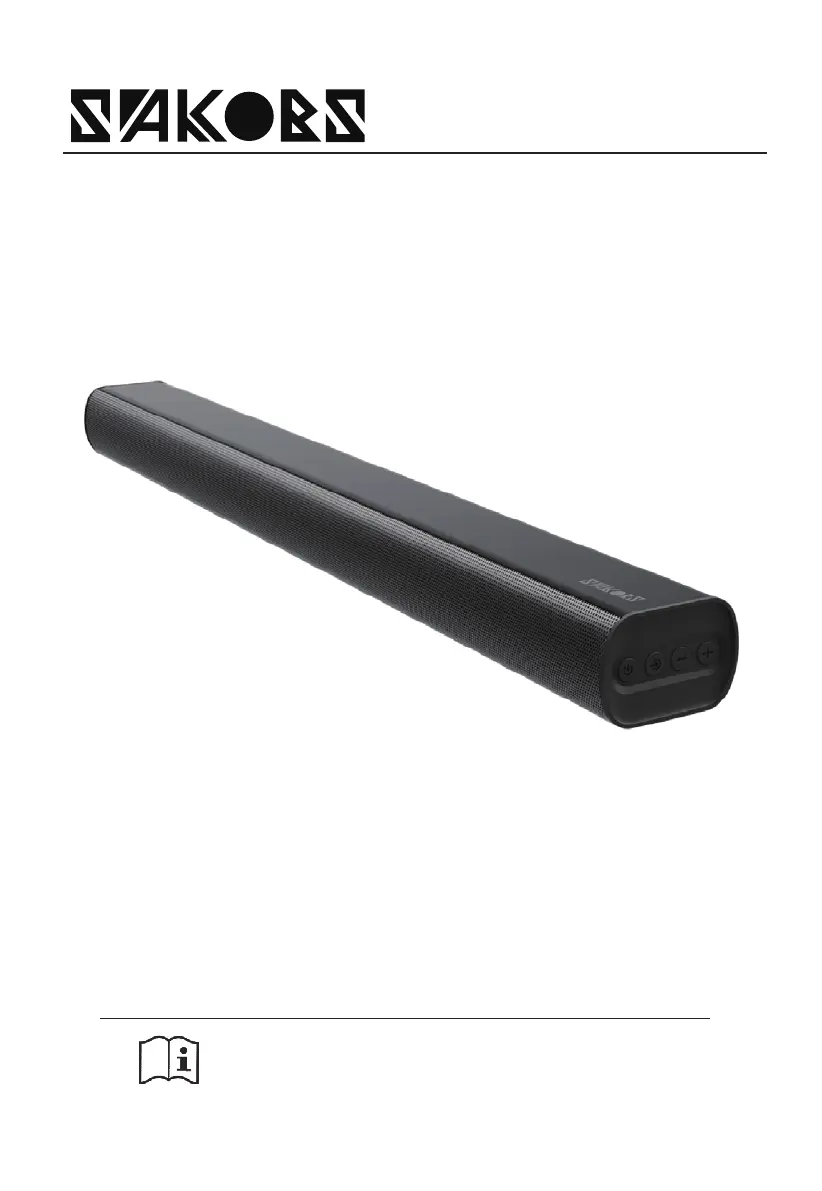
SAKOBS SB2122 - User Manual

SAKOBS SB2122
44 pages
Print Icon
To Next Page IconTo Next Page
Loading...
USER MANUAL
Before using the sound bar, please read this manual
thoroughly and retain it for future reference.
Model: SB2122
TV sound bar

Questions and Answers

  • T
    Tyler RiceAug 14, 2025
    Why is there no sound from my SAKOBS Speakers?
    • J
      John OdomAug 14, 2025
      If there is no sound coming from your SAKOBS Speakers, first increase the volume by pressing VOL+ on the remote or the + button on the unit. Also, make sure the soundbar isn't muted by pressing the mute button on the remote. Finally, try selecting a different input source by pressing the SOURCE button.
  • L
    Lisa DaltonAug 17, 2025
    What to do if my SAKOBS Speakers have no audio?
    • D
      Douglas CookAug 18, 2025
      If you are experiencing no audio with your SAKOBS Speakers, try setting the TV output to PCM. You can also connect directly to your Blu-ray player or another source, as some TVs don't pass through digital audio. Ensure that the audio output setting is set to FIXED or STANDARD, not VARIABLE, and verify that the volume on your source device is turned up and the device is not muted.
  • C
    crystal84Aug 21, 2025
    What to do if the remote control for my SAKOBS Speakers does not work?
    • J
      jacksonjasonAug 21, 2025
      If the remote control for your SAKOBS Speakers isn't working, first select the correct source before pressing any playback control button. Try reducing the distance between the remote and the unit, and ensure you're aiming the remote directly at the sensor on the front of the unit without any obstacles in the way. Check that the batteries are inserted with the correct polarities (+/-) and replace them if necessary.
  • G
    gregory92Aug 25, 2025
    What to do if my SAKOBS Speakers have no power?
    • A
      Anthony RodriguezAug 25, 2025
      If your SAKOBS Speakers are not powering on, ensure that the AC power cord is properly connected and that there is power at the AC outlet. Then, press the standby button to turn the unit on.
  • M
    Michael RogersAug 27, 2025
    Why do my SAKOBS Speakers turn off automatically after 15 minutes?
    • V
      victorgoodmanAug 27, 2025
      If your SAKOBS Speakers turn off automatically after 15 minutes, it may be because the unit's external input signal level is too low. Please increase the volume level to prevent this.
  • A
    Austin BrownAug 31, 2025
    What to do if my SAKOBS SB2122 Home Theater System has no sound?
    • B
      Barbara JohnsonAug 31, 2025
      If your SAKOBS Home Theater System has no sound, try the following: * Increase the volume using the VOL+ button on the remote or the + button on the unit. * Make sure the soundbar isn't muted by pressing the mute button on the remote. * Set the TV output to PCM. * Connect directly to your Blu-ray player or another source, as some TVs don't pass through digital audio. * Ensure the audio output setting is set to FIXED or STANDARD, not VARIABLE. * If using Bluetooth, check that the volume on your source device is turned up and the device is not muted.
  • E
    Erika ByrdSep 3, 2025
    Why is my SAKOBS Home Theater System remote control not working?
    • P
      Pamela WilliamsSep 3, 2025
      If the remote control for your SAKOBS Home Theater System isn't working, try these steps: * Shorten the distance between the remote and the unit. * Ensure the batteries are inserted correctly, matching the + and - polarities as indicated. * Replace the batteries with new ones. * Aim the remote directly at the sensor on the front of the unit, ensuring nothing is blocking the path.
  • G
    Gregory JacksonSep 7, 2025
    How to fix a SAKOBS Home Theater System that has no power?
    • J
      Jacob WhiteSep 7, 2025
      If your SAKOBS Home Theater System isn't powering on, check the following: * Make sure the AC power cord is securely connected to the unit. * Verify that the AC outlet has power. * Press the standby button to turn the unit on.
  • M
    Maria TrujilloSep 10, 2025
    Why is my SAKOBS SB2122 Home Theater System volume low after 15 minutes?
    • J
      julianjohnsonSep 10, 2025
      If your SAKOBS Home Theater System volume is too low due to the 15-minute power-saving function, increase the volume level of your external device.

Summary

Important Safety Instructions

Safety Guidelines

Comprehensive safety guidelines for operating the soundbar, covering usage, environment, and maintenance.

Product Compliance and Disposal

Correct Disposal of Product

Instructions on how to dispose of the product responsibly within the EU to prevent environmental harm.

European Union Notice

Information regarding radio products complying with EU RED Directive (2014/53/EU).

FCC Information

FCC Warning and Notes

Important warnings and notes regarding FCC compliance, interference, and radiation exposure guidelines.

Package Contents

Lists all the items included in the product package, such as the main unit and accessories.

Product Diagram

Main Unit Components and Indicators

Diagram and explanation of the main unit's ports, buttons, remote control sensor, and LED indicators.

Remote Control

Remote Control Overview

Diagram and list of all buttons on the remote control and their functions.

Battery Replacement

Step-by-step guide for replacing batteries in the remote control, including precautions.

Battery Precautions

Important precautions to take regarding battery usage, storage, and handling to prevent damage or injury.

Placement and Mounting

Unit Placement Options

Guidance on how to place the soundbar unit on a table or mount it on a wall.

Wall Mounting Instructions

Important notes and safety considerations for wall mounting the unit, emphasizing professional installation.

Connections

Connect to HDMI ARC Socket

Instructions on connecting the soundbar to a TV via HDMI ARC for audio return.

HDMI ARC Tips

Tips for ensuring HDMI ARC functionality, including CEC and cable compatibility.

Connect to AUX Socket

Connecting via AUX

Instructions for connecting the soundbar to a TV or audio device using an AUX cable.

AUX Operation Notes

Notes and general settings for enabling AUX audio output from specific TV models.

Connect to OPTICAL Socket

Connecting via Optical Cable

Instructions for connecting the soundbar to a TV's optical output using an optical cable.

Optical Operation Notes

Notes and general settings for enabling optical audio output from specific TV models.

Basic Operation

Standby and Power On;Off

How to switch the unit between standby and ON mode, and how to turn it off completely.

Auto Wake and Power Off

Explanation of automatic wake-up and power-off features for energy saving.

Selecting Modes and Volume Adjustment

How to select input modes and adjust the volume level using the unit or remote control.

Preset Sound Effects

How to select different preset equalizer sound effects for movie, music, or news.

Audio Input Operations

General Operation for Audio Inputs

General operation for OPTICAL, HDMI ARC, and AUX modes, including volume adjustment.

Bluetooth Operation

Step-by-step guide to pair Bluetooth devices and play music wirelessly.

Bluetooth Pairing Tips

Tips and notes on Bluetooth pairing, operational range, and device compatibility.

Bluetooth Functionality

Disconnecting Bluetooth

Methods to disconnect the Bluetooth function from the unit or a paired device.

Listening to Music via Bluetooth

How to play music from a Bluetooth device using the unit's remote control for playback.

Troubleshooting Common Issues

Guidance on troubleshooting common problems like no power, remote control issues, or no sound.

Bluetooth Pairing Troubleshooting

Steps to resolve issues when the Bluetooth name is not found on the device for pairing.

Power Saving Feature

Explanation of the 15-minute auto power-off function for saving energy when input signal is low.

Specifications

Model and Soundbar Specs

Technical specifications for the soundbar, including power supply, dimensions, weight, and impedance.

Wireless and Amplifier Specs

Technical details on Bluetooth version, frequency bands, and amplifier output power.

Remote Control Specifications

Specifications for the remote control's operating distance and angle.

Manufacturer and Representative Information

UK Authorized Representative

Contact information for the UK authorized representative of the product.

Manufacturer Details

Contact and location details of the manufacturer responsible for producing the soundbar.

SAKOBS SB2122 Specifications

General IconGeneral
BrandSAKOBS
ModelSB2122
TypeSoundbar
Channels2.1
ConnectivityBluetooth, AUX, Optical, USB