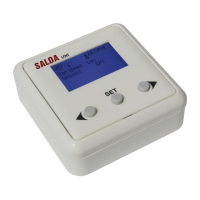
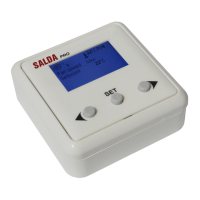
The Salda Ptouch is a remote control panel designed for Salda ventilation units and other devices based on PRV, MCB, or ECO controllers, as well as Modbus-controlled devices. It serves as a central interface for optimal comfort of operation, monitoring, maintenance, and service of these systems.
Function Description:
The Ptouch panel provides a comprehensive interface to manage various aspects of a ventilation system. It allows users to:
- Monitor System Status: View real-time data such as supplied, exhausted, extracted, and outside air temperatures, relative humidity, CO2 levels, differential pressure in supply and extract ducts, and fan speeds.
- Control Operating Modes: Select from different operating modes including Comfort, Max Boost, Stand-by, Building Protection, and Economy. Each mode has specific settings for fan speed and temperature maintenance.
- Set Temperatures: Adjust desired room temperatures for various operating modes and set temperature limits for night cooling.
- Schedule Operations: Utilize a weekly scheduler to program up to 10 events with specific modes and times for different weekdays. A holiday scheduler allows for programming up to 10 holiday events with start and end dates/times and selected modes.
- Manage Fans: Activate a "Fans Boost" function for a limited time period, operating fans at maximum power.
- Monitor Filters: Track the remaining working hours until filter service is required and reset the filter timer after replacement.
- Configure Heating Season: Define heating season modes based on outside temperature average or specific dates, and set temperature thresholds for activation and deactivation.
- Manage Alarms: View a list of current active alarms, which are also displayed on the main window, and refresh the alarm list.
- Adjust Settings: Customize user interface settings, including language, theme, screen brightness, dimming settings, and sound settings.
- Child Protection Lock: Implement a child protection lock with a configurable delay and PIN code to prevent unauthorized access.
Important Technical Specifications:
While specific technical specifications like dimensions, power consumption, or communication protocols are not explicitly detailed in the provided pages, the manual indicates:
- Display: 4.3" touch-screen.
- Mounting: Surface mounted.
- Connectivity: Modbus-controlled devices, compatible with PRV, MCB, or ECO controllers.
- Software: Displays software versions for both the control unit and configuration.
Usage Features:
The Ptouch remote control panel is designed for ease of use with several user-friendly features:
- Touch-Screen Interface: A 4.3" touch-screen allows for intuitive navigation and control.
- Acoustic Response: Provides acoustic feedback to touch, enhancing user interaction.
- Clear Display: Displays functions and set points clearly, with different colors indicating active states (e.g., green strip for "on," gray for "off").
- Multi-Language Support: Users can select their preferred language for the user interface from options like English, Lithuanian, Russian, German, French, and Italian.
- Customizable Themes: Several themes (Black, Blue, Green, Grey, Orange, Pink) are available to personalize the interface appearance.
- Screen Brightness and Dimming: Adjustable screen brightness for normal active mode (70-100%) and a dimming level for dimmed mode (30-70%). Inactivity time to trigger dimmed mode (30-300 seconds) and turn off the screen (30-2000 seconds) are also configurable.
- Sound Settings: The "Click Tone" can be switched on or off, providing a short beep for each button press when active.
- Detailed Status Information: The "Device Status" window provides comprehensive real-time data, including various temperatures, humidity levels, CO2 quantities, differential pressures, and fan speeds for both supply and extract air.
- Operation Mode Selection: A dedicated window allows for quick selection of operating modes, each represented by a distinct icon.
- Set Points Configuration: Users can easily review and modify set temperatures for Building Protection, Economy, and Comfort modes, with on/off switches for temperature maintenance functions in Building Protection and Economy modes.
- Night Cooling Settings: Configurable minimum day outside temperature limit, maximum night outside temperature limit, and desired room temperature at night for the night cooling function.
- Fans Boost Timer: A dedicated setting to adjust the maximum period for the "Boost" function in seconds.
Maintenance Features:
The Ptouch panel incorporates features to assist with system maintenance:
- Filter Timer: Displays the remaining working hours until filter service is due, prompting users for timely filter replacement. A button is provided to reset the filter timer after replacement.
- Alarm Reporting: Clearly lists current active alarms, which are also visible on the main screen, allowing for quick identification of system issues.
- Service Menu: A dedicated "Service menu" is available, though its specific contents are not detailed in the provided pages. This likely contains advanced diagnostic or maintenance-related functions.
- Software Version Display: Shows the software version of the AHU's control unit and configuration, which can be useful for troubleshooting and ensuring compatibility during updates.
In summary, the Salda Ptouch remote control panel is a sophisticated and user-friendly interface designed to provide comprehensive control and monitoring capabilities for Salda ventilation systems, ensuring optimal performance, comfort, and ease of maintenance.

 Need help?
 General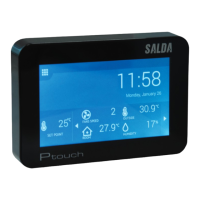

 To Next Page