4
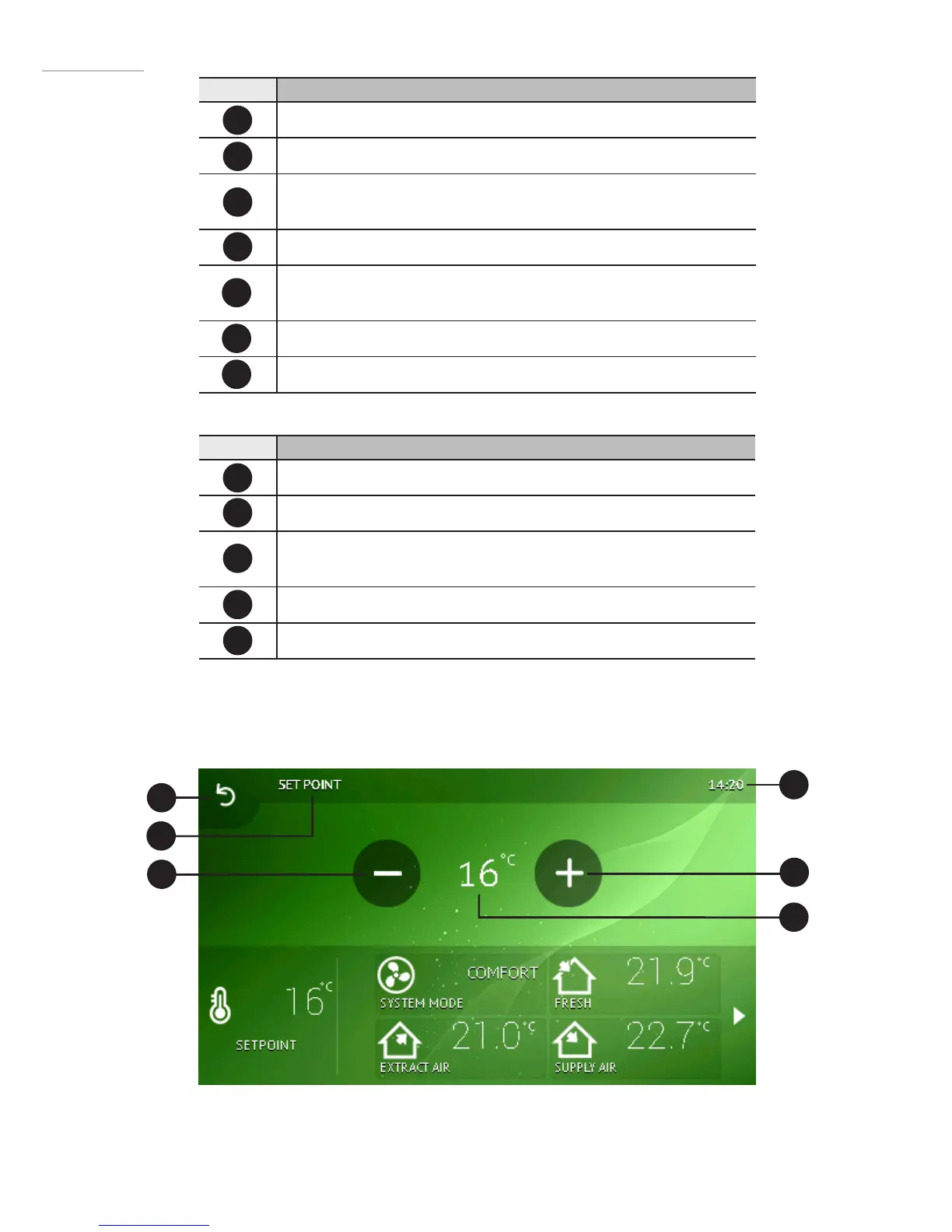
Number Function
Date and time.
Information / alert / status box.
Operating mode (comfort, max boost, stand-by, building protection
or economy).
Temperature of outside air
Desired room temperature (in comfort mode) or selected operating
mode icon.
Temperature of extracted air (room temperature).
Temperature of supplied air.
Number Function
Menu button.
Click to set a desired room temperature.
Click to choose the operating mode (comfort, max boost, stand-by,
building protection or economy).
Show previous indicators.
Show next set of indicators.
I1
B1
I2
B2
I3
B3
I4
B4
B5
2
EN
B1
I3
B3
I2
I1
B2
2.2Temperaturesettingwindow
I5
I6
I7


 To Next Page