5
2
Number Function
Window name.
Time.
Newly set desired room temperature (extracted air temperature).
Number Function
Back. Return to previous window.
Decrease set temperature.
Increase set temperature.
I1
B1
I2
B2
I3
B3
B1
B4
B5
B2
I1
EN
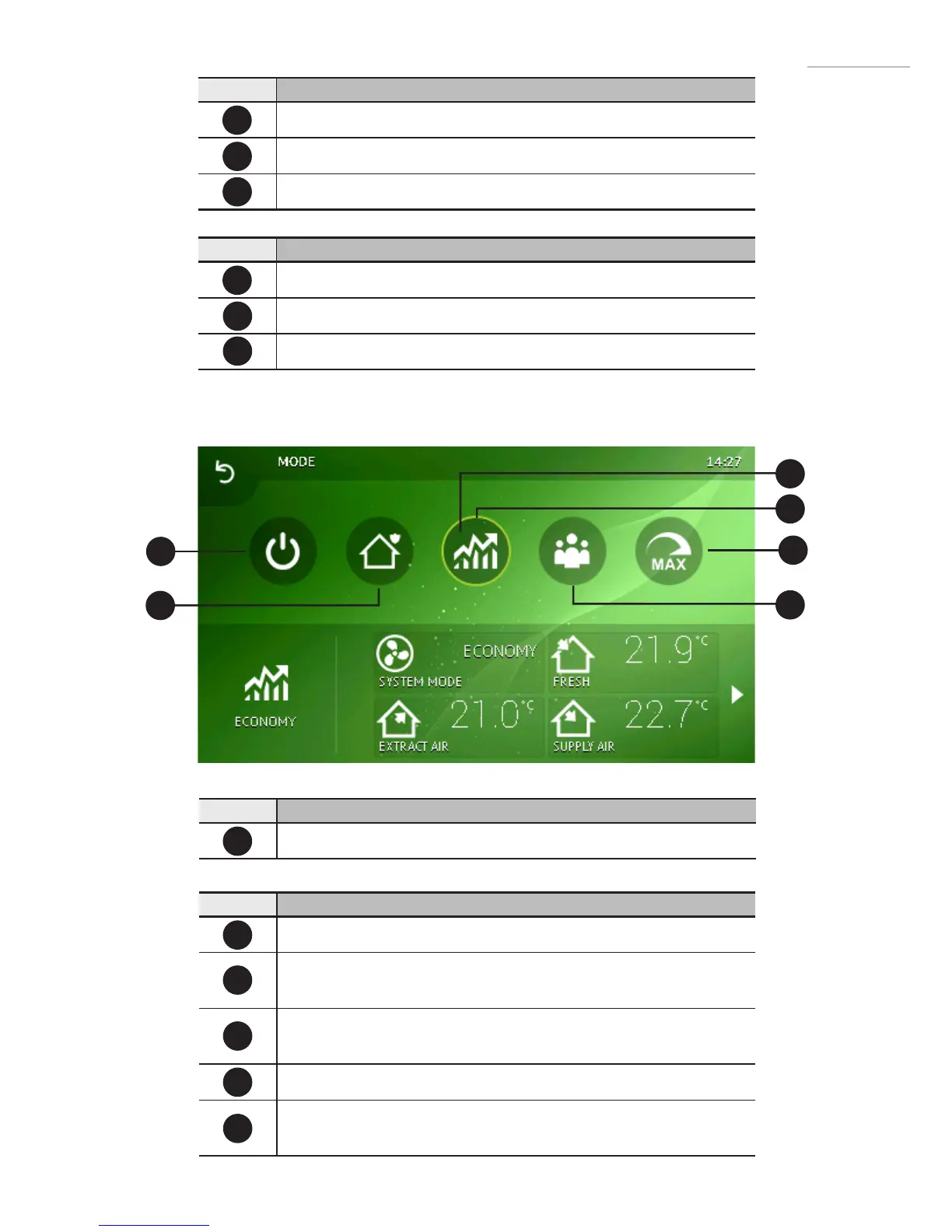
2.3Operationmodeselectionwindow
Number Function
Current operating mode.
Number Function
STANDBY – AHU is stopped.
BUILDING PROTECTION – maintain minimal air movement. Tempera-
ture can be maintained depending on settings in Menu → Set Points.
ECONOMY – use decreased fan speed. Temperature can be maintained
depending on settings in Menu → Set Points.
COMFORT - use normal fan speed. Temperature is maintained.
MAX BOOST – Fans operate at maximum power (for a specied
period).
I1
B1
B2
B3
B4
B5
B3


 To Next Page