English - 37 -
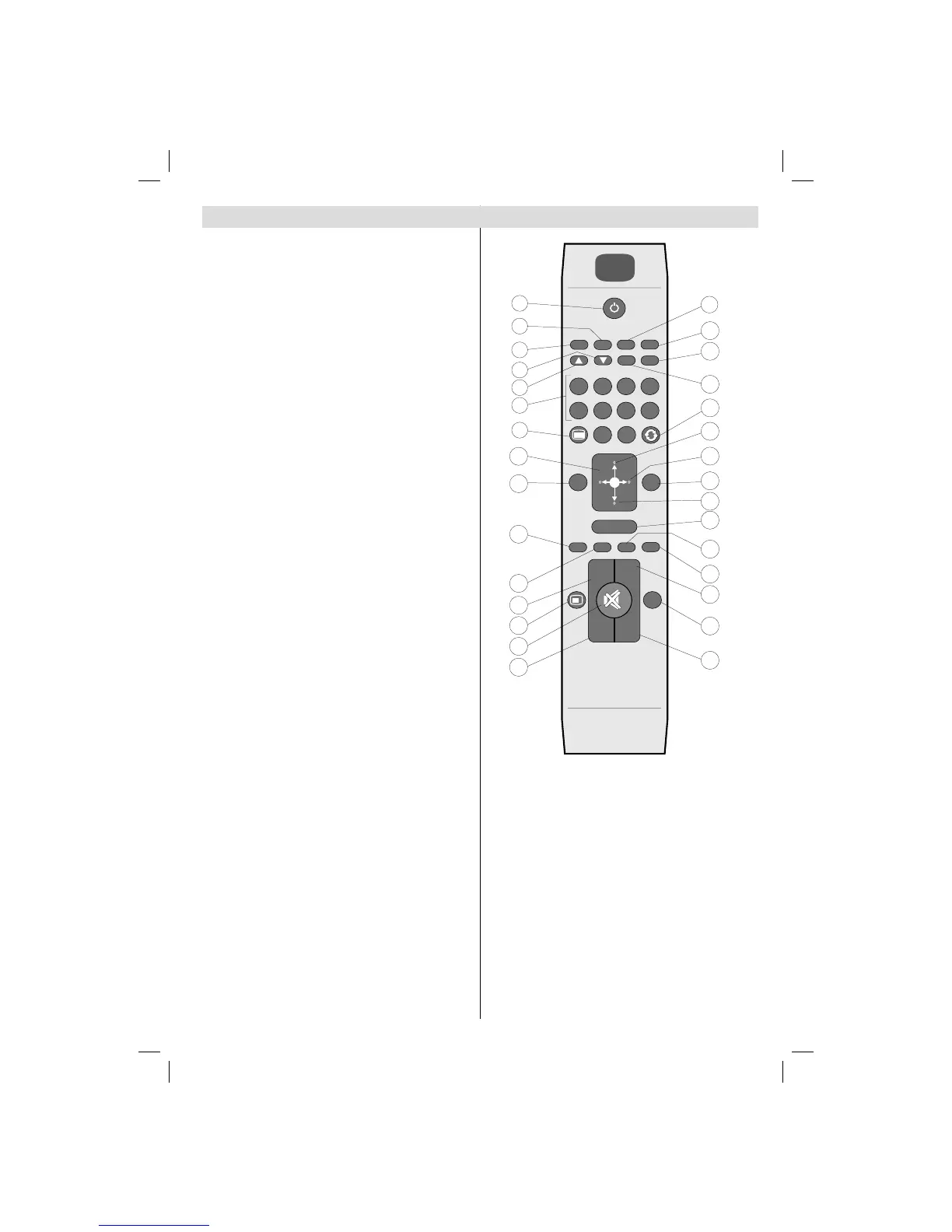
Remote Control Buttons
Standby1.
Mono/Stereo - Dual I-II / Currrent Language (*) 2.
(in DVB channels)
Image size / Zooms videos (in Media Browser 3.
video mode)
Green button/List Schedule(in EPG)/Tag/Untag 4.
All(in favourite list)/Play-Slideshow(in Media
Browser)
Red button/Stop(in Media Browser)5.
Numeric buttons6.
Teletext / Mix(in TXT mode) 7.
Cursor Left 8.
Menu on-off9.
AV / Source selection10.
Favourite Mode Selection(in DVB channels)11.
Volume Up12.
Info / Reveal (in TXT mode)13.
Mute14.
Volume Down15.
Programme Down / Page up(in DVB channels)16.
Electronic programme guide(in DVB channels)17.
Programme Up / Page down(in DVB channels)18.
Sleep Timer19.
Picture mode selecion. / Changes picture mode 20.
(in Media Browser video mode)
Okay (Confi rm) / Hold (in TXT mode)/ Edit 21.
Channel List
Cursor Down22.
Exit / Return / Index page (in TXT mode)23.
Cursor Right / Subpage (in TXT mode)24.
Cursor Up 25.
Previous programme26.
Yellow button/Pause (in Media Browser)/27.
Timeline Schedule(in EPG)
Blue button/Edit Channel List/Filter (İn Favourite 28.
List&EPG)/Loop-Shuffl e (in Media Browser)
No function29.
Subtitle on-off (in DVB channels)30.




 To Next Page