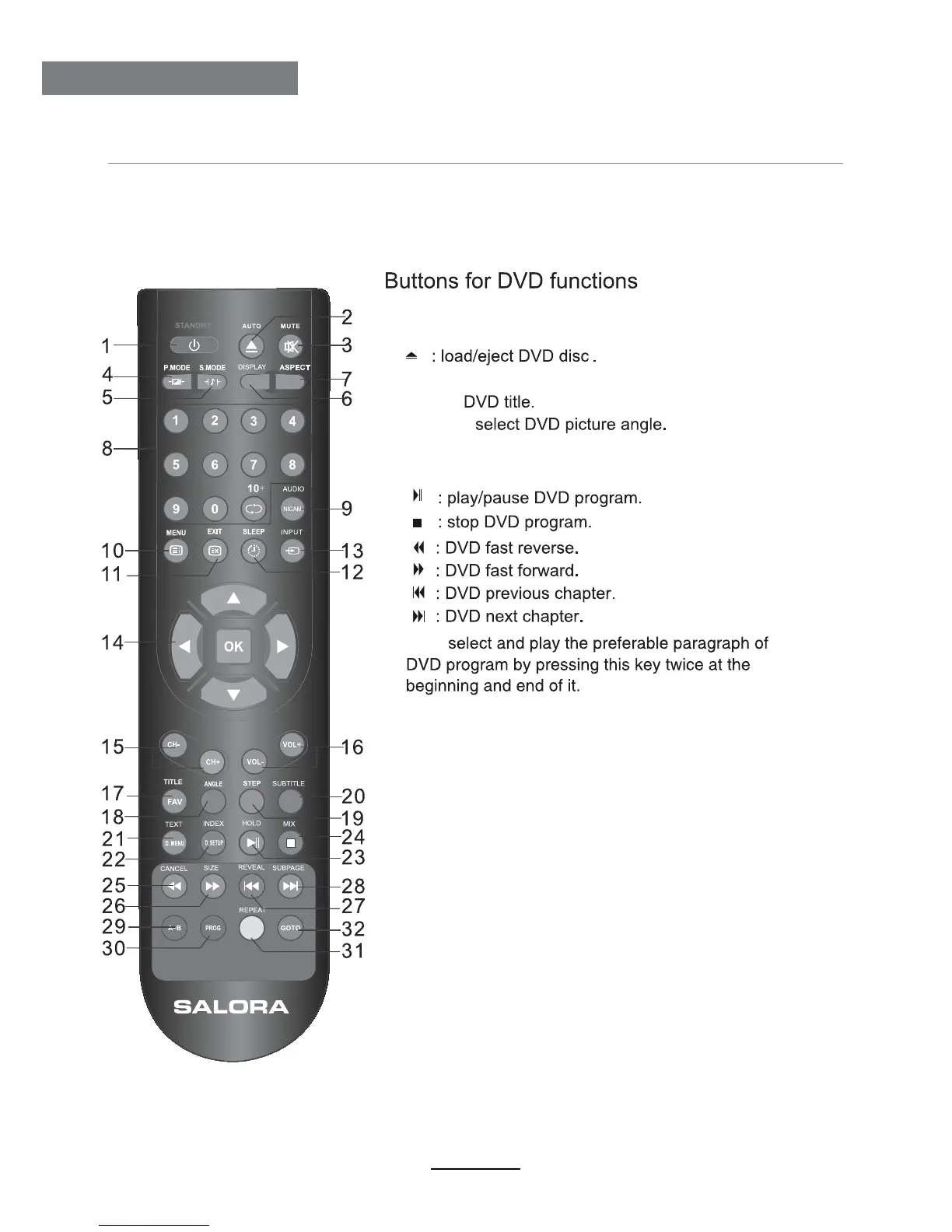
RemoteControl
7
RemoteControl
To selsct the DVD progran playback.
Repeat playback the DVD play.
DVD start palying from the desired time. Press time
and enter time. The unit starts playing from you selected.
A-B:
PROG:
29
28
27
26
25
30
REPEAT:
GOTO:
31
Dispaly the DVD SETUP menu.
D.SETUP:
22
Dispaly the DVD MENU.
D.MENU:
21
Change the DVD audio mode:left,right,mono,stereo.
AUDIO:
9
24
23
TITLE:
17
2
32
ANGLE:
18






 To Next Page