OSD Menu
15
OSD Menu
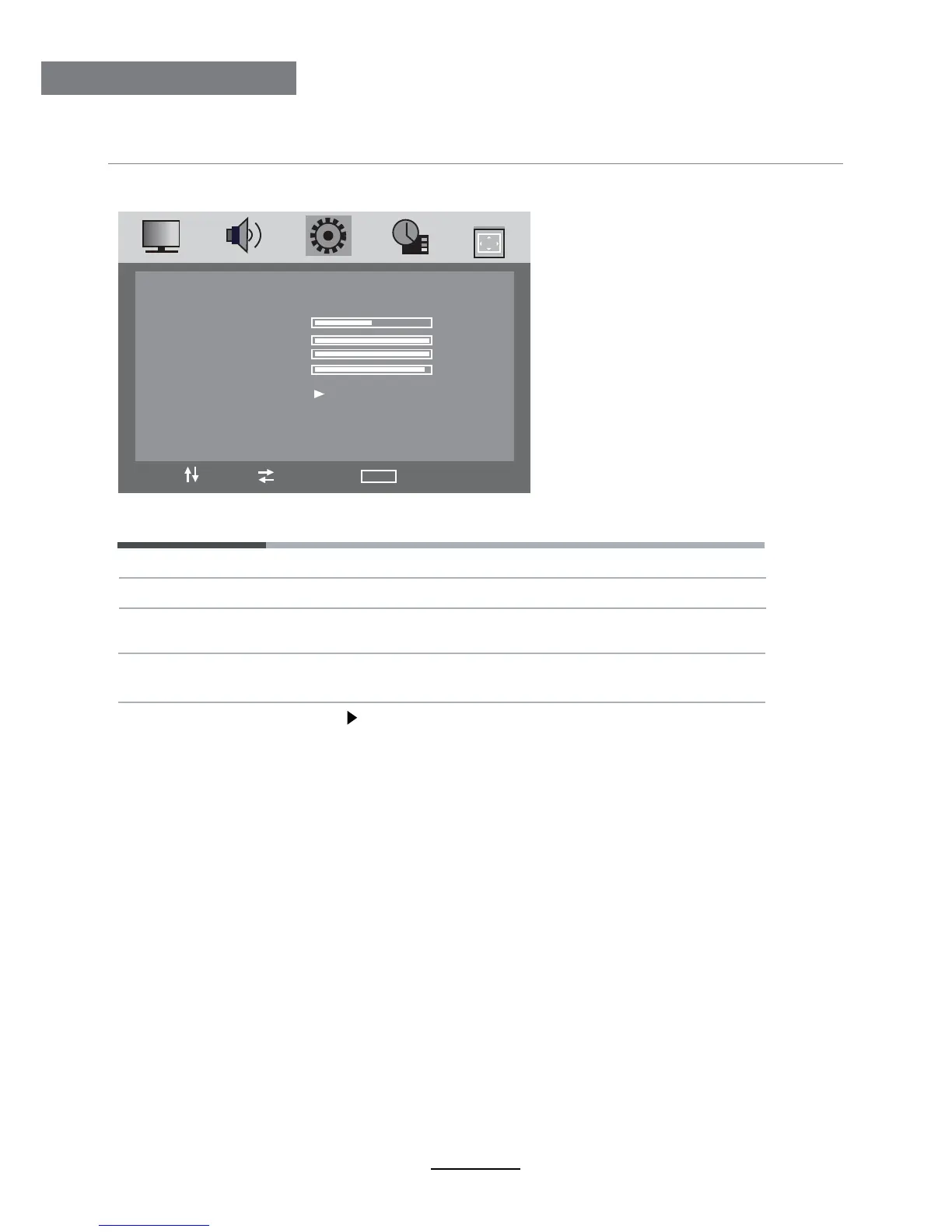
6. PC SETUP menu
Adjust the transverse position of the screen.
The PC SETUP menu includes the following options :
H-Position
Clock Adjust the pixel clock frequency, until the image size is maximized
for the screen.
Phase Adjust the phase of the ADC sampling clock relative to the sync
signal, until a stable image is obtained.
V-Position Adjust the vertical position of the screen.
Auto Adjust Press button to setup the parameter of the screen automatically.
H-POSITION
V-POSITION
CLOCK
PHASE
AUTO ADJUST
50
100
100
97
PC SETUP
MOVE SELECT MENU EXIT






 To Next Page