OSD Menu
13
OSD Menu
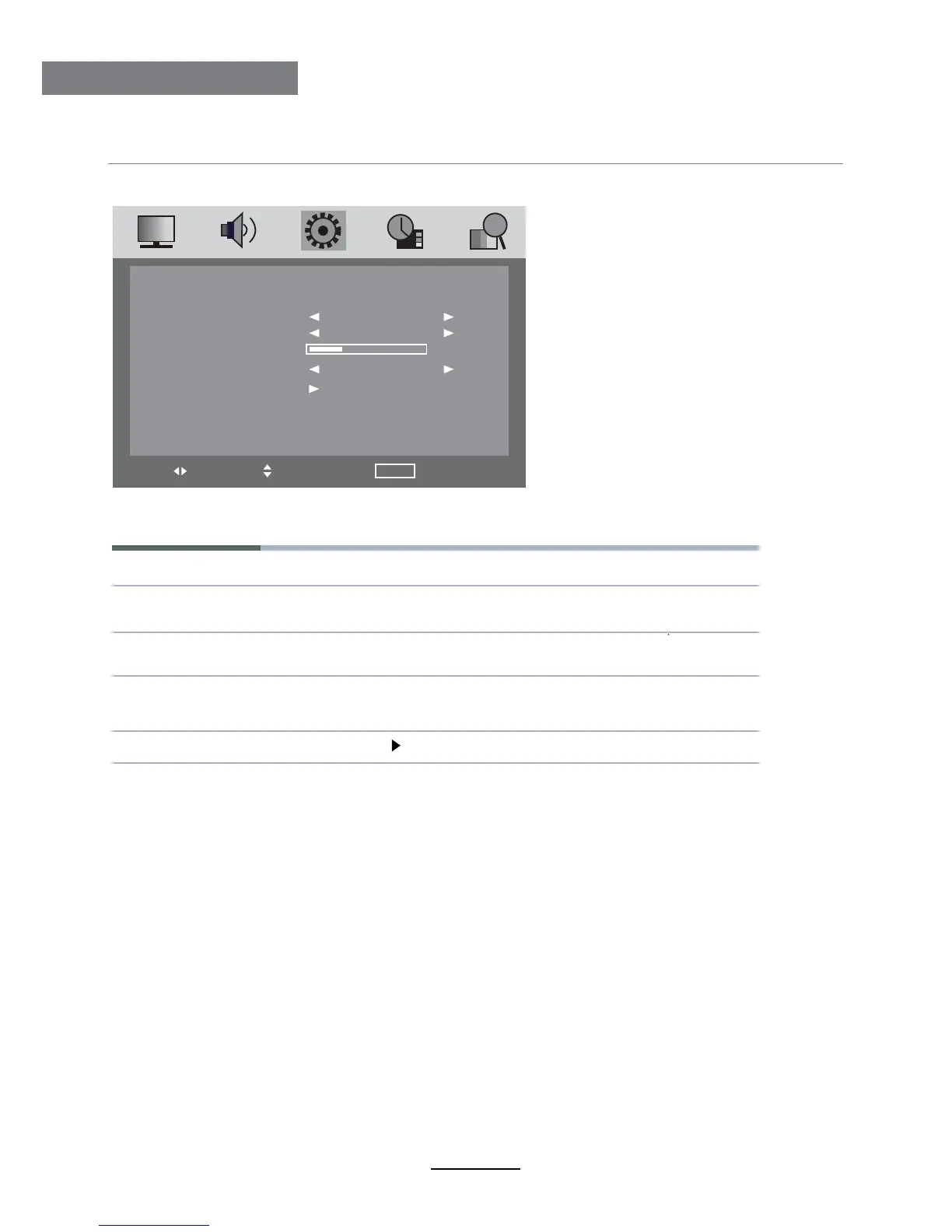
4. SETTING menu
The SETTING menu includes the following options:
Language Allows you to select menu language.
OSD Timer Allows you to select the time for OSD menu displays on the
screen.
Transparence Allows you to select the transparence for OSD menu
displays on the screen.
Turn on/off the overscan funciton.
(Can be selected in HDMI mode )
Overscan
Reset Press button to restore factory default.
LANGUAGE
OSD TIMER
TRANSPARENCE
OVERSCAN
RESET
ENGLISH
30 SEC
ON
20
SETTING
MOVE SELECT MENU EXIT












 To Next Page