3
USER MANUAL - XS4 CODE LOCKER-ENG-04-22
USER MANUAL - XS4 CODE LOCKER-ENG-04-22
2.1. Fixed User PIN Codes
User PIN’s are allocated in the internal device memory. The XS4 Code Locker can retain up to
200 xed codes from 4 to 8 digits long. Each individual user has their own PIN code to
operate the locker. This permits also to share one locker between different users.
1234 is a default xed PIN code congured at position 1 under fabrication and can be used
to test the device. Check ‘Fixed User PIN Codes Management’ section on page 6 to manage
the xed PIN’s.
2. ACCESS
The keypad can grant access to open the locker in 3 different ways:
1. INSTALLATION
For instructions on the installation, please check the installation guide.
Please Note: When the lock is in silent mode there is no acoustic signal.
Check ‘Conguration’ section of the manual.
3
#
2 4
1
Example:
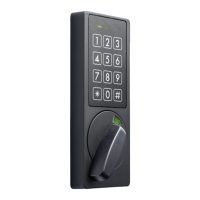
Upon entering a valid user PIN code,
conrmation beep will sound
and the green LED will blink one time.
The locker is ready to be opened or
closed.
Turn the knob to the left or the right.
Opening and Closing
0
#
0 0
0
Example:
In case of wrong code inserted, a
rejection beep will sound and the
Red LED will blink one time.
Wrong Code


 To Next Page