7
USER MANUAL - XS4 CODE LOCKER-ENG-04-22
USER MANUAL - XS4 CODE LOCKER-ENG-04-22
3.1 Add xed PIN codes
3.2 Delete user codes
To delete a single or more xed PIN code, it is not necessary to know the specic code,
however the postion of the code must be known.
All positions can be overwritten, so be aware to keep a
register of all the congured PIN codes and their positions.
1
#
1 1
1
Example:
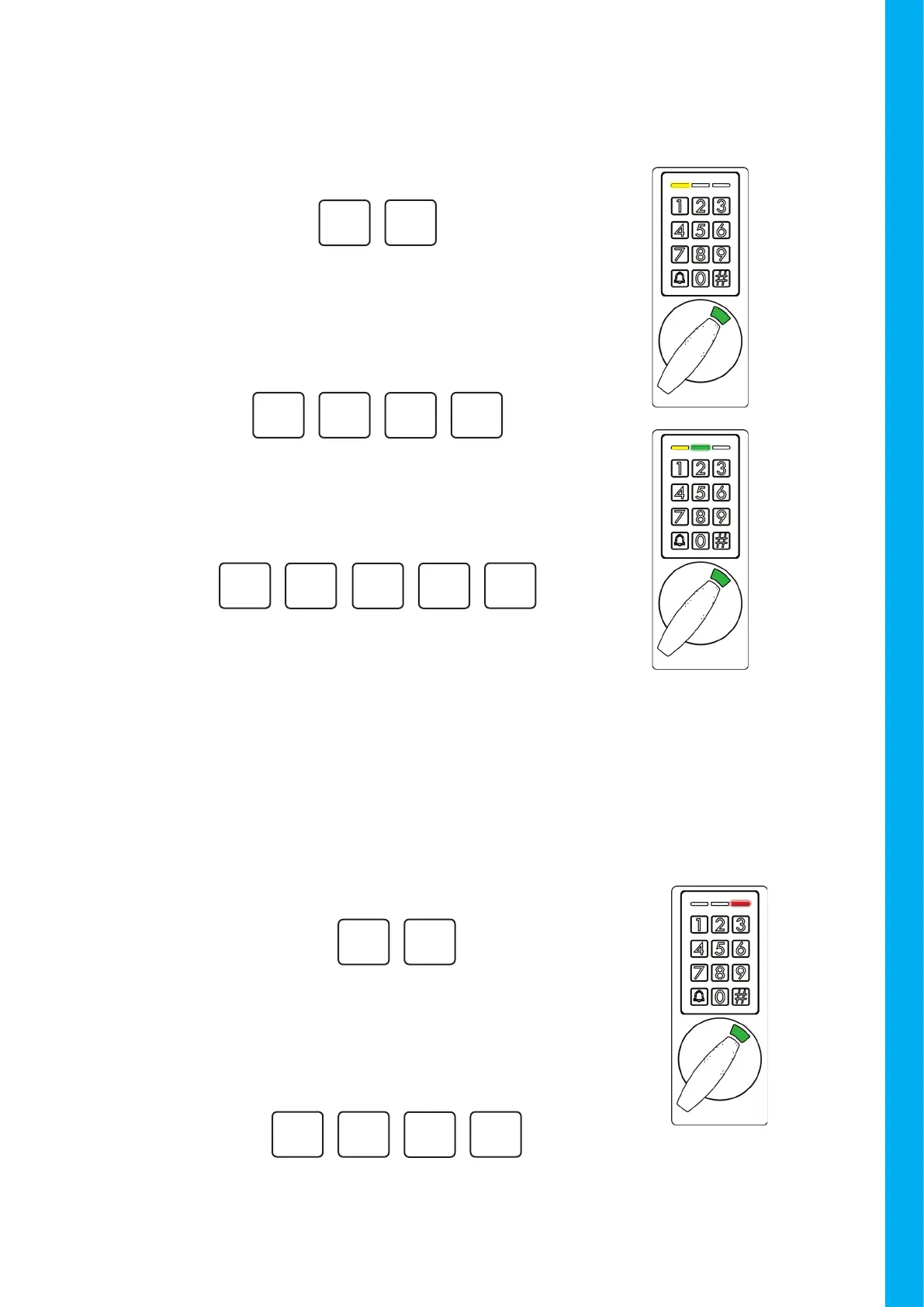
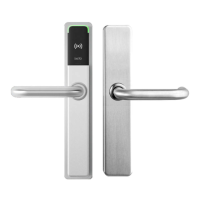
If a valid position is inserted, the Yellow LED will light solid,
and the green LED will blink until the xed user PIN code
is entered. The xed user PIN must be a number between
4 to 8 digits.
#
9
71
To add users, rst insert a position to place the new PIN
code (between 1 and 200).
A conrmation beep will sound and the yellow LED will
ash.
Enter:
#
1
Insert 1 to start adding users.
Example:
If a valid position is inserted a conrmation beep will sound.
#
9
71
Insert the position of the PIN that you want to delete
(a number between 1 and 200).
A conrmation beep will sound and the red LED will ash.
#
2
Insert 2 to start deleting xed PIN codes from the device.
Deleting PIN codes
Enter:
Example:


 To Next Page