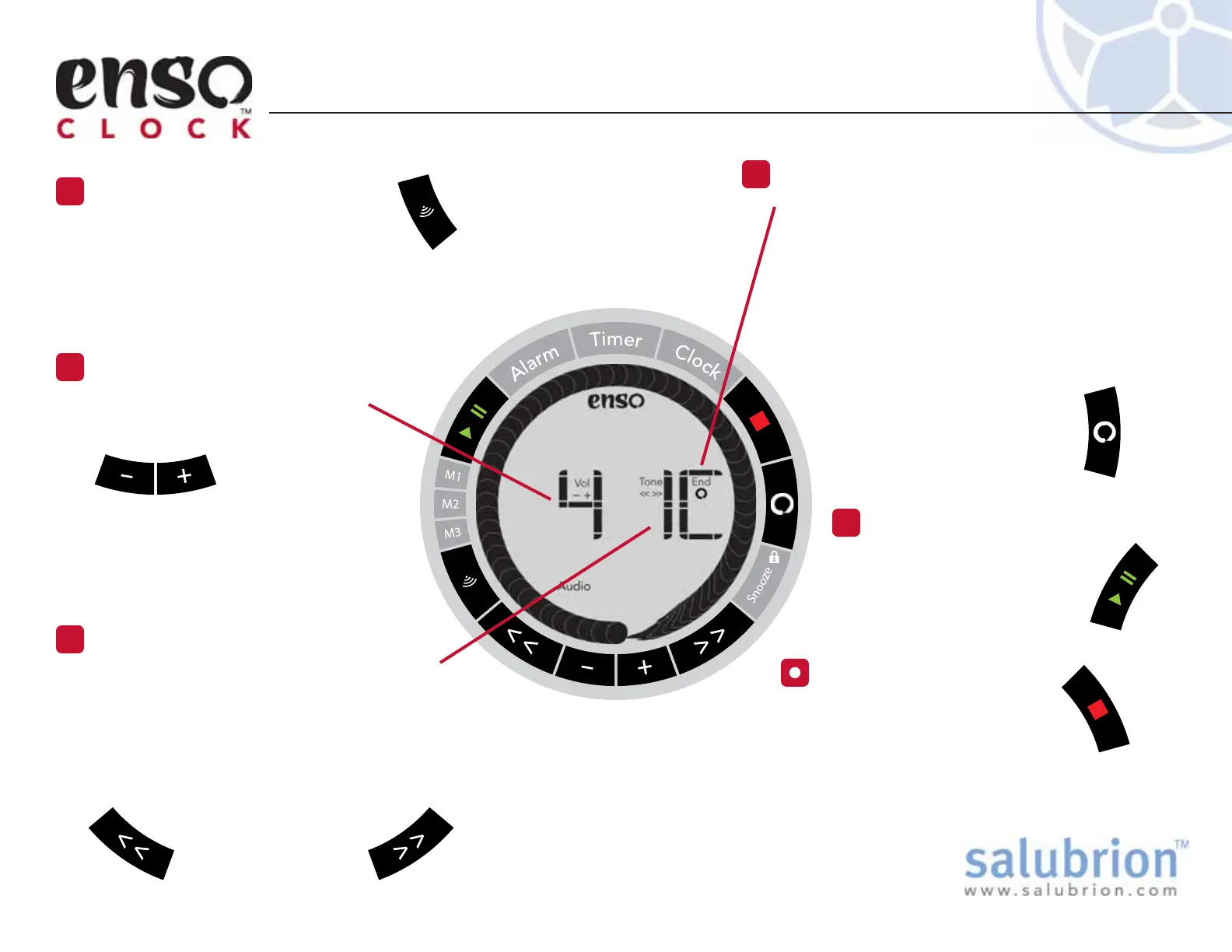
The third character indicates the duration of
the final chime.
C The alarm chime and final chime of the
timer will sound continuously until the stop
button is pressed.
2 The alarm chime and final chime of the
timer will sound only twice. Note: This is
not recommended for alarm clock
use.
Press the Enso button to
toggle the duration of the
final chime.
The Audio screen icon is visible
when the clock is in Audio Set mode.
Three different settings are displayed
by the three large alphanumeric
elements on the screen.
Setting the Audio Alert
Press the Audio Button
1
The first digit shows the volume
level (0 through 4). 0 is mute.
Press the + button to
increase the volume
level. Press the –
button to decrease the volume
level.
A preview of the selected volume
level will play.
Set the Volume
2
Save Changes
5
Press the green Play/Pause
button or Audio button to
save the changes made
to the sound settings.
EX-EC-100-1.1
The second digit displays the selected tone.
Tone 1 is a singing bowl
Tone 2 is a tingsha (bell)
Tone 3 is a Moktok (wooden block sound)
Tone 4 is a traditional alarm beep
Press the << or >> button to
select the tone type.
A preview of the
selected tone will play.
Set the Tone
3
Set the Duration of the Final Chime
4
Note: The tone that sounds at the completion of each
interval of a timer is always a single chime. The sound
settings that are selected apply to both the alarm and
timer functions. It is not possible to choose different
tones for individual modes or intervals.
Press the red Stop button to
cancel any changes made to
the sound settings.
Cancel Changes


 To Next Page