11
5. User settings
5.1 Manual mode - changing temperature setpoint
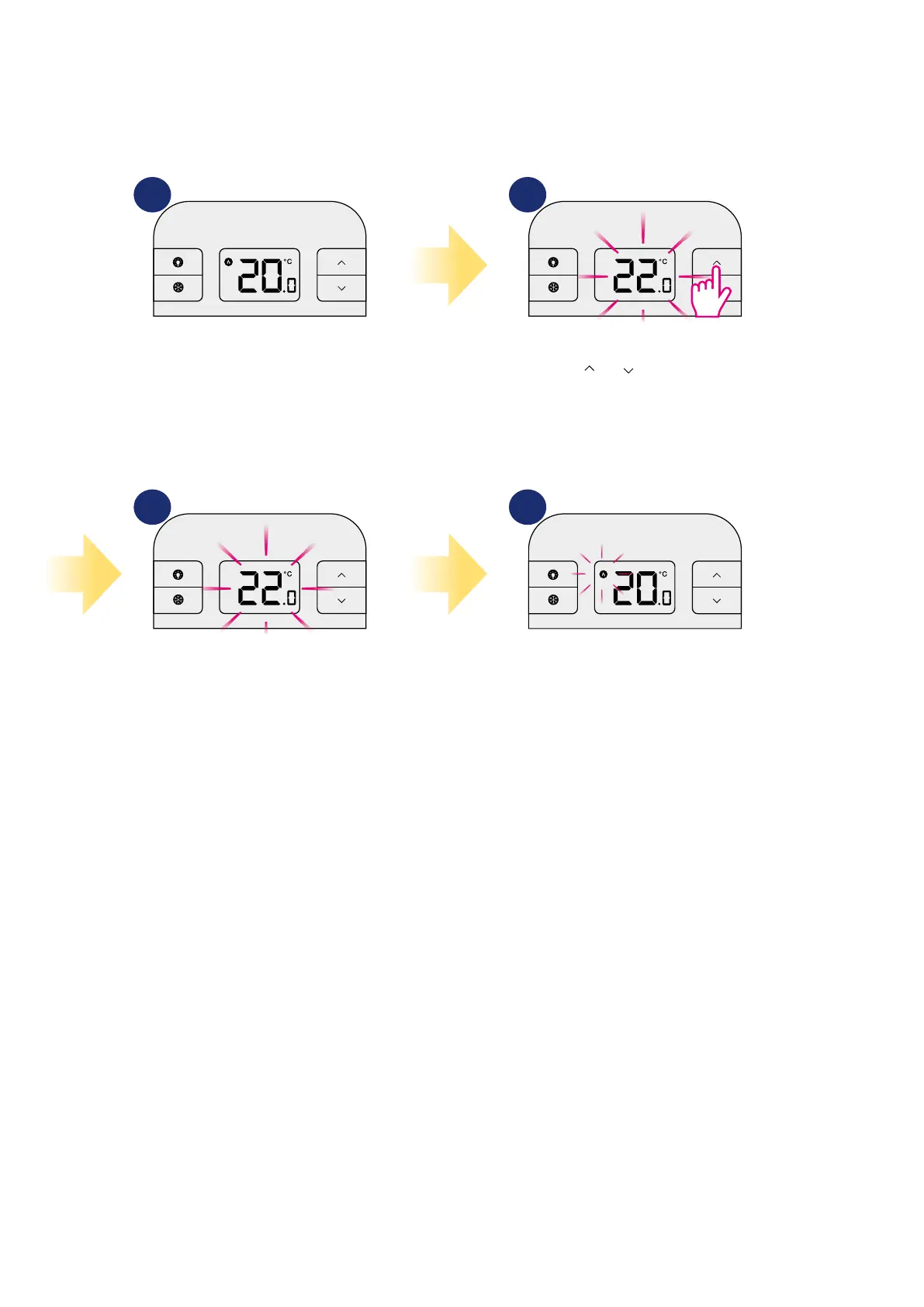
In manual mode, the thermostat maintains a constant temperature set by the user. To set temperature setpoint follow steps below:
1 2
43
First, thermostat is displaying actual
room temperature.
Now wait 2 seconds timeout to
approve the changes.
Thermostat will display main screen
(actual room temperature) and ame
icon will start ashing (calling for
heating in HEAT mode).
Press or to set the new
temperature setpoint.



 To Next Page