FROST PROTECTION
To enable the Frost Protection mode, press and hold the BACKLIGHT / FROST
button for a few seconds with the RT500 in Normal mode. Once Frost
Protection is enabled, the set point temperature is automatically set to 5°C
to provide protection from the risk of freezing.
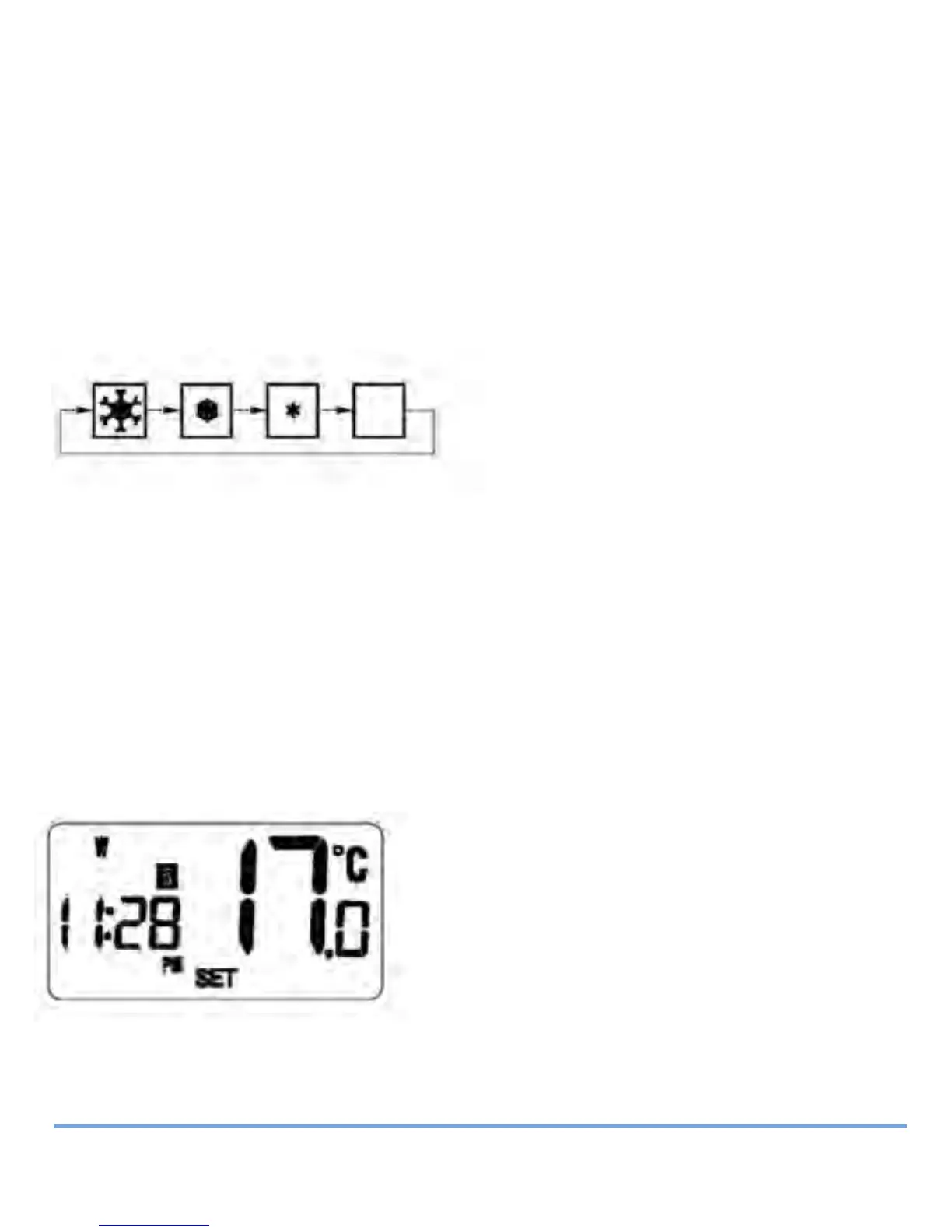
Whenever Frost Protection is activated, the Frost Protection indicator will
flash in the sequence shown below:
While Frost Protection is activated, it will override any programme settings
until the mode is changed. To turn off Frost Protection mode, press and hold
the BACKLIGHT / FROST button for a few seconds.
REVIEWING SET POINT TEMPERATURE
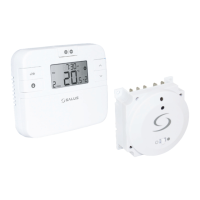
You can view the set point temperature at any time by pressing either the UP
or DOWN key.
When any programme is running, the LCD
display will show the programme set point
temperature with the SET indicator
displayed:
RT500BC INSTRUCTION MANUAL
20
Salus RT500BC Boiler Control 026_89 21/01/2012 18:18 Page 20


 To Next Page