9
RESET
SELECT
SET
4. Before you start (rst power up)
4.2 Button description
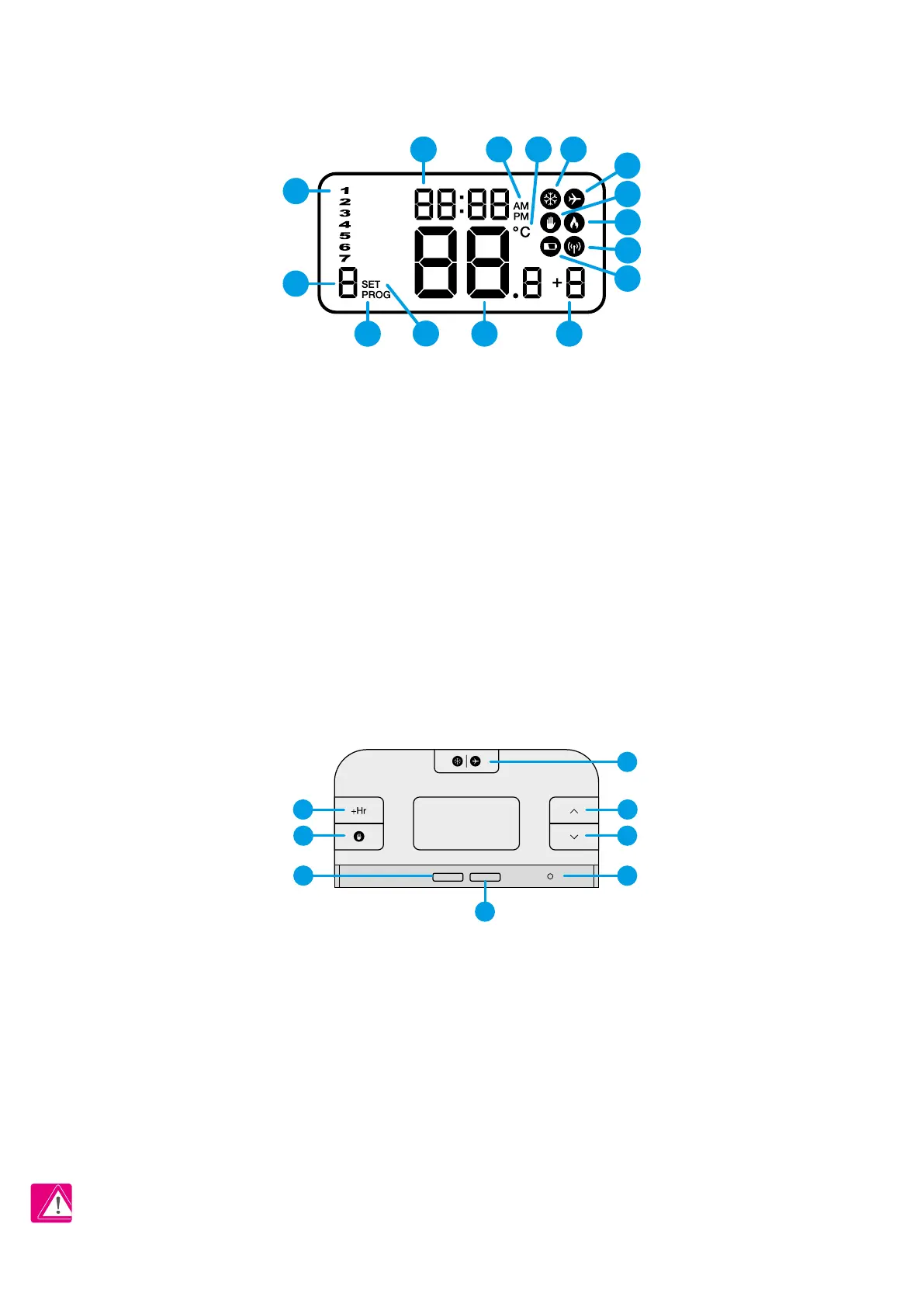
4.1 LCD icon description
1. Day of the week
2. Program number
3. Program indicator
4. Settings
5. Temperature measured / set
6. Boost function
7. Low battery status
8. Wireless connection with the receiver
9. Heating Mode On
10. Manual Mode On
11. Holiday Mode On
12. Frost Protection Mode On
13. Temperature unit
14. AM / PM
15. Clock
PLEASE NOTE! The LCD screen can be activated by using any button.
1. Boost function
2. Manual Mode
3. Frost protection / Holiday Mode
4. Increase button
5. Decrease button
6. Select button
7. Set button
8. Reset button
2
3 5 6
4
1
15 14 1213
8
9
11
7
10
1 4
3
2
6
5
7
8



 To Next Page