12. Code Functions
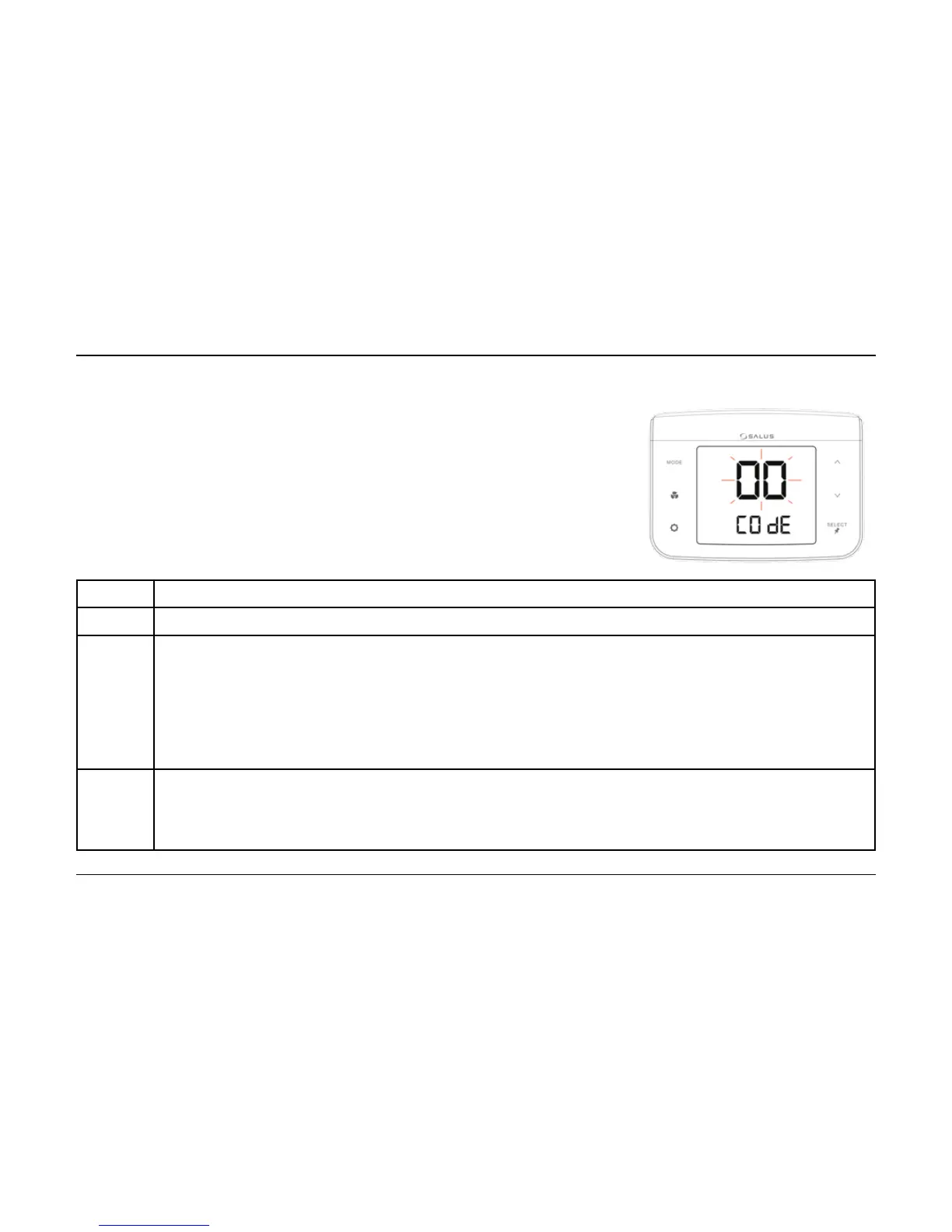
The device can perform additional functions required
for certain situations. To access the functions, press the
MODE, FAN, and SETTINGS buttons simultaneously
until the C0dE screen appears (~2 seconds). Enter the
code for the desired function from the table below,
using the ! "buttons.
Enter Installer Mode to set operating parameters.
If not part of a network, the device will start the pairing process.
If already part of a network, the device will confirm the desire to “Unpair” from
the network.
If confirmed, the devices will forget the network and start the pairing process.
If no confirmation within 3 minutes, the device will return to the Home Screen.
Restores all parameters to factory default values and reboots. The device will ask
to confirm the restoration. If no confirmation within 3 minutes, the device will
return to the Home Screen.


 To Next Page