7. System Menu Configuration
2. System Menu Operations
In system
menu
operations, the test switch
moves
the
cursor
from
one
field to the next and
the service switch accepts
a
choice
or
moves
down the
cursor
to the
menu
one
level lower.
If you press the test switch with the
cursor
at the bottom field, the
cursor
will return to the top
field.
*
Different software packages may support different game-specific I/O devices, such
as
le-
vers
and buttons, for
user
convenience's sake. To find out more, refer to the relevant soft-
ware
user
documentation.
In
case
of
a
cabinet without
a
test switch, you may also switch
on
the power with DIP SW-2
set ON to open the system
menu.
In this case, the 1P start button works the
same
way
as
a
regular test switch when pressed briefly from OFF to ON and works like
a
regular service
switch when pressed ON for
longer than 1
second.
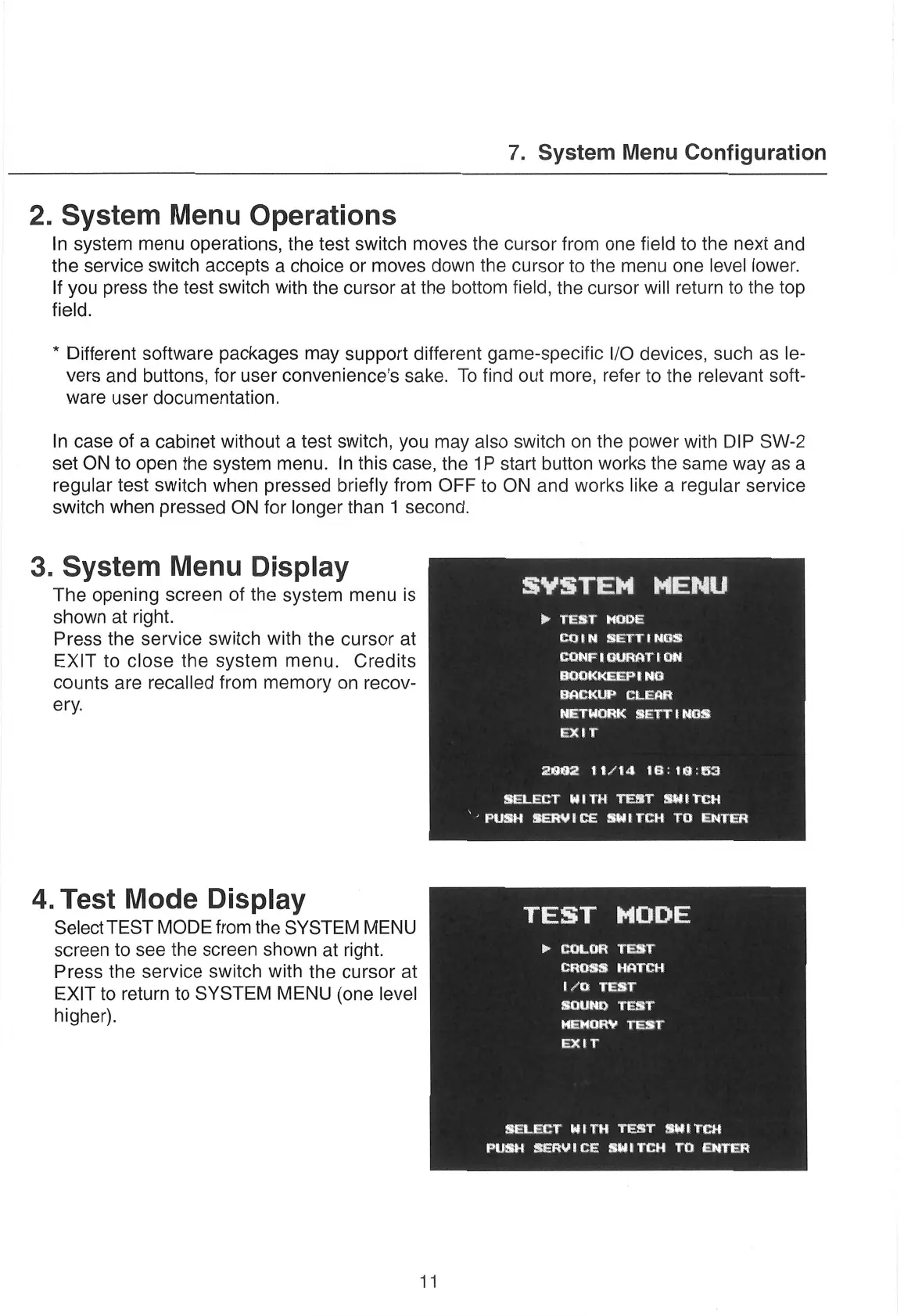
3. System Menu Display
The opening
screen
of the system
menu
is
SYSTEM
MENU
shown at right.
“Sis
ime
ts
Press the service switch with the
cursor
at
is
a
EXIT to close the system
menu.
Credits
CONF
I
GURATTON
counts
are
recalled
from memory
on
recov-
cata
iheheene
lalate
ery.
BACKUP
CLEAR
NETWORK
SETTINGS
EXtT
2992
11/14
16:18:53
bi
i
ed 0 2
Sg
Be
a
4. Test Mode Display
Select TEST MODE from the SYSTEM MENU
eS
screen
to
see
the
screen
shown at right.
>»
COLOR
TEST
Press
the service
switch
with the
cursor
at
eM
EXIT
to return to SYSTEM
MENU (one level
[7G
TEST
higher).
SOUND
TEST
MEMORY
TEST
EXtT
SELECT
WITH
TEST
SWITCH
PUSH
SERVICE
SWITCH TO ENTER
11


 To Next Page