7. System Menu Configuration
14. Clock Settings Display
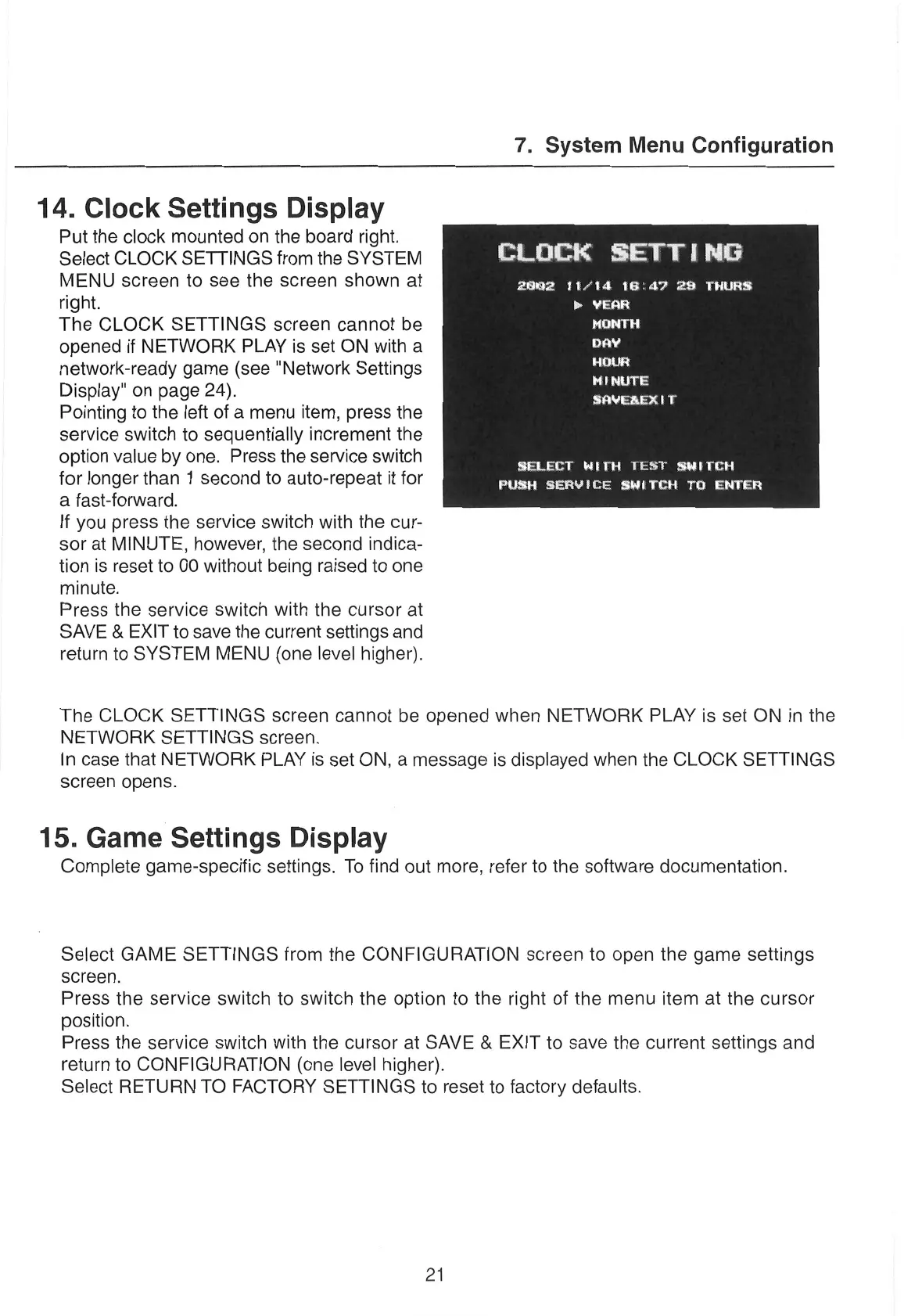
Put
the clock
mounted
on
the board right.
Select
CLOCK
SETTINGS
from
the SYSTEM
CLOCK
SETTING
MENU
screen
to
see
the
screen
shown at
erry
ra
era
eT
right.
a
The CLOCK
SETTINGS
screen
cannot
be
co
opened if NETWORK PLAY
is set ON with
a
Se
network-ready
game (see "Network
Settings
Display"
on
page 24).
Pointing to the left of
a
menu
item, press the
service switch to sequentially increment the
option value by
one.
Press the service switch
MENUTE
SAVEREXIT
:
SELECT
WITH
TEST
SWITCH
for longer than 1 second to auto-repeat it for
a
Ta
a
fast-forward.
If you press
the service
switch with the
cur-
sor
at MINUTE, however, the second indica-
tion is reset to 00 without being raised to
one
minute.
Press the service switch with the
cursor
at
SAVE & EXIT to
save
the current settings and
return to SYSTEM MENU (one level higher).
The CLOCK SETTINGS
screen
cannot be opened when NETWORK PLAY is set ON in the
NETWORK SETTINGS
screen.
In
case
that NETWORK PLAY is set ON, a message is displayed when the CLOCK SETTINGS
screen
opens.
15. Game Settings Display
Complete game-specific settings. To find out more, refer to the software documentation.
Select GAME SETTINGS from the CONFIGURATION
screen
to open the game settings
screen.
Press the service switch to switch the option to the right of the
menu
item at the
cursor
position.
Press the service switch with the
cursor
at SAVE & EXIT to
save
the current settings and
return to CONFIGURATION (one level higher).
Select RETURN TO FACTORY SETTINGS to reset to factory defaults.
21


 To Next Page