7. System Menu Configuration
16. Bookkeeping Display
The
SRAM
module
mounted
on
the
motherboard allows credit information to be
BOOKKEEPING
stored and preserved when the power is
CC
ns
switched off.
ur
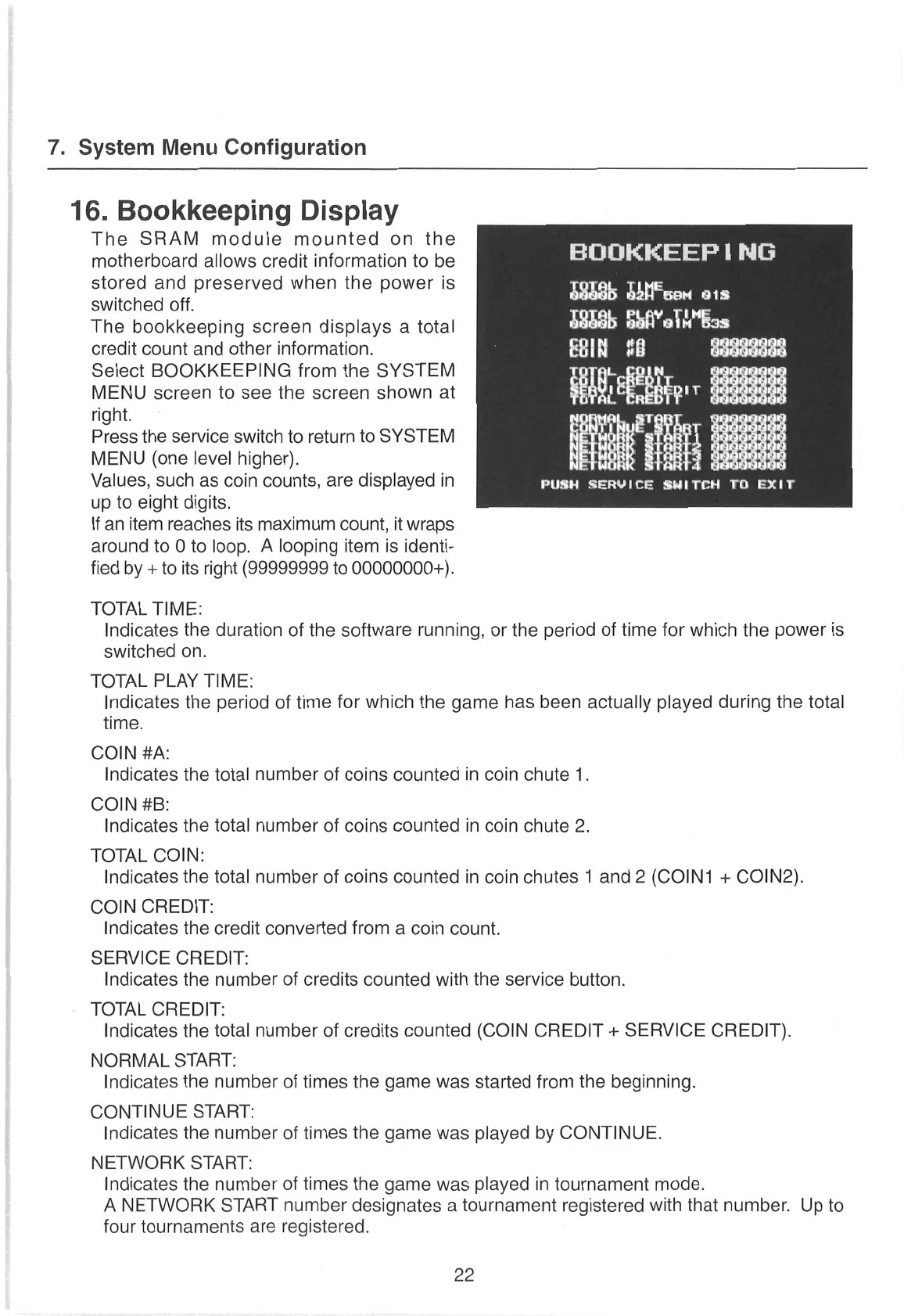
The bookkeeping
screen
displays
a
total S8086 Sfl’oin"Gas
credit count andother information.
id|
'
seed
Select BOOKKEEPING
from the
SYSTEM
a
MENU
screen
to
see
the
screen
shown
at
ealA:sate
du
right.
Pu
Press the service switch to return
to SYSTEM
MENU
(one level higher).
ieql nae
:
Values, such
as
coin counts,
are
displayed
in
PUSH
SERVICE
SWITCH
TO
EXIT
up to eight digits.
If
an
item reaches its maximum count,
it wraps
around to 0 to loop. A looping
item is
identi-
fied by
+
to its right (99999999 to 00000000+).
TOTAL
TIME:
Indicates
the duration of the software running,
or
the period of time
for which
the power
is
switched
on.
TOTAL
PLAY TIME:
Indicates
the period
of time for which the game
has been actually
played during
the total
time.
COIN #A:
Indicates the total number of coins counted in coin chute 1.
COIN #B:
Indicates the total number of coins counted in coin chute 2.
TOTAL COIN:
Indicates
the total number of coins counted in
coin
chutes 1
and 2 (COIN1
+
COIN2).
COIN CREDIT:
Indicates the credit converted from
a
coin count.
SERVICE CREDIT:
Indicates the number of credits counted with the service button.
TOTAL CREDIT:
Indicates the total number of credits counted (COIN CREDIT
+
SERVICE CREDIT).
NORMAL
START:
Indicates the number of times the game
was
started from the beginning.
CONTINUE
START:
Indicates the number of times the game
was
played by CONTINUE.
NETWORK START:
Indicates the number of times the game
was
played in tournament mode.
A NETWORK START number
designates
a
tournament
registered
with that number.
Up to
four tournaments
are
registered.
22


 To Next Page