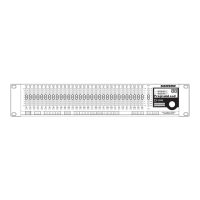
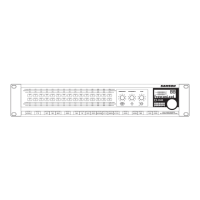
Now, select filters 11 through 15 by pressing and hold-
ing the Channel 11 Filter Select Switch, and then press
the Channel 15 Filter Select Switch. At this point you will
notice that the green Selection LEDs for the filters 11
– 15 are lit. This indicates that the filters are ready to be
• To set these filters to DYNAMIC mode, press the EQ
switch until MODE is displayed in the main LCD.
Use the Data Wheel to select Mode 2; (DYNAMIC).
Now, you run your sound system
manually ring out your system by raising the main volume
just at the point of feedback. You'll see the D3500
the RESONANCE filters. You will know when a filter is
active when the filter's ACTIVE light goes on. Now, during
it reacts to any occurrence of feedback using
the DYNAMIC filters. Again, when the DYNAMIC filter is
engaged you will see that filter's ACTIVE LED light. Don't
be concerned if all the filters do not activate. Since the
D3500 is truly smart and knows what it is doing, it will only
use the number of filters necessary to do the job. By fol-
lowing the simple procedure, and without even tapping
into the powerful parameters of the D3500, your system
should be noticeably louder.
D3500_ownman_v1_2.indd 9 9/4/05 5:20:06 PM


 To Next Page