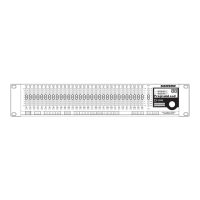
– Each of the 30 filters can be
activated and set up by pressing the Filter Select switch.
– When the Red LED is lit, the filter is set
– Green LED indicating the filter is set
– When the Amber LED is lit, the filter is set
– Control knob, with LED light-ring posi-
, used to set the center frequency of the
indicator, used to set the center frequency of the indicator
selected filter from 20 Hz to 20 kHz.
– This control knob, with L
, is used to adjust filter width and can
indicator, is used to adjust filter width and can indicator
be set from 1/60th of an octave to 1 octave.
, used to adjust the gain from +16 dB boost to
indicator, used to adjust the gain from +16 dB boost to indicator
- Twelve segment LED meter display the
input level and overload.
– Backlit display that shows the various
parameters under control by the operating system.
– Rotary encoder for entering parameter
– When the red LED is on, the digital
equalizer, as well as all the on-board digital processing
– Used to switch between your modified
program, and the last program that has been loaded or
– Assigns the Left (CH1) digital equal-
izer to the physical controls.
– Used to control the left and right
(CH1 and CH2) equalizer simultaneously with the
one set of physical controls.
- Assigns the Right (CH1) equalizer to
– Used to reset the selected filters
17 FBM (Feedback Managment) switc
Sensitivity, Hold and Release for
-- When engaged, the amber LED will illu-
minate indicating that the EQ parameters are under
control and displayed in the LCD window.
- Used to access the automatic GATE
control parameters. When selected, the amber LED
will illuminate and the associate values for the digi-
tal noise gate will be displayed in the LCD window.
- When engaged, the amber LED will
illuminate indicating that the DELAY parameters are
under control and displayed in the LCD window.
- When engaged, the amber LED
will illuminate indicating that the ENHANCE param-
eters are under control and displayed in the LCD
– LED switch used to access the
HI PASS and LOW PASS control parameters. When
selected, the amber LED will illuminate and the
associated values for the high and low pass filters
will be displayed in the LCD window.
D3500_ownman_v1_2.indd 4 9/4/05 5:20:01 PM

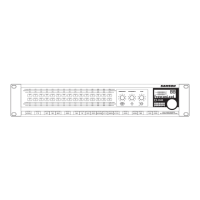

 To Next Page