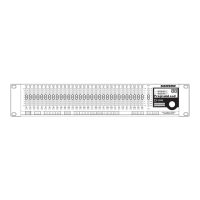
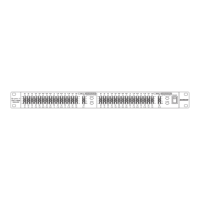
– When set to the ON position, the
D3500 is powered up and ready for operation.
– The D3500 receives standard, or
system exclusive, MIDI data here.
- The D3500 transmits standard,
or system exclusive, MIDI data here.
D MIDI THRU DIN connector
- The D3500 passes standard,
or system exclusive, MIDI data here.
E I/O Accessory Blank Panel
– Removable blanking panel
accesses option bay for adding additional Analog-to
Digital or Digital Input/Output boards.
- Connect the supplied heavy
gauge 3-pin “IEC” power cable here.
DNET Accessory Blank Panel
panel accesses option bay for adding the DNET interface
card for control multiple D class units.
CH1 Balanced XLR jack input
balanced XLR jack input. Wiring is as follows: pin 2
hot, pin 3 cold, and pin 1 ground.
CH2 Balanced XLR jack input
CH1 Balanced XLR jack output
balanced XLR jack output.
CH2 Balanced XLR jack output
K CH2 Balanced XLR jack outputK
balanced XLR jack output.
– This switch is used to page
through the LIMITER parameters. When
the amber LED will illuminate and the
LIMITER parameters will be displayed in the LCD
– The LED switch is used to
engage the FEEDBACK, GATE, DELAY, ENHANCER
and LIMITER effects. When one of the aboves
effects switch is selected, (for example FEEDBACK),
that effect is turned on when the IN / OUT amber
– When selected, the Automatic
Feedback system will engage and the unit will
automatically ring-out the speaker system.
When engaged, the red LED will
illuminate indicating access to the unit's GLOBAL
- This switch is used to page through
the MIDI parameters. When selected, the red LED
will illuminate and the MIDI parameters will be dis-
played in the LCD window.
– Used to load one of the 100 pro-
grams from the internal memory.
- Used to store one of the 99 pro-
grams into the internal memory.
D3500_ownman_v1_2.indd 5 9/4/05 5:20:03 PM

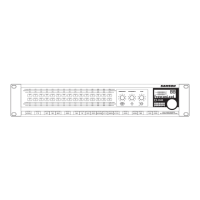

 To Next Page