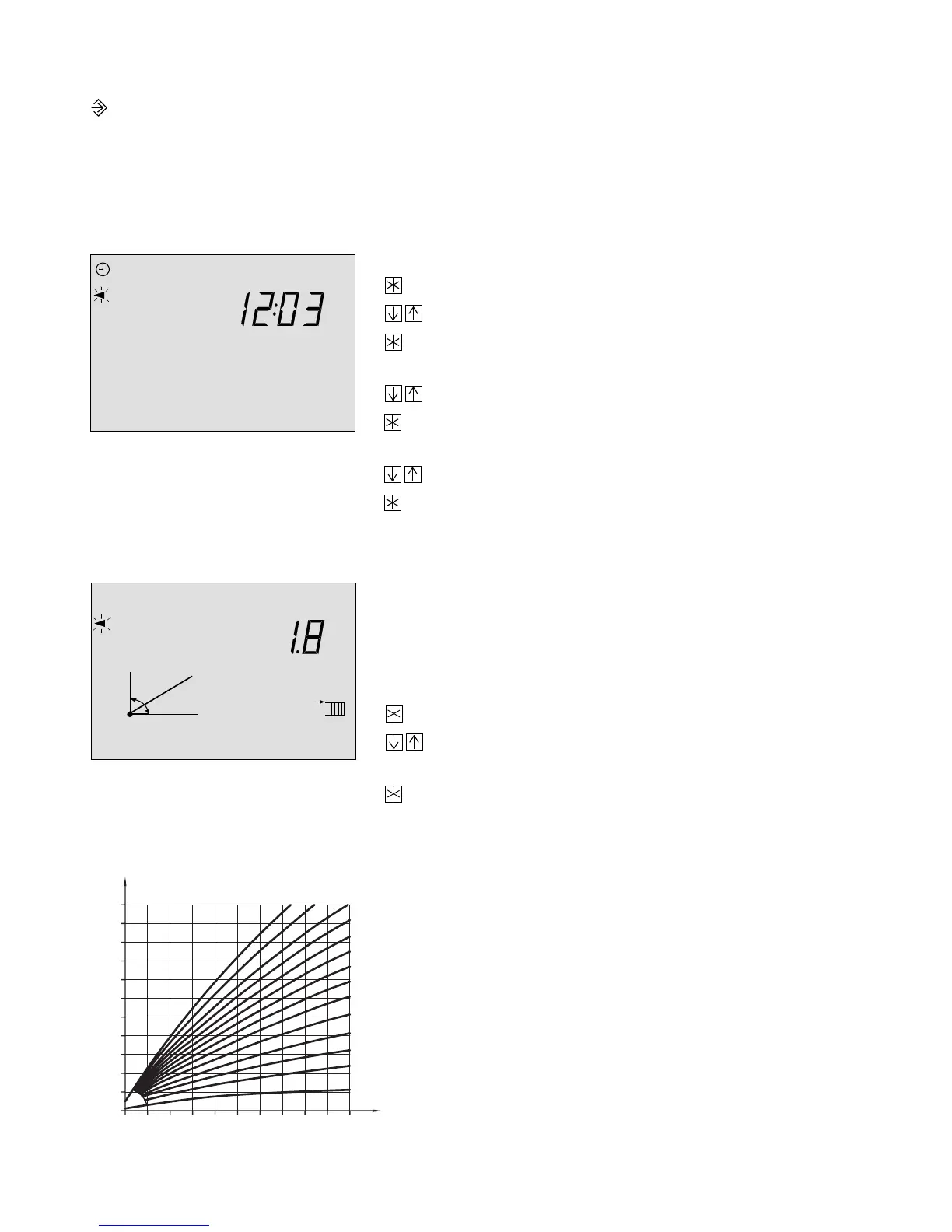
7.2.2 Entering and modifying user data
The individual parameters are listed together with their symbols and default setting!
Press the changeover key, the blinking triangle indicates that you are in the parameter
level, a time appears in the display.
Entering current time and date
You are required to enter these data on start-up and when a power supply failure has occurred
lasting longer than 24 hours!
Press the enter key, the clock symbol blinks.
Use the arrow keys to set the correct time.
Press the enter key to acknowledge the time,
a date now appears in the display.
Use the arrow keys to set the correct date.
Press the enter key to acknowledge the date,
the year now appears in the display.
Use the arrow keys to set the correct year.
Press the enter key to acknowledge the year
the next parameter now appears in the display.
Entering parameters for heating circuit:
Gradient of the heating characteristic
The correlation between the outdoor temperature and
the flow temperature is determined by a gradient value
from 0.2 to 3.2.
If you want to change it:
Press the enter key, the gradient arrow blinks.
Use the arrow keys to set the required
characteristic value.
Press the enter key to acknowledge the value.
(You can only change it when the adaptation function is
deactivated)
1011121314151617 18 19123456789 20212223240
101112 13 14151617 1819123456789 20212223240
130
120
110
100
90
80
70
60
50
40
30
20
20 16 12 8 4 0 -4 -8 -12 -16 -20
2.4
3.2 2.9 2.6
2.2
2.0
1.8
1.6
1.4
1.2
1.0
0.8
0.4
0.2
[˚C]
[˚C]
Flow temperature
Heating characteristics
Outdoor temperature
48



 To Next Page