Image Retention (Burn In) Issue. • Tominimize the possibility ofscreen burn, this unit is equipped with screen burn reduction technology.
PixelShift technology enables you to set picture movement up/down (VerticalLine)and side to side
(HorizontalDot).
The cable/set top box remote control • Program the Cable/Set remote control to operate the T_ Refer to the CabldSet user manual for the
doesn't turn the TV on or off, or adjust the SAMSUNG TV code.
volume.
A "Mode Not Supported" message • Check the supported resolutionof the T_, and adjust the externaldevice's output resolution
appears, accordingly. Refer to the resolution settings on page 11 ofthis manual.
Caption on TV menu is greyed out. • Caption can not be selected in the TV menu when connected via HDMI or Component (p. 21).
• Caption must be activated on the externaldevice (p. 21).
There is a plastic smell from the T_ • This smellis normal and will dissipate over time.
The TV Signal Strength is unavailablein • This function is only availablewith digital channels from an Antenna / RF/Coax connection (p. 22).
the Self Diagnostic Test menu.
The TV is tilted to the side. • Remove the base stand from the TV and reassemble it.
The channel menu isgreyed out • The Channel menu is only availablewhen the TV source is selected.
(unavailable).
Your settings are lost after 30 minutes or • If the TV is in the Store Derno mode, itwill reset audio and picture settings every 30 minutes. Change
every time the TV is turned off. the settings from Store Dereo mode to Home Use mode in the Plug & Play procedure. Pressthe
SOURCE button to select TV mode, and go to MENU _ Setup _ Plug & Play _ ENTER_ (p. 8).
You have intermittent lossof audio or • Check the cable connections and reconnect them.
video. • Loss of audio or video can be caused by using overly rigid or thick cables. Make sure the cables are
flexible enough for longterm use. Ifmounting the TV to a wall, we recommend using cableswith 90
degree connectors.
You see small particleswhen you look • This is part of the product's design and is not a defect.
closely at the edge of the frame of the T_
POP (TV's internal banner ad) appears on • Select Home Use under Plug & Play mode. Fordetails, referto Plug & Play Feature (p.8).
the screen.
Some of above pictures and functions are available at specific models only.
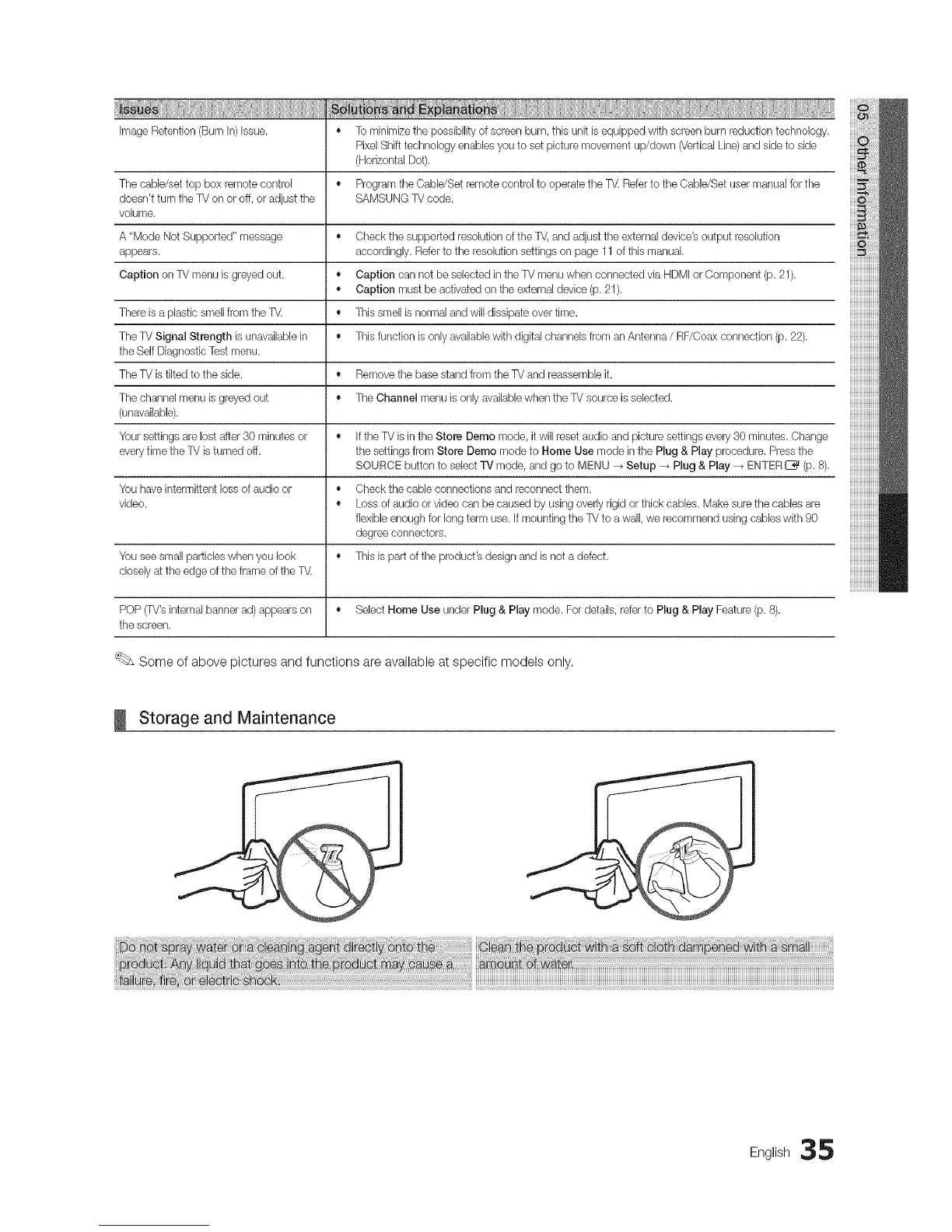
_ Storage and Maintenance
Eng,ish35




 To Next Page