English - 41
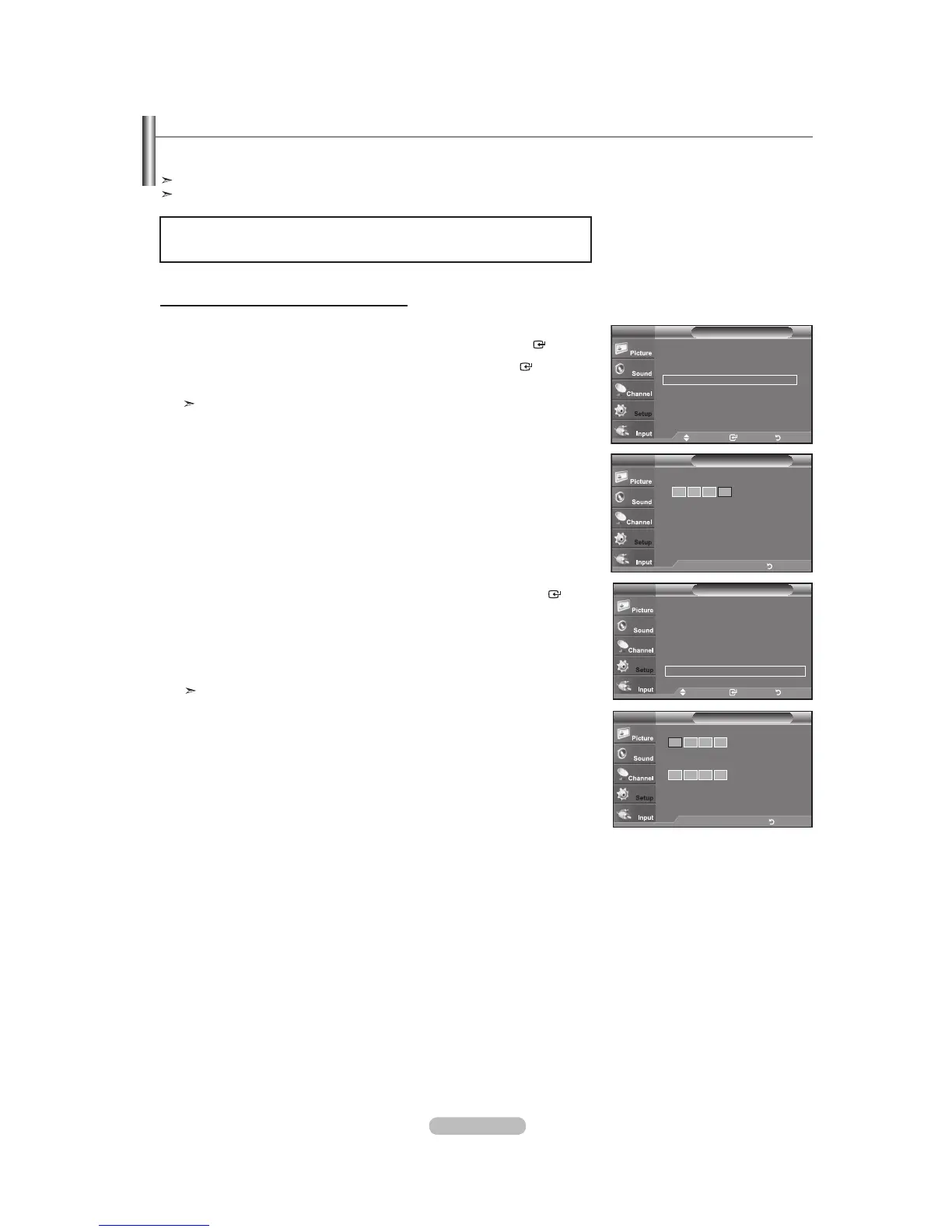
1. Press the MENU button to display the menu.
Press the
or
button to select "Setup", then press the ENTER
button.
2. Press the
or
button to select “V-Chip”, then press the ENTER
button.
The message “Enter PIN” will appear. Enter your 4 digit PIN number.
The default PIN number of a new TV set is “0-0-0-0”.
3. The “V-Chip” screen will appear.
Press the or button to select “Change PIN”, then press the ENTER
button.
The Change PIN screen will appear. Choose any 4 digits for your PIN and enter
them. As soon as the 4 digits are entered, the “Confirm Password” screen appears.
Re-enter the same 4 digits. When the Confirm screen disappears, your PIN has
been memorized.
Press the EXIT
button to exit.
If you forget the PIN, press the remote-control buttons in the following
sequence, which resets the pin to 0-0-0-0 : Power Off. Mute 8 2
4 Power On.
Using the V-Chip
The V-Chip feature automatically locks out programs that are deemed inappropriate for children. The user must enter a PIN
(personal ID number) before any of the V-Chip restrictions are set up or changed.
“V-Chip” function is not available in HDMI, component or PC mode.
The Screen Saver is activated if there is no remote control key input for longer than 1 minute while setting up the “V-Chip”.
Setting Up Your Personal ID Number (PIN)
Move Enter Return
V-Chip Lock : Off
TV Parental Guidelines
MPAA Rating
Canadian English
Canadian French
Downloadable U.S. Rating
Change PIN
V-ChipTV
Enter new PIN.
Confirm Password
Change PINTV
m
..
v
Enter PIN Return
Setup
Plug & Play
Language : English
Time
V-Chip
Caption
Melody : Medium
Energy Saving : Off
SW Upgrade
TV
Move Enter Return
V-Chip
Enter PIN
TV
* * *
m
..
v
Enter PIN Return
U.S.A Only
This product is covered by the following U.S.patents : US4,930,158,US4,930,160



 To Next Page