1-4 Introduction
Using the Operator Panel
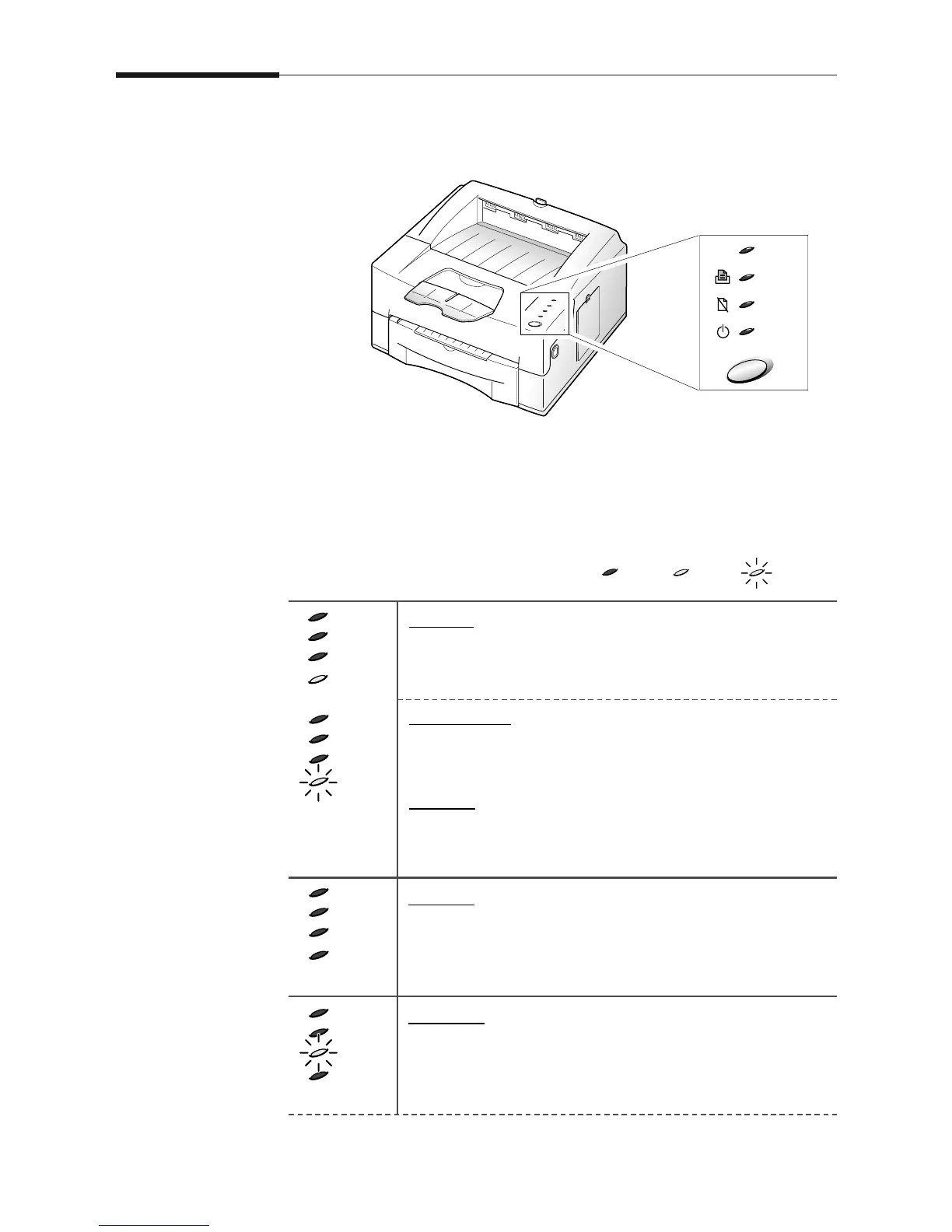
The operator panel has 4 indicator lights and 1 button.
Indicator Light Status
The indicator lights shows the current status including error condition.
BlinkingOnOff
On line
If the READY light is on steadily, the printer is ready to
print.
Printer busy
If the READY light is blinking slowly, the printer is
receiving data from PC.
Printing
If the READY light is blinking fast, the printer is printing
a page.
Off line
The printer is off-line. The printer cannot receive data
from the computer. Press the operator panel button to
switch to on-line.
No paper
If the PAPER indicator is blinking, the printer is out of
paper. See ‘Loading a Stack of Paper’ on page 3-2.





 To Next Page