5-6 Troubleshooting and Maintenance
Paper Jam in Optional Paper Cassette
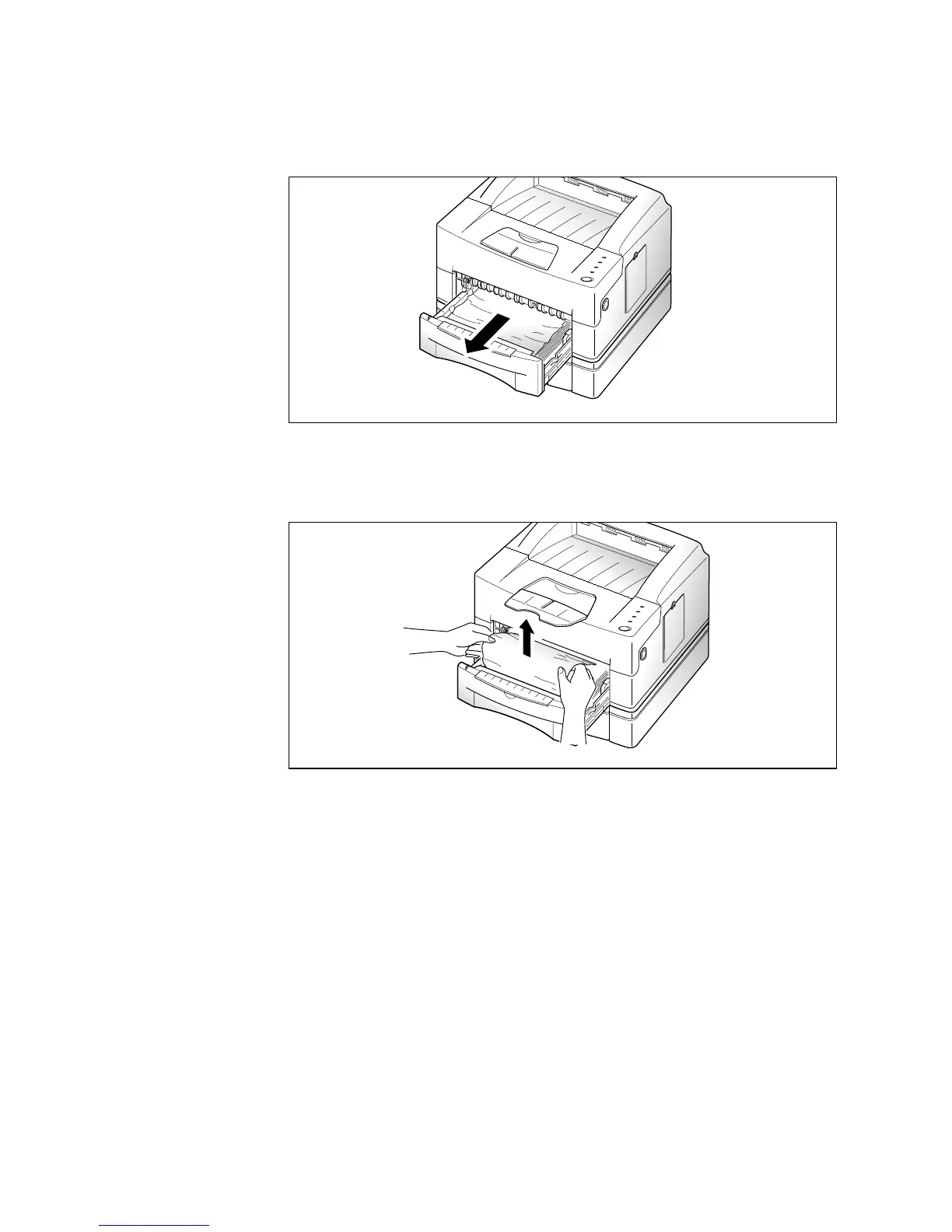
1. Pull the upper paper cassette half way out of the printer.
2. If you see that the paper is jammed, pull the paper out.
3. Slide the upper cassette back into the printer.
Note: If a short piece is visible and you cannot grasp it, or if you do not
see the paper, the jam has occurred inside the optional paper
cassette. See the following page.











 To Next Page