Troubleshooting and Maintenance 5-7
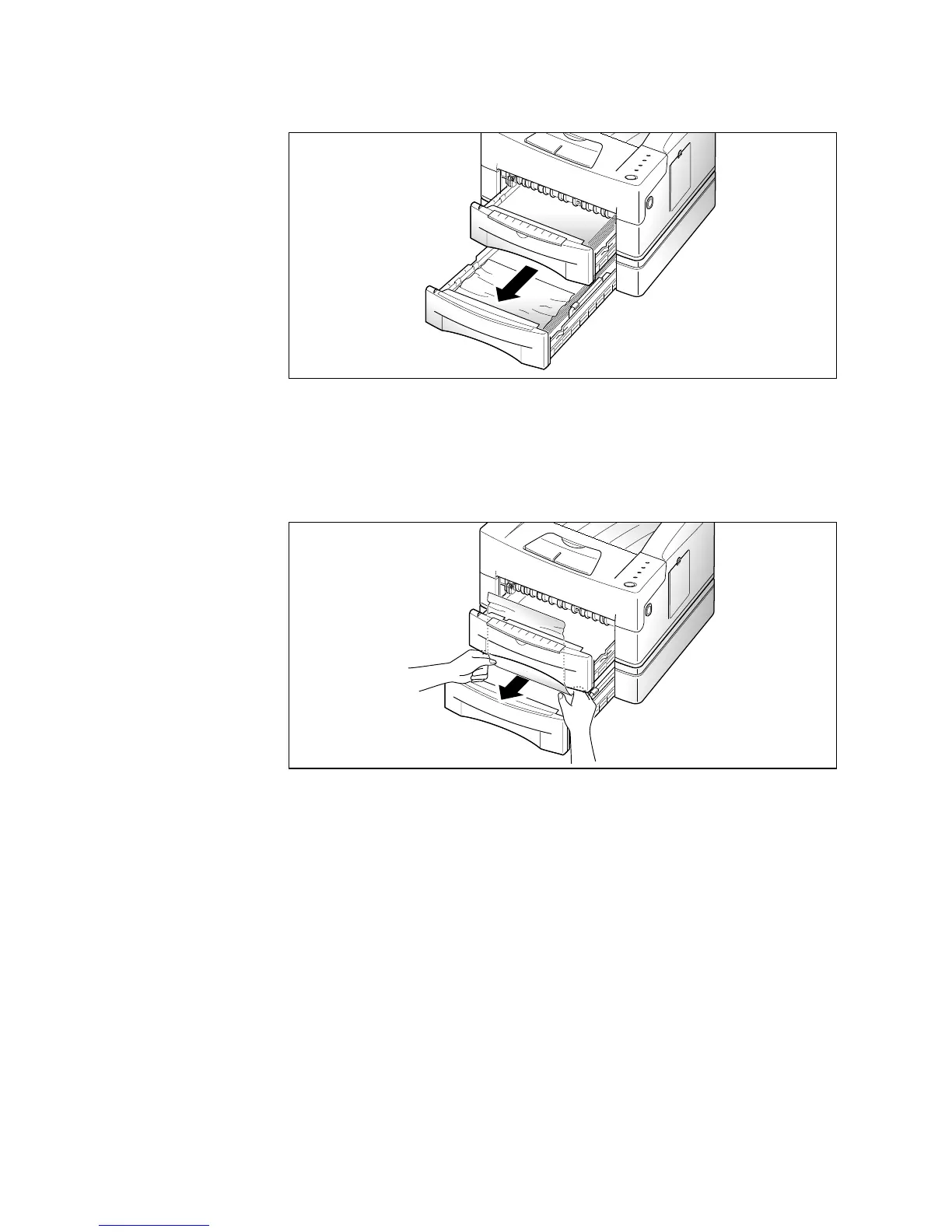
4. Pull the lower paper cassette out of the printer.
5. If you see that the paper is jammed, pull the paper out.
6. Slide the cassettes back into the printer.
7. After clearing the jam, if the printer does not resume printing,
open the printer cover, then close it back.





 To Next Page