Troubleshooting and Maintenance 5-5
Paper Jam Inside Printer
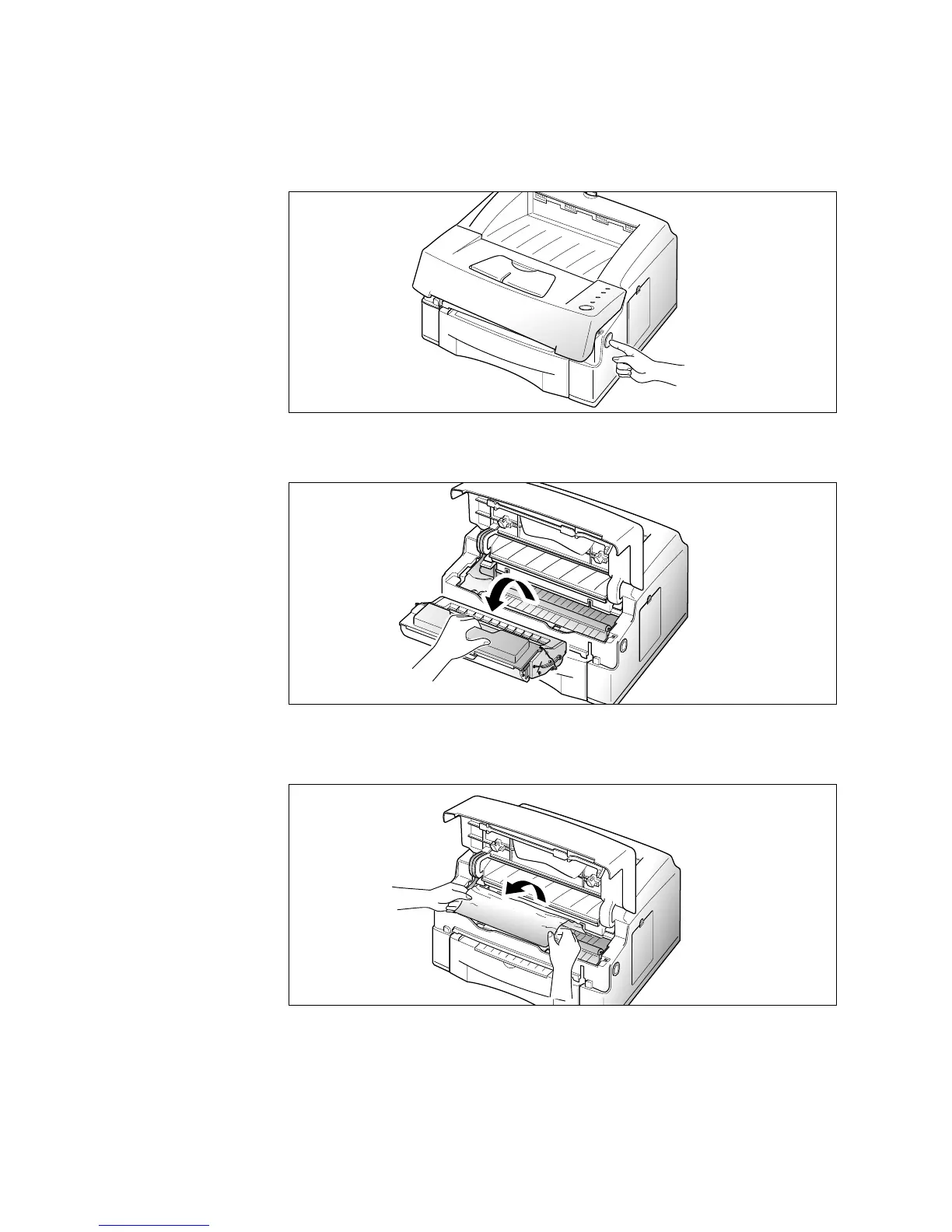
1. Open the printer cover by pressing the cover release button, and
raise the cover.
2. Remove the print cartridge.
3. Gently pull the paper toward you.
4. Check that there is no other paper in the printer.
5. Reinstall the printer cartridge, then close the printer cover.











 To Next Page