6-2 Printer Options
Memory and Option Cards
You can purchase optional memory for your printer to enhance its
performance.
The cards are installed on the control board inside the printer.
Accessing the Printer Control Board
Complete the following steps before you install a printer memory
option.
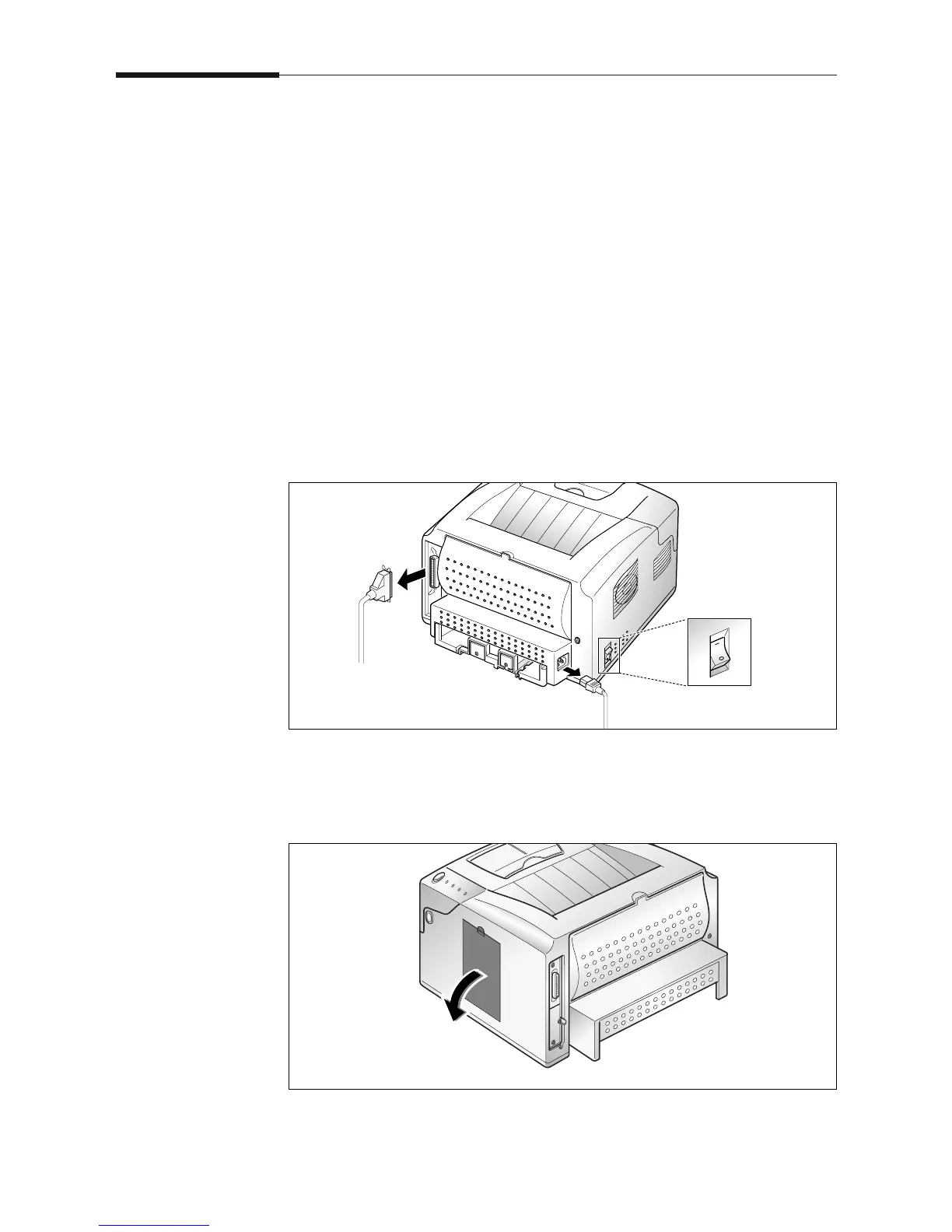
1. Turn the printer power Off (0) and unplug the printer power cord.
Disconnect the printer cable.
2. Remove the cover located at the right side of the printer.











 To Next Page