Printer Options 6-3
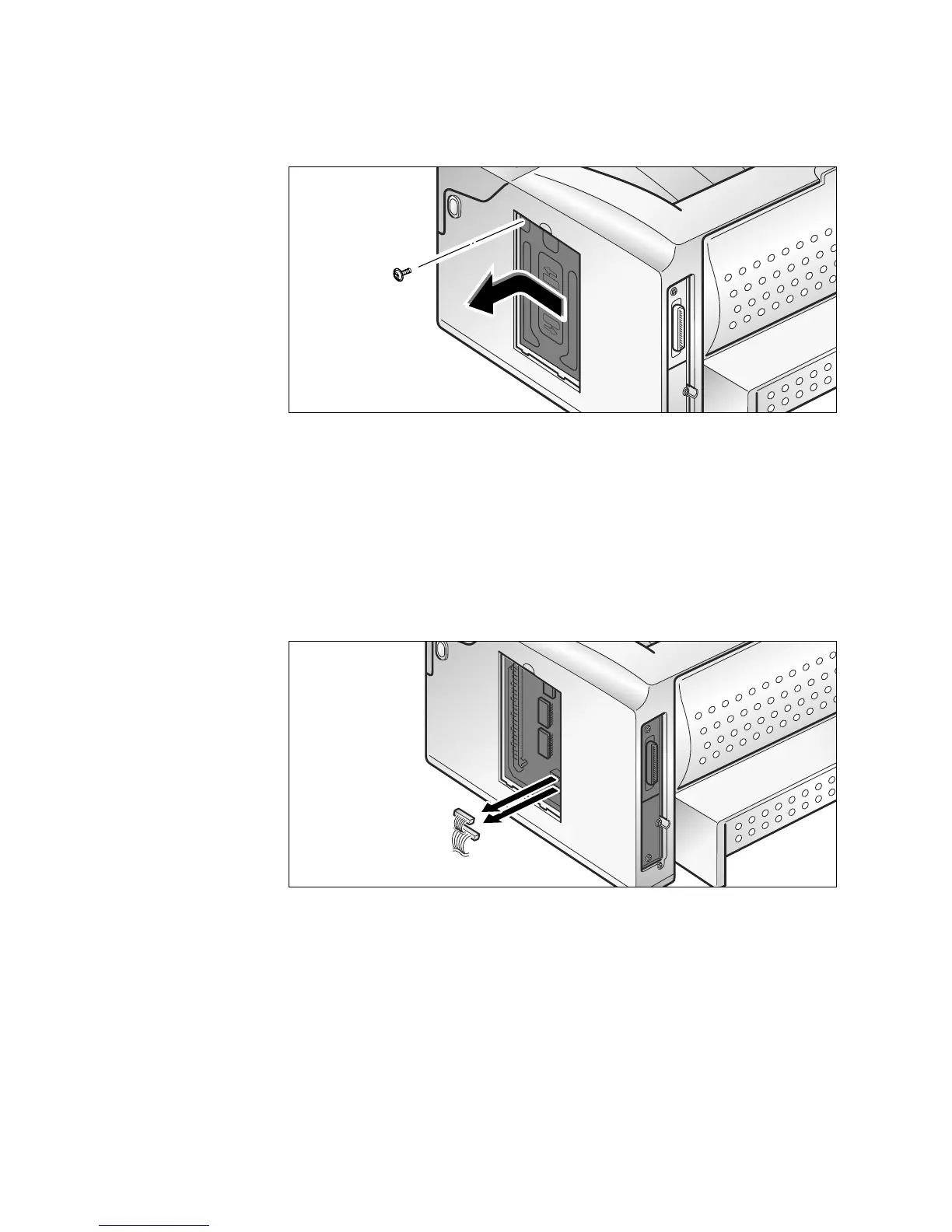
3. Remove one screw. Slide the metal shield cover in the direction
of the OPEN arrow marked on the cover, then remove the shield
cover.
Note: You’ll see a part of the control board. If you want to install only a
printer memory option, you can now install the memory option. It’s
not necessary to open the control board again. Continue to ‘Printer
Memory Option’ on page 6-5.
4. Unplug the two connectors from the control board.











 To Next Page