Paper Handling 3-7
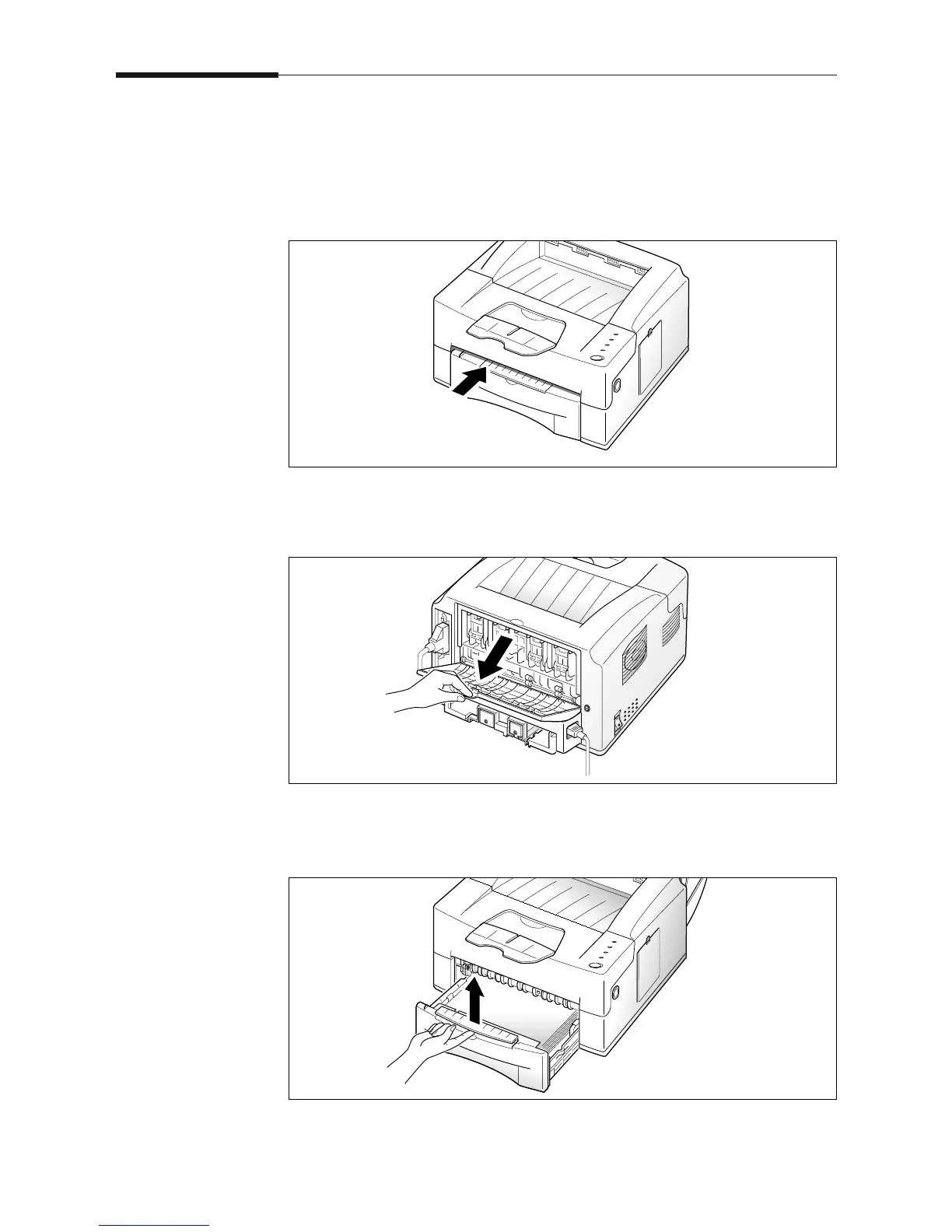
Manually Feeding Paper
When you print on envelopes, heavier weight papers, transparencies,
index cards, or paper labels, you must manually feed them one at a
time through the manual feed slot. The manual feed slot is located on
the top of the paper cassette.
1. Open the rear output tray, if you want to use the rear output path.
Manual Feed Slot
2. Pull the paper cassette slightly toward you holding it by the hand
grip on the front of the cassette and pulling it straight up and out.











 To Next Page