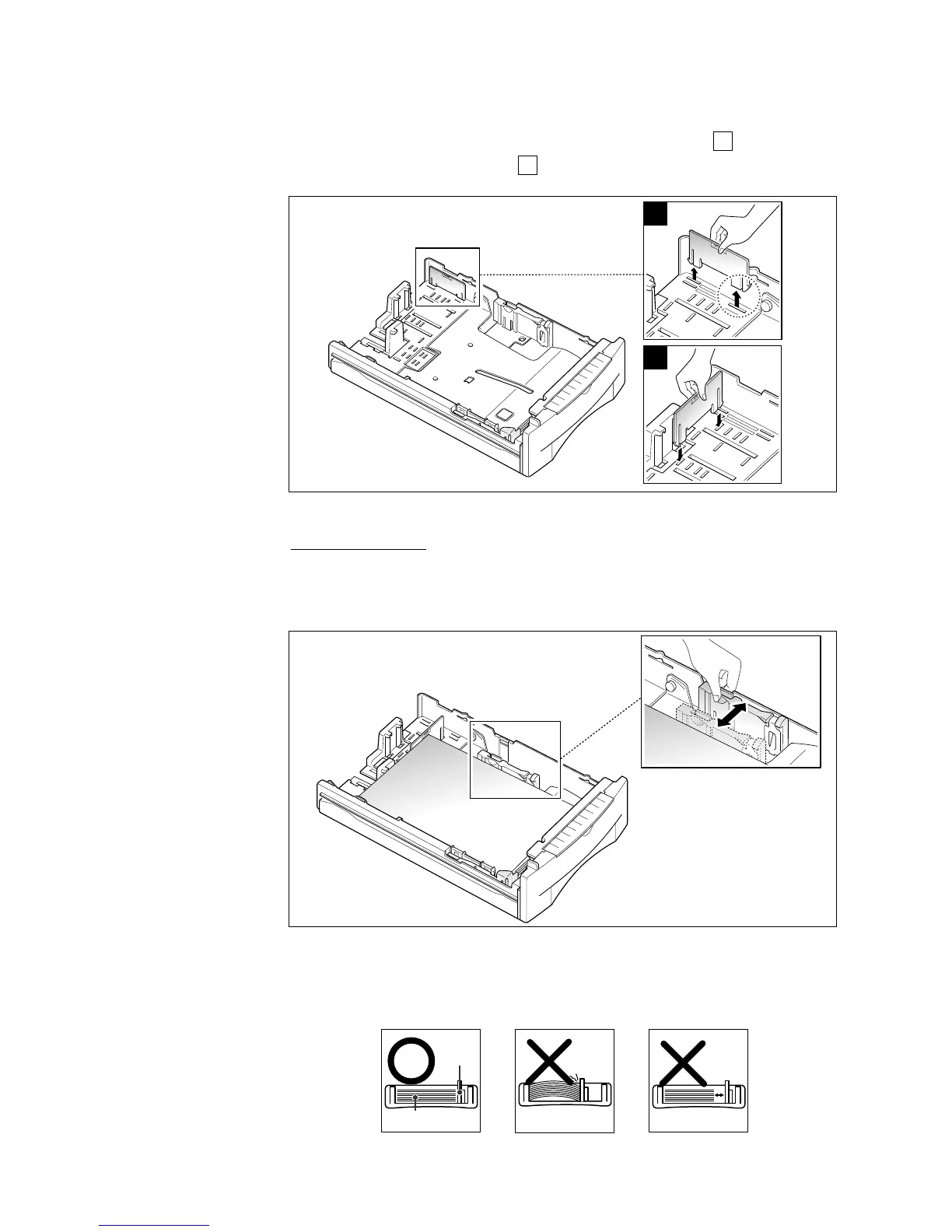
When you load letter, executive, or B5 size paper, it is recommended
that you use the auxiliary guide with the main guide before loading
paper. To adjust the auxiliary guide, remove the guide , then insert
it to the appropriate position .
WIDTH GUIDE
Squeeze the guide as shown and slide the guide to the left until it
lightly rests against the edge of the paper stack.
1
2
Note: Do not push the width guide far enough to cause the paper to move
up. If you do not adjust the width guide, it may cause paper jams.
Width
guide
Paper











 To Next Page