2-4 Setting Up Your Printer
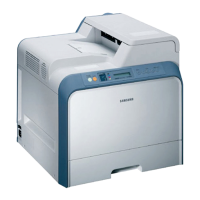
6. Grasp the handle and slide the cartridge down between the
cartridge slots, until it drops into place.
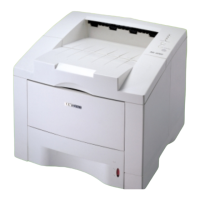
5. Find the cartridge slots inside the printer, one on each side.
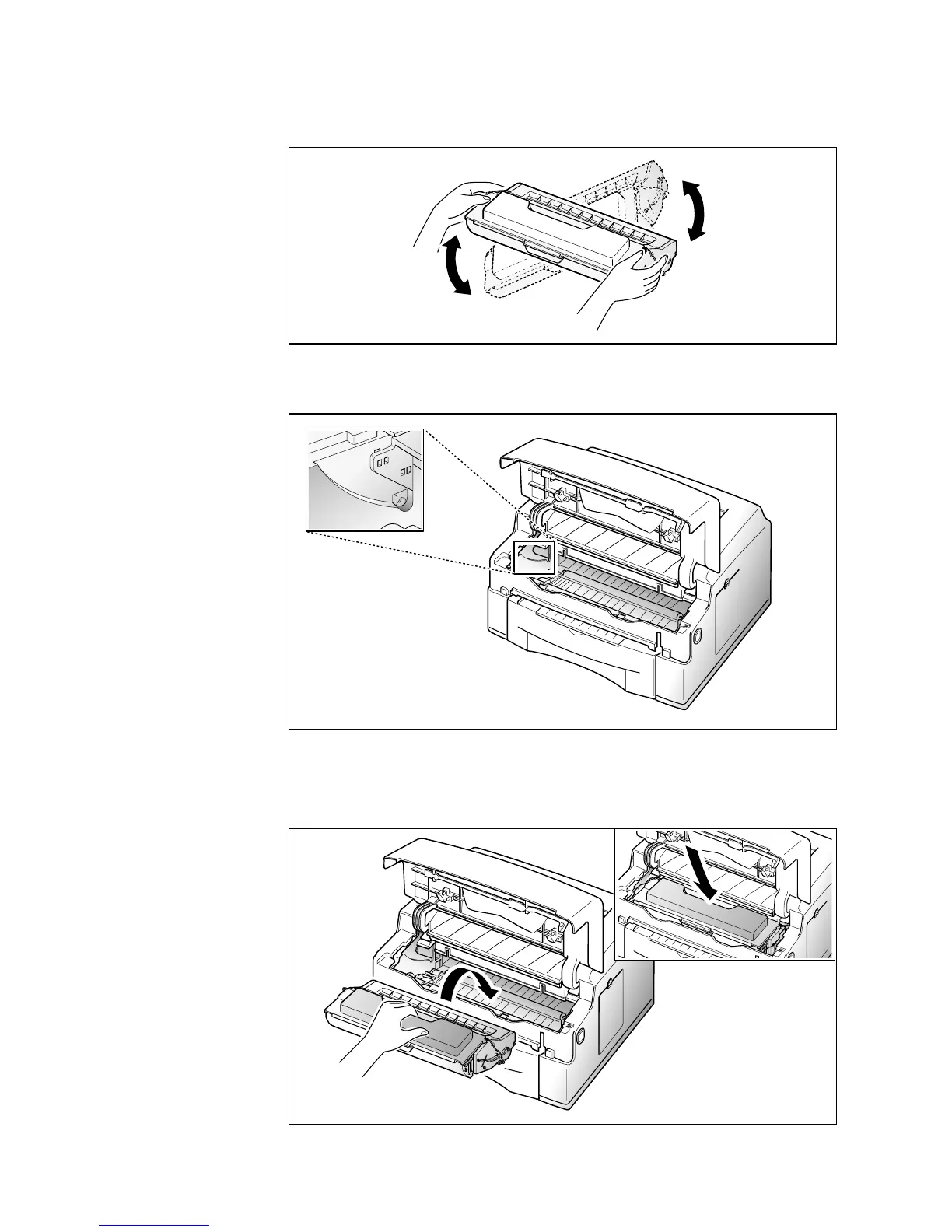
4. Gently shake the cartridge from side to side 5 or 6 times to
distribute the toner evenly inside the cartridge.





 To Next Page