4-6 Operating Your Printer
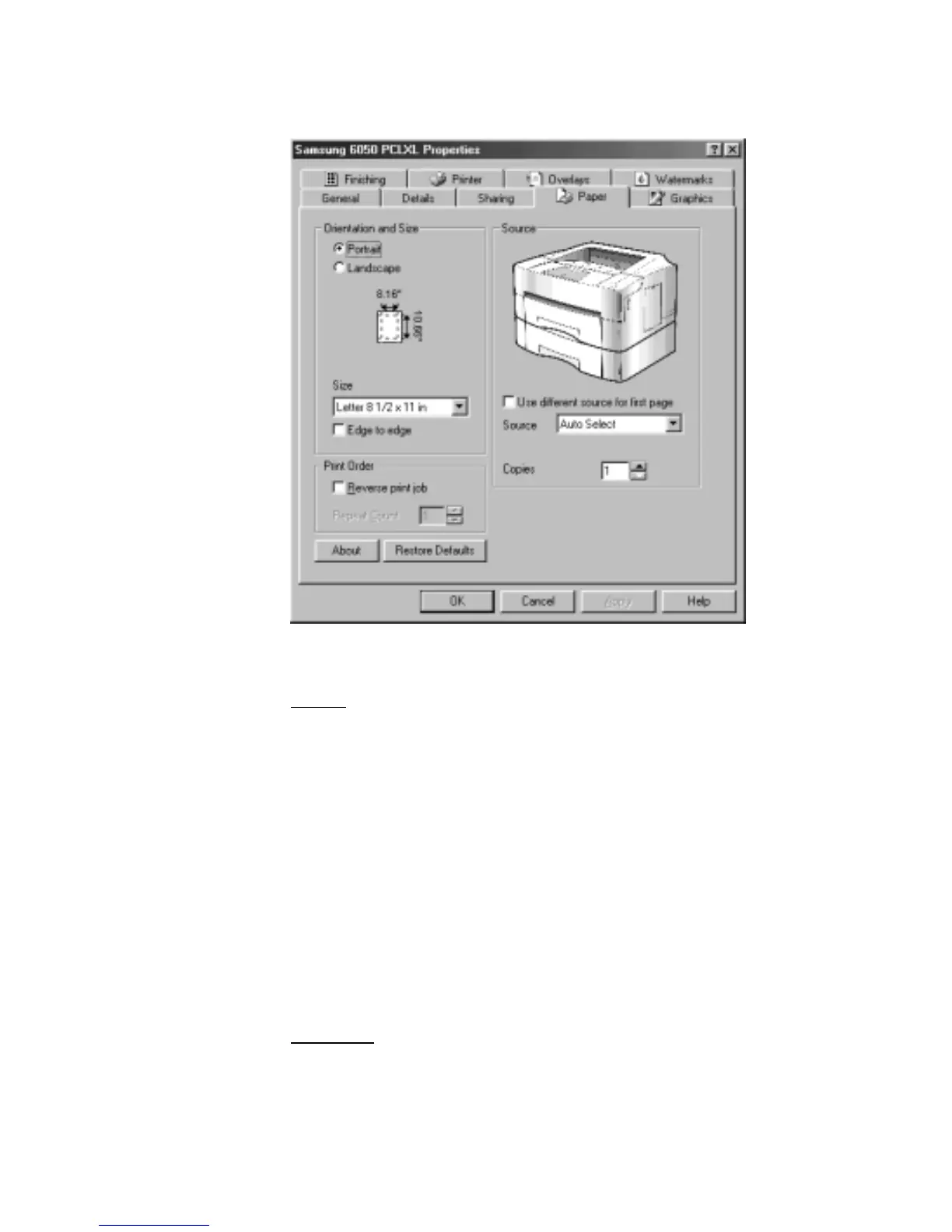
Samsung 6050 PCLXL driver’s Properties dialog box includes 9 tabs.
Paper
Using this tab, you can change the paper orientation and size, and
source.
Source setting identifies the default paper source. Option Cassette
source is available if the optional cassette is installed.
Manual Feed source is used when manually feeding envelopes or
other print material. With it set to Auto Select, the printer
automatically selects the print material according to the print job.
Use different source for first page: Click to specify different paper
settings for the first and following pages of your print job, clear if you
want to use the same paper settings for all pages of your print job.
The paper size for all pages of the print job must be the same.
Graphics
Using this tab, you can change graphic mode and halftoning, select
true type options, and print quality.











 To Next Page