5-16 Troubleshooting and Maintenance
To replace the toner cartridge:
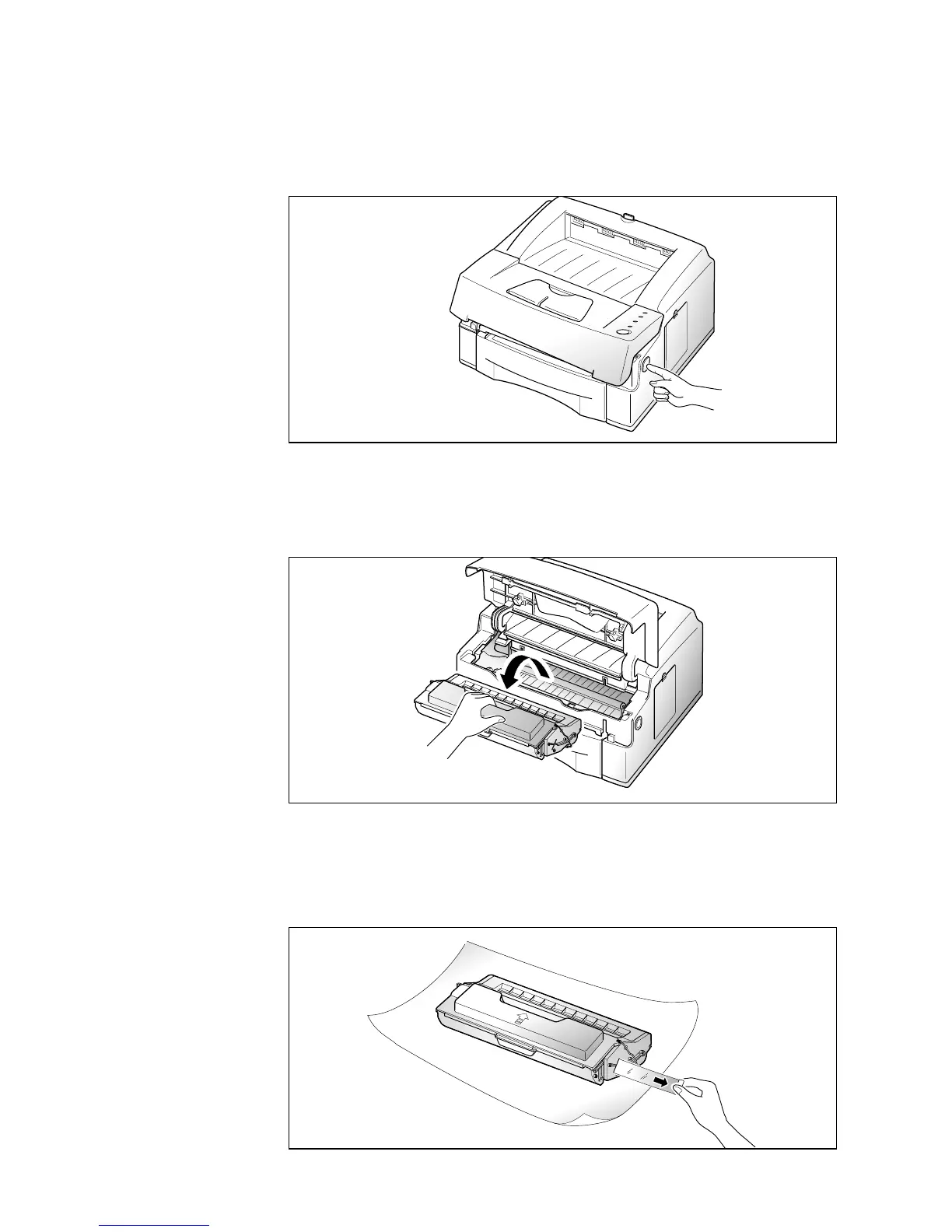
1. Open the printer cover by pressing the cover release button, and
raise the printer cover.
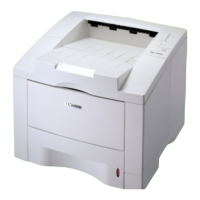
2. Remove the old toner cartridge. Follow the instructions printed on
the cartridge box to recycle the used cartridge.
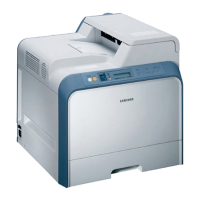
3. Unpack the new toner cartridge, and carefully remove the sealing
tape.





 To Next Page