Printer Options 6-9
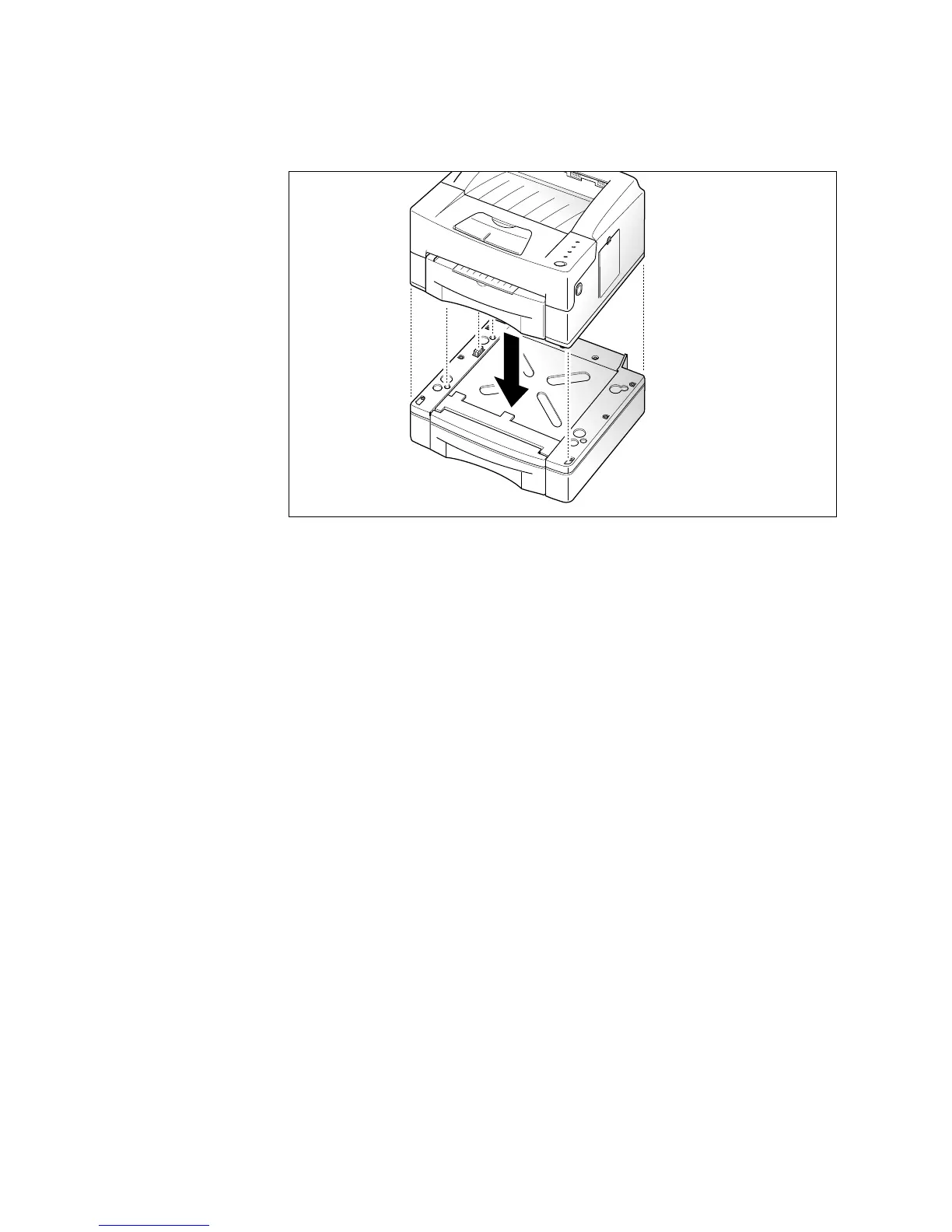
2. Place the printer on the top of the support unit. Be sure the edges
of the printer and the support unit are aligned so that all the parts
fit.
3. Load paper in the cassette. See ‘Loading a Stack of Paper’ on
page 3-2.
4. Reconnect the printer cable, then plug in the printer power cord.
Then, turn the printer power On (I).
5. To use paper in the optional cassette, select the paper source as
Option Cassette from your application program, then start your
print job. See page 4-4.
Note: To verify that the optional cassette is installed properly, print a
test page. See page 1-6.











 To Next Page