3 Alignments and Adjustments
3-9
No
4.
5.
6.
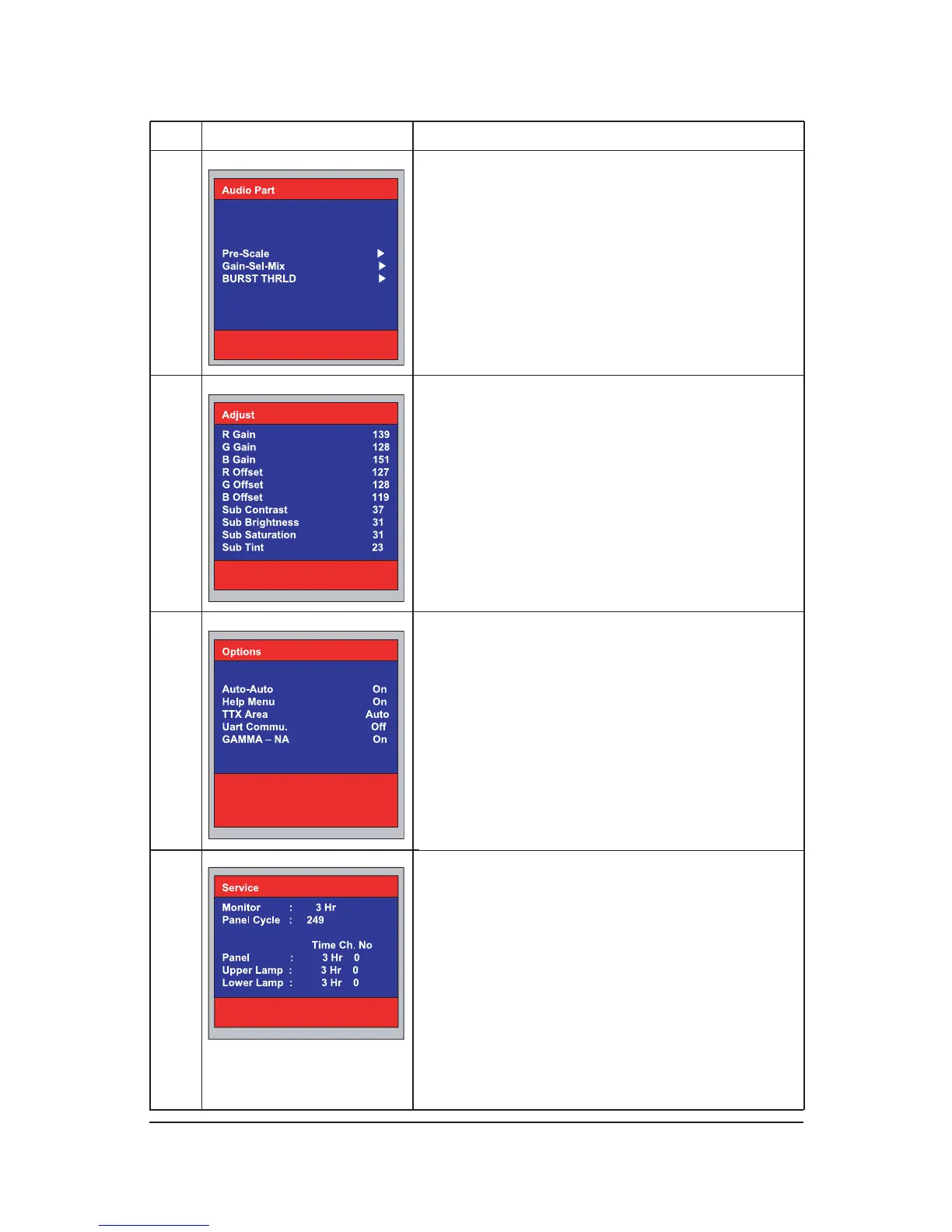
3) Audio Part
- Pre- Scale : SPK / SCART
- Gain-Sel -Mix
- BURST THRLD H / L / CHECK THRLD / P-S MUTE
*.When Panel Information selected
4)Adjust
5) Pre-Setting - NA
*.When Panel Information selected
Function Action method
7.
8) Panel Information
various function are included in information.
1. Monitor On Time : Power On Time
2. Panel Cycle : Panel On/off time (Power off, Mode
change, DPMS on/off ...)
3. Panel : Panel on Time
(when the panel is changed , select the Reset )
4. Lower lamp : Lower lamp on time
(when the Lower lamp is changed , select the Reset )
5. Upper lamp : Upper Lamp on time
(when the Upper Lamp is changed , select the Reset)
9) Reset
10) Preset EEPROM










 To Next Page