14 Reference Infomation
14-4
14-2 Connecting the Monitor
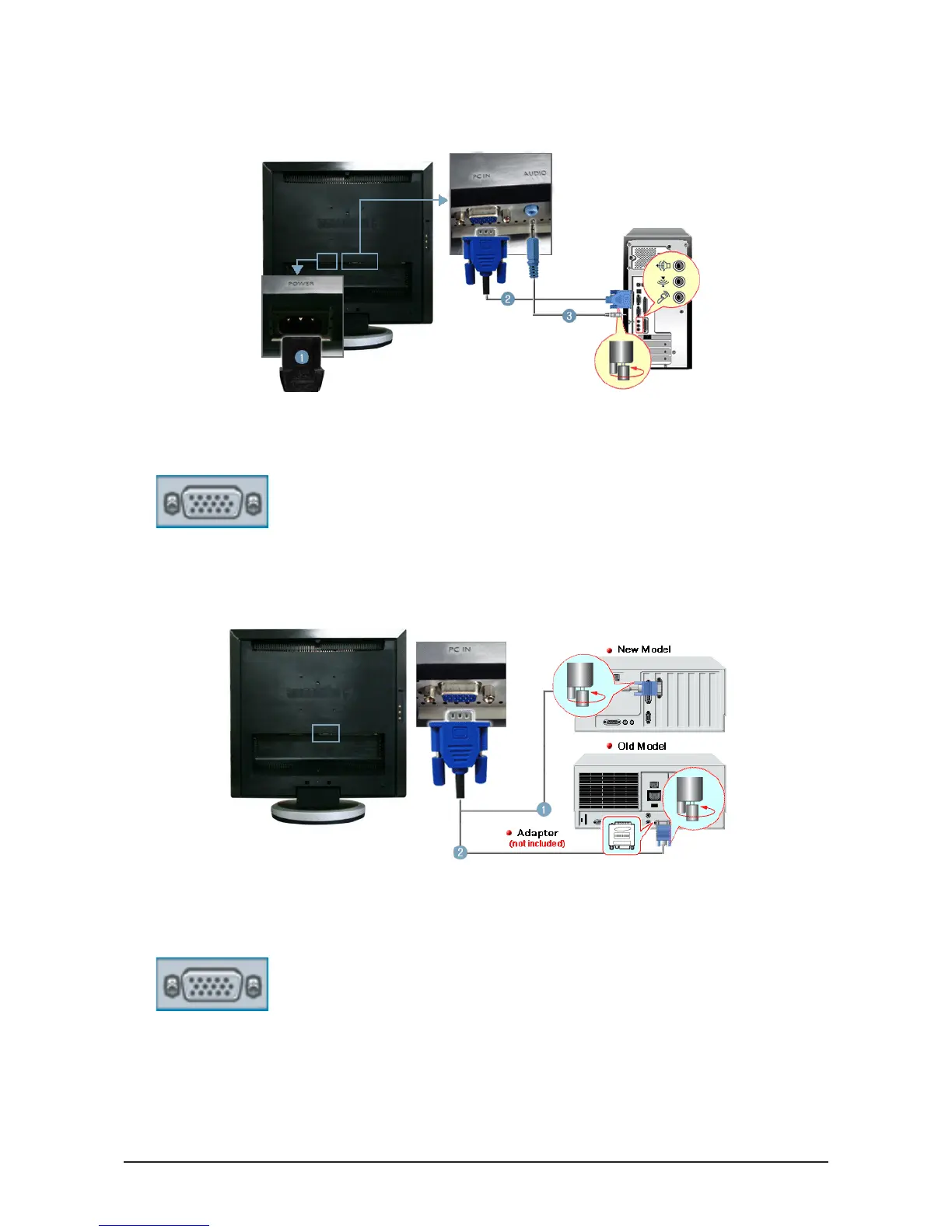
1. Connect the power cord for your monitor to the POWER on the back of the monitor.
Plug the power cord for the monitor into a nearby outlet.
2-1. Using the D-sub (Analog) connector on the video card.
Connect the signal cable to the 15-pin, RGB port on the back of your monitor.
3. Connect the audio cable for your monitor to the audio port on the back of your computer.
4. Turn on both your computer and the monitor.
1. Using the D-sub (Analog) connector on the video card.
Connect the signal cable to the D-SUB port on the Macintosh computer.
2. For older model Macintoshes, you need to adjust the resolution control DIP switch on the Macintosh
adapter (optional) referring to the switch configuration table shown on its rear.
3. Turn on the monitor and Macintosh.
- Connecting to a monitor
-Connecting to a Macintosh









 To Next Page