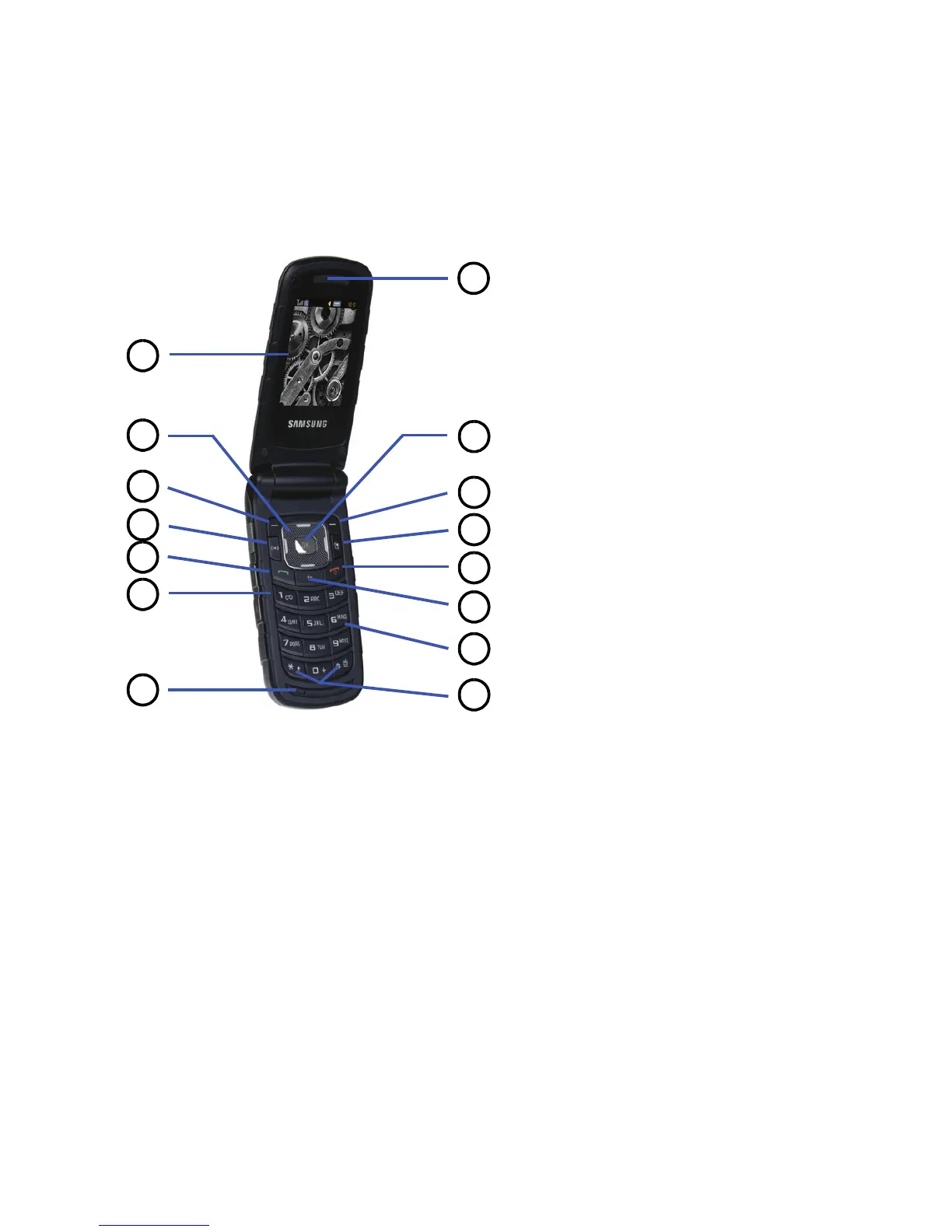
Keys
The following list correlates to the open and front view illustrations.
1. Main Display: This screen displays useful information needed to operate your phone.
2. Navigation keys: This key allows you to scroll through phone menu options and provides a shortcut to
phone functions from standby mode.
3. Soft key (left): Performs the functions indicated by the screen text on the bottom of the display.
4. Voice Recognition key: Launches the Voice Recognition application.











 To Next Page