Getting Started 2
4.
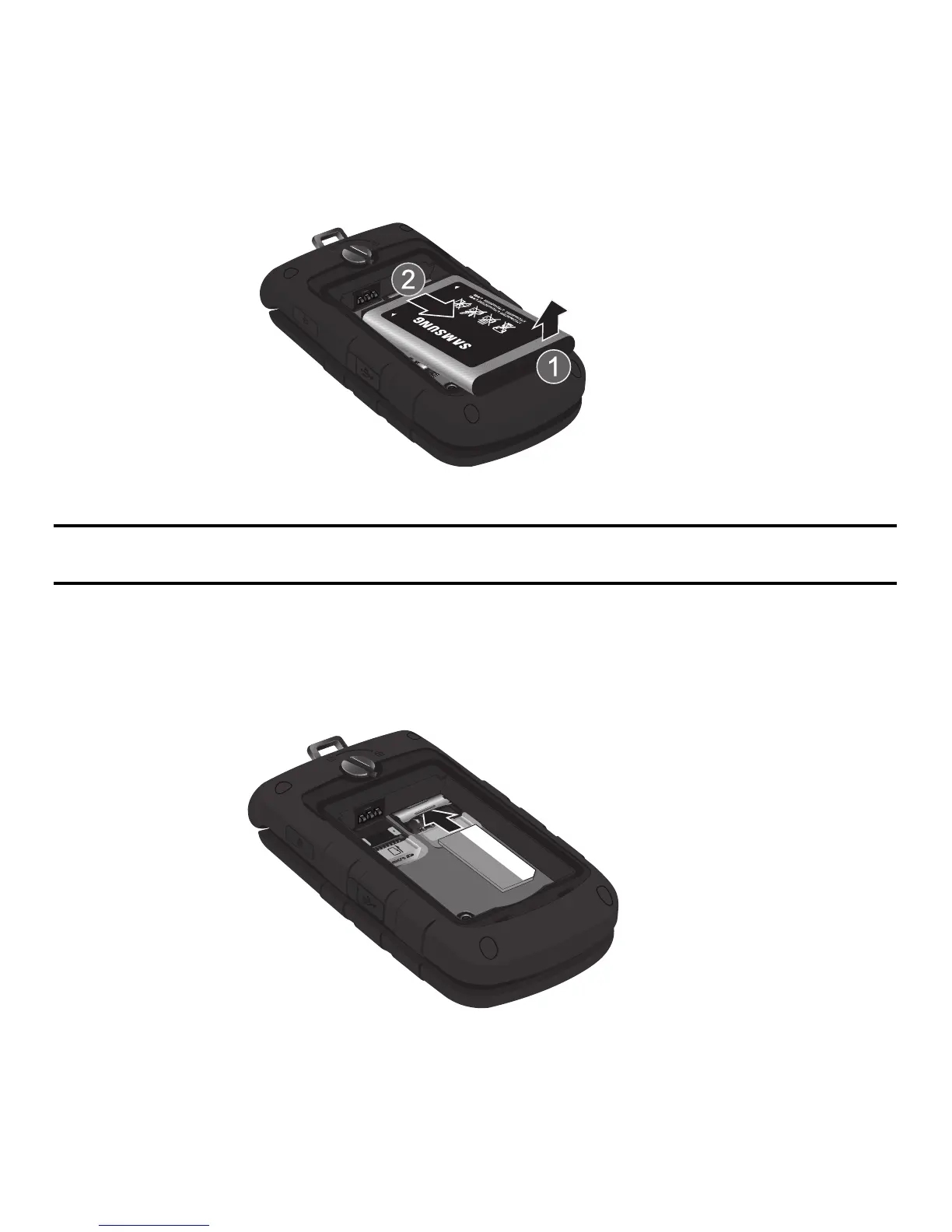
Lift the battery up (1) and away (2) from the phone, as shown.
Installing the SIM Card
Important!:
The plug-in SIM card and its contacts information can be easily damaged by scratching or bending, so be careful
when handling, inserting, or removing the card. Keep all SIM cards out of reach of small children.
1. Remove the back cover and battery.
2. Make sure to orient the SIM card with the gold contacts facing down and the corner notch positioned as
shown below, then slide the SIM card completely into the socket..











 To Next Page