14
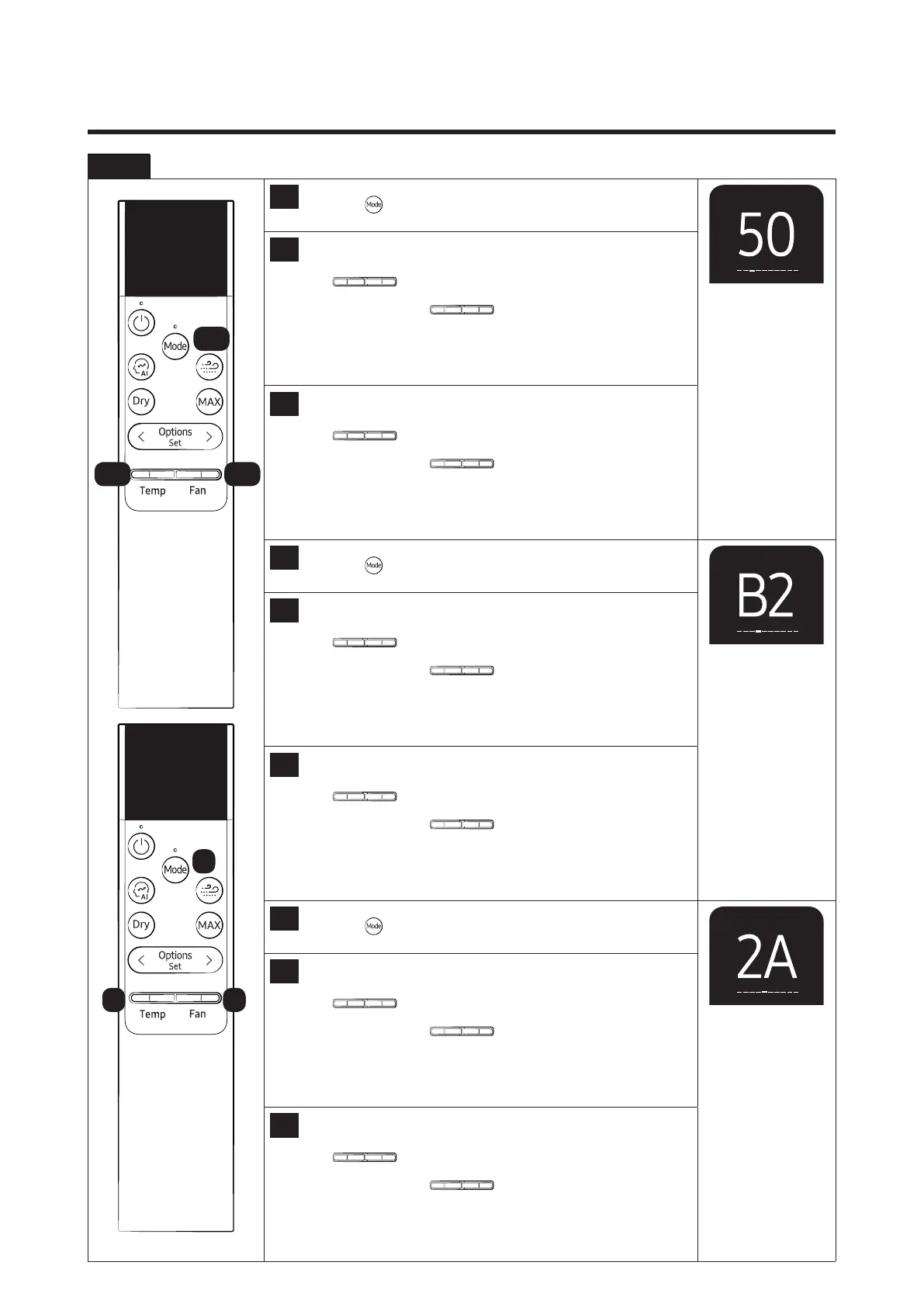
Step 2 Enter the Option Setup mode.
6
Press the
button to set next options.
7
Setting SEG 5
Press the
Temp Fan
button to set the display panel to 5.
Every time you press the
Temp Fan
button, the display panel
reads0→1→2→3→···9→A→B→C→D→E→Frepeatedly.
8
Setting SEG 6
Press the
Temp Fan
button to set the display panel to 0.
Every time you press the
Temp Fan
button, the display panel
reads0→1→2→3→···9→A→B→C→D→E→Frepeatedly.
9
Press the
button to set next options.
10
Setting SEG 7
Press the
Temp Fan
button to set the display panel to B.
Every time you press the
Temp Fan
button, the display panel
reads0→1→2→3→···9→A→B→C→D→E→Frepeatedly.
11
Setting SEG 8
Press the
Temp Fan
button to set the display panel to 2.
Every time you press the
Temp Fan
button, the display panel
reads0→1→2→3→···9→A→B→C→D→E→Frepeatedly.
12
Press the
button to set next options.
13
Setting SEG 9
Press the
Temp Fan
button to set the display panel to 2.
Every time you press the
Temp Fan
button, the display panel
reads0→1→2→3→···9→A→B→C→D→E→Frepeatedly.
14
Setting SEG 10
Press the
Temp Fan
button to set the display panel to A.
Every time you press the
Temp Fan
button, the display panel
reads0→1→2→3→···9→A→B→C→D→E→Frepeatedly.
7,1 0 8,11
6,9
12
13 14




 To Next Page