46
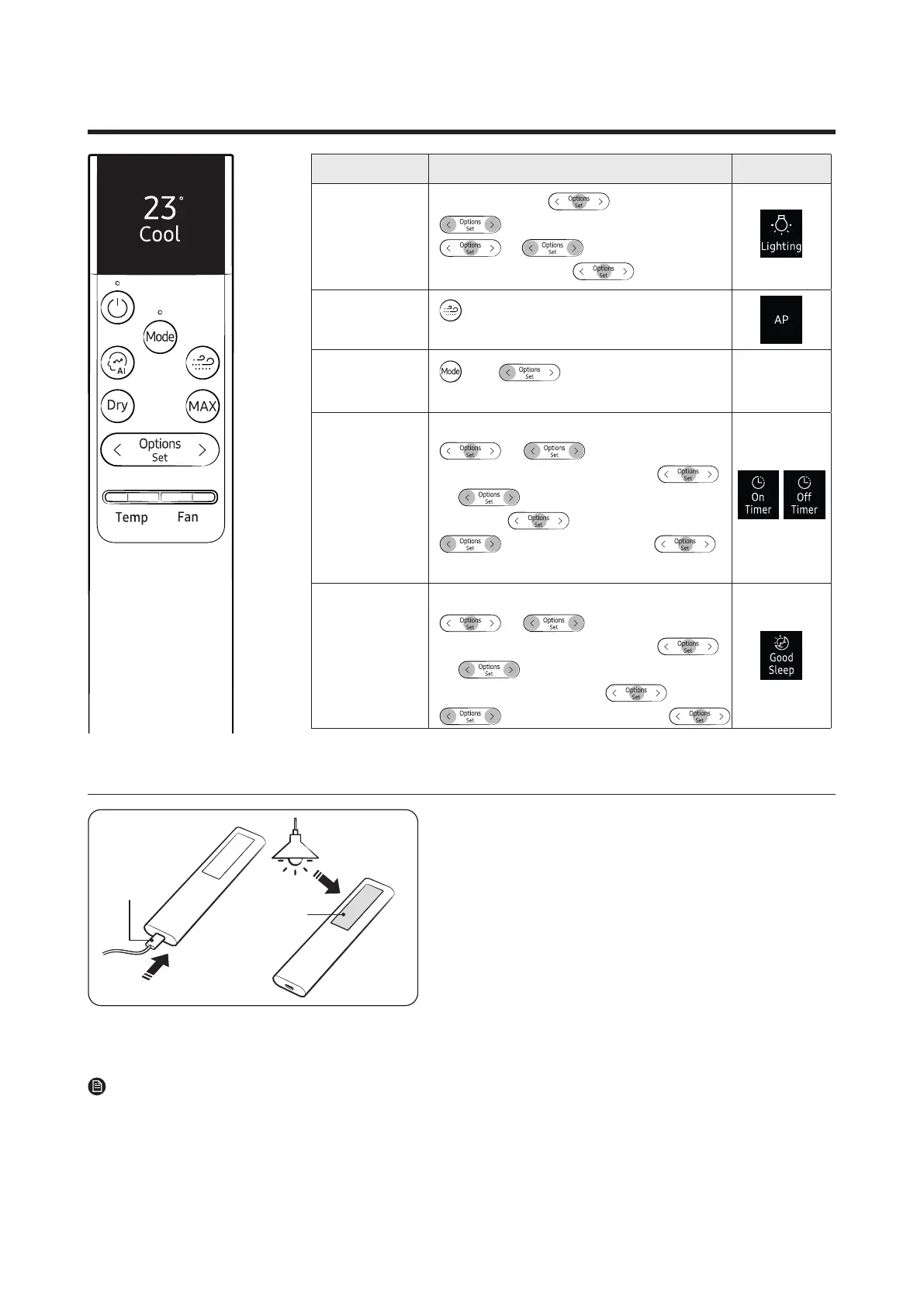
Function Button and Selection Display
Display
Lighting
Inoperation▶
▶
▶SelectSettings.▶
▶
▶
SelectLighting.▶
Wi-Fi
(SmartThings)
▶
Press and hold for 5 or more
seconds.
Wi-Fi
(On/Off)
and ▶Pressandholdfor
5 or more seconds.
Timed on/off
▶ ▶
SelectTimer/Goodsleep.▶
▶ ▶SelectOntimerorOff
timer.▶ ▶
(Set the duration.)
▶
good'sleep
InCoolorHeatmode▶
▶ ▶
SelectTimer/Goodsleep.▶
▶ ▶
SelectGoodsleep.▶ ▶
(Set the duration.)▶
Charging the remote control
Solar cell
Charging
port
• Fully charge the remote control before use.
• If “Low battery” appears on the remote control display,
charge the remote control by using the USB port (C-Type) at
the bottom of the remote control.
If you keep the remote control facing down, it is charged via
the solar cell, allowing the battery to last longer.
• When charging the remote control is complete,
“Complete” appears on the display. Then, remove the
charging cable.
• If the remote control will not be used for an extended
period of time, make sure to charge the remote control
by using the USB port before storage.
NOTE
• The product does not come with a remote control charging cable or charger.




 To Next Page