13
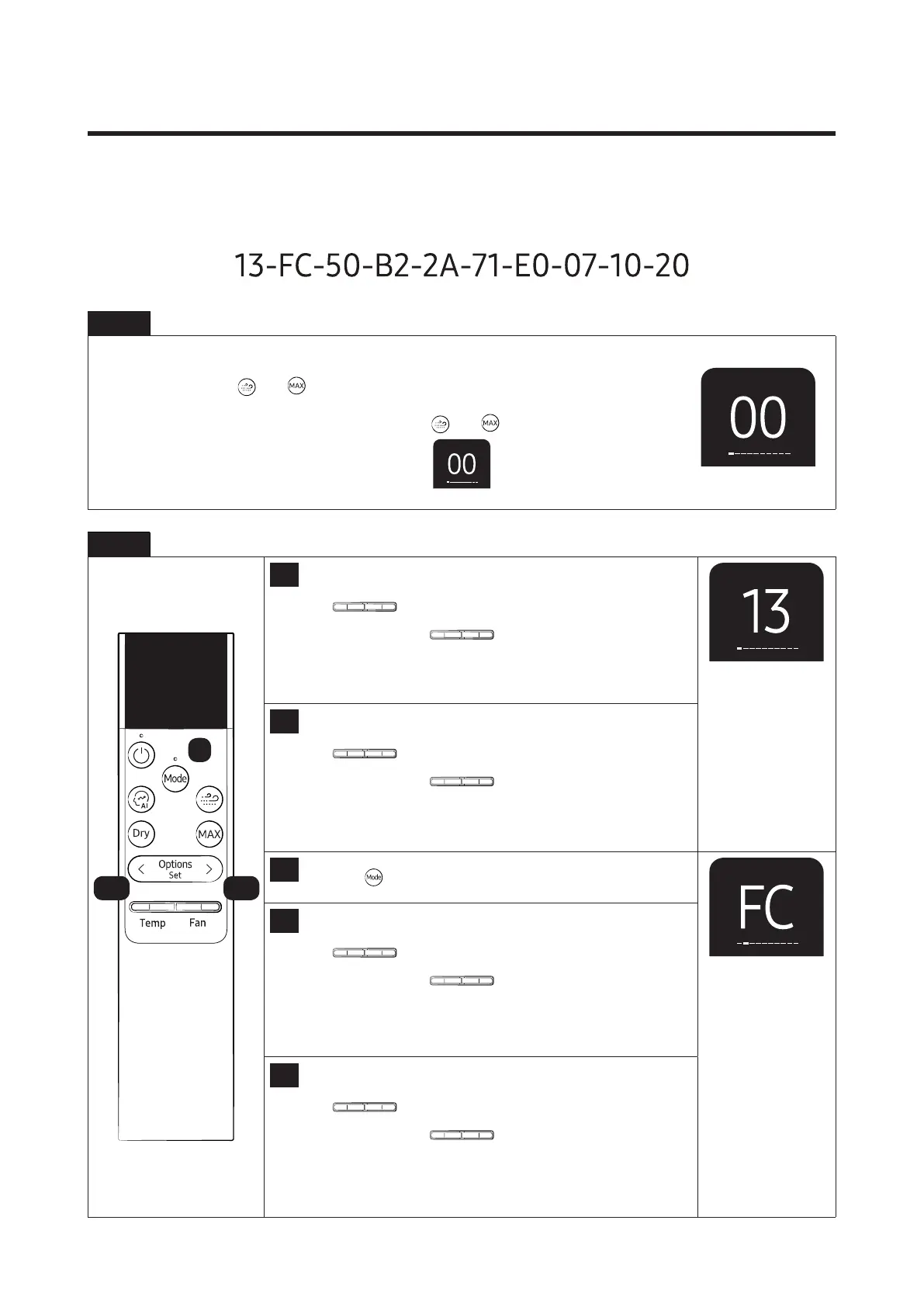
3-3 Setting Option Setup Method
Example Option code :
Step 1 Enter the Option Setup mode.
1. Connect the remote control by using the USB port (C-Type) at the bottom of the remote control.
2. Press and hold the
and
button simultaneously for 5 seconds.
(After connecting the remote control, press the and
button within 10 seconds.)
3. Make sure the remote control display shown as
g When setting the option code, press the next button within 5 seconds so that the setting is not interrupted.
Step 2 Enter the Option Setup mode.
1
Setting SEG 1
Press the
Temp Fan
button to set the display panel to 1.
Every time you press the
Temp Fan
button, the display panel
reads0→1→2→3→···9→A→B→C→D→E→Frepeatedly.
2
Setting SEG 2
Press the
Temp Fan
button to set the display panel to 3.
Every time you press the
Temp Fan
button, the display panel
reads0→1→2→3→···9→A→B→C→D→E→Frepeatedly.
3
Press the
button to set next options.
4
Setting SEG 3
Press the
Temp Fan
button to set the display panel to F.
Every time you press the
Temp Fan
button, the display panel
reads0→1→2→3→···9→A→B→C→D→E→Frepeatedly.
5
Setting SEG 4
Press the
Temp Fan
button to set the display panel to C.
Every time you press the
Temp Fan
button, the display panel
reads0→1→2→3→···9→A→B→C→D→E→Frepeatedly.
1,4 2,5
3




 To Next Page