Reference Sheet
13-14Samsung Electronics
Test operation (cont.)
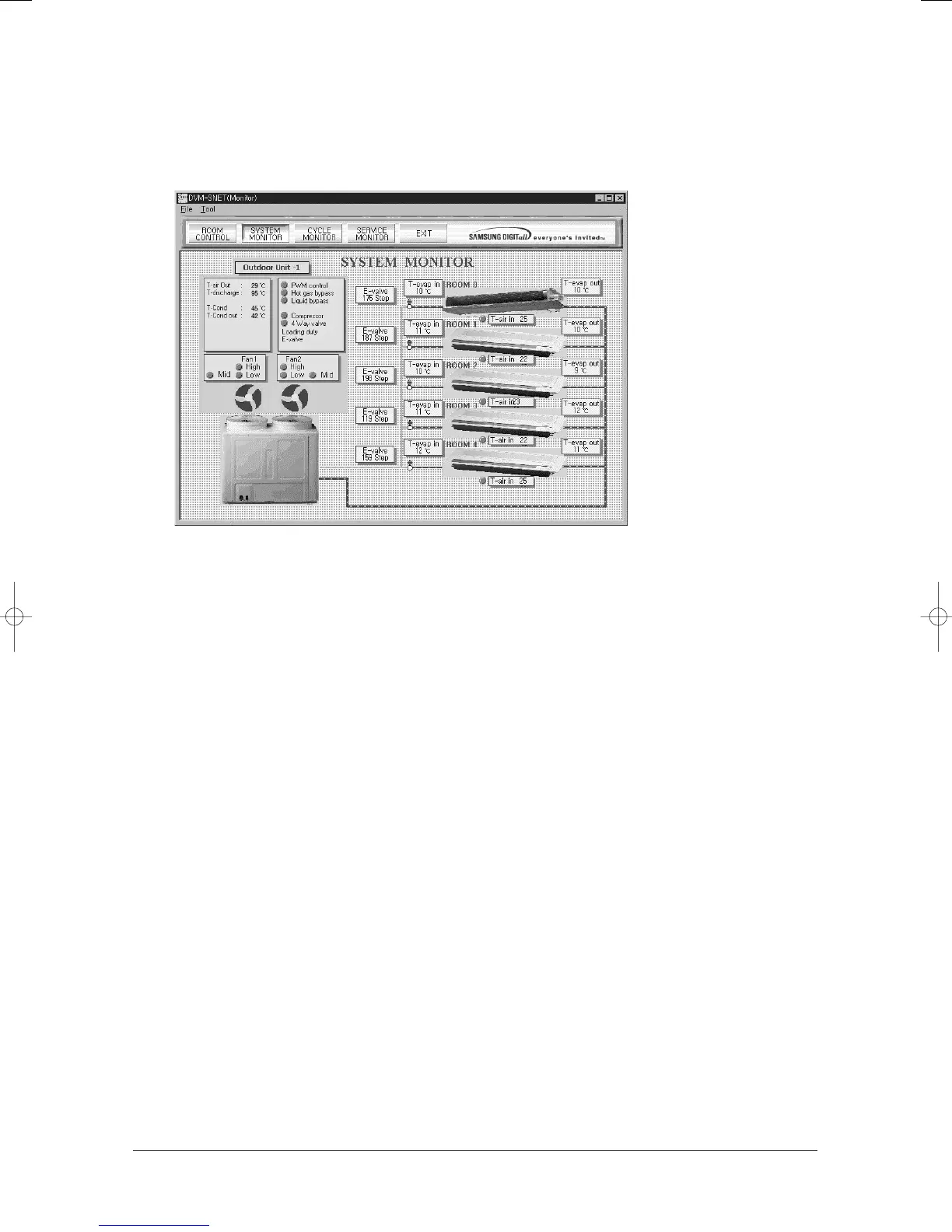
3. Check the status of a test operation through S-NET.
4. Ensure S-NET data after 2 hours over test operation.
● Store S-NET data.(Use Alt + Print Screen)
● Write an important data on the report.
● Judge the test operation compare with the S-NET judge criteria.
● Check the error mode of outdoor unit PCB.
● Check if there is an error mode on the indoor unit panel and the remote control receiver.
● Check if the condensing water of indoor unit is managed properly after 6 hours over test operation.
5. Check the following items additionally after the completion of operation check through S-NET.
● Perform the appearance and function test of indoor/outdoor unit.
– Check the remote control and indoor unit swing.
– Perform the appearance test for indoor/outdoor unit.
● Stop the system operation by pressing the test operation key after the completion of the test operation.
– Reassemble the cover of outdoor unit, and attach the notice label about the power onto the power panel.
24103A(1)_2 12/23/05 12:57 PM Page 12-23



 To Next Page