Disassembly and Reassembly
4-16Samsung Electronics
No Parts Procedure Remark
6
7
Other Parts
Front Panel
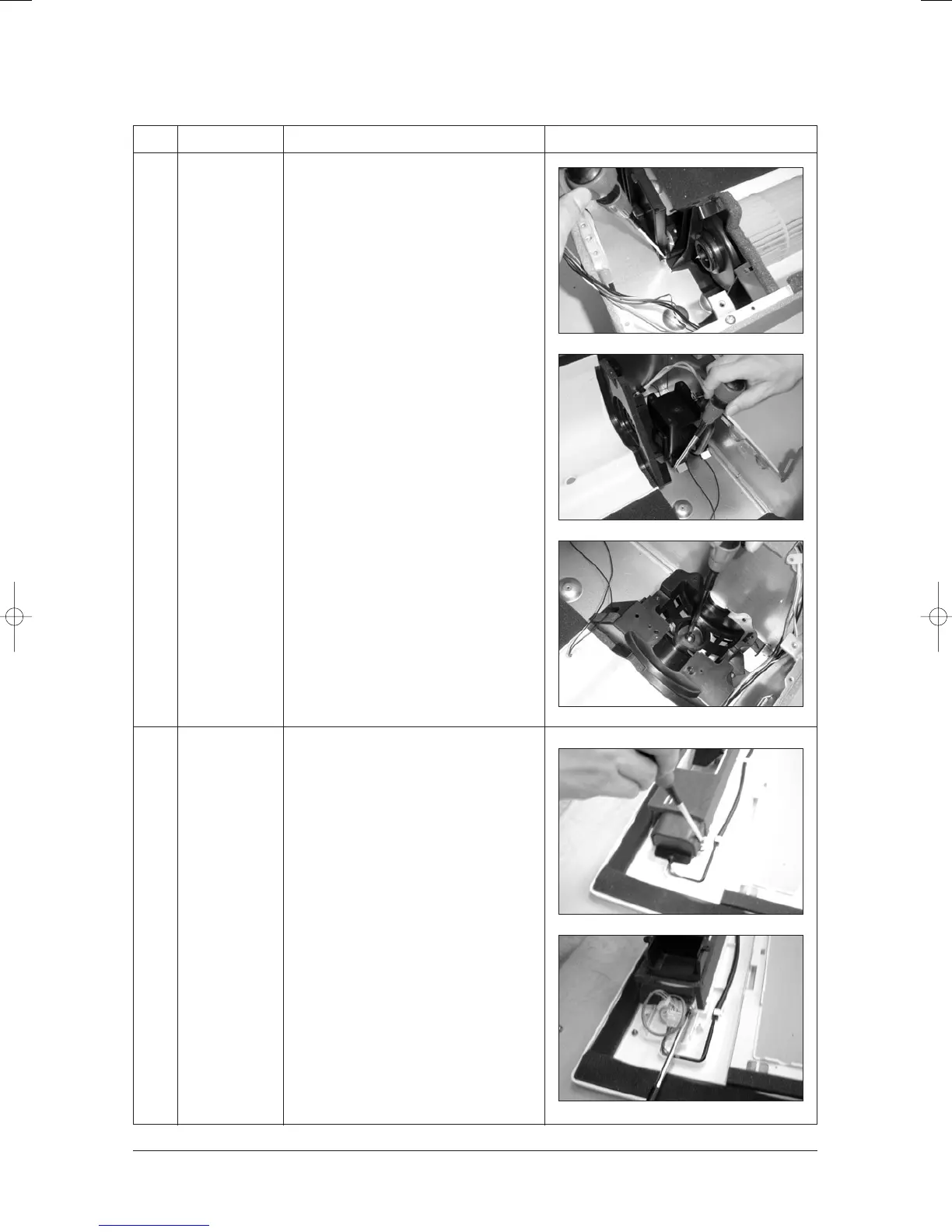
1) In case of the other parts, detach it like a
picture when necessary.
1) Unscrew 2 screws of the Holder Motor
fixed on the Panel, and detach the Holder
Motor. The Panel, and detach the Holder
Motor.
2) Unscrew 2 screws of the Step-Motor, and
detach the Step-Motor from the Panel.
24103A(1)_1 12/23/05 12:01 PM Page 3-25



 To Next Page