Disassembly and Reassembly
Samsung Electronics4-17
No Parts Procedure Remark
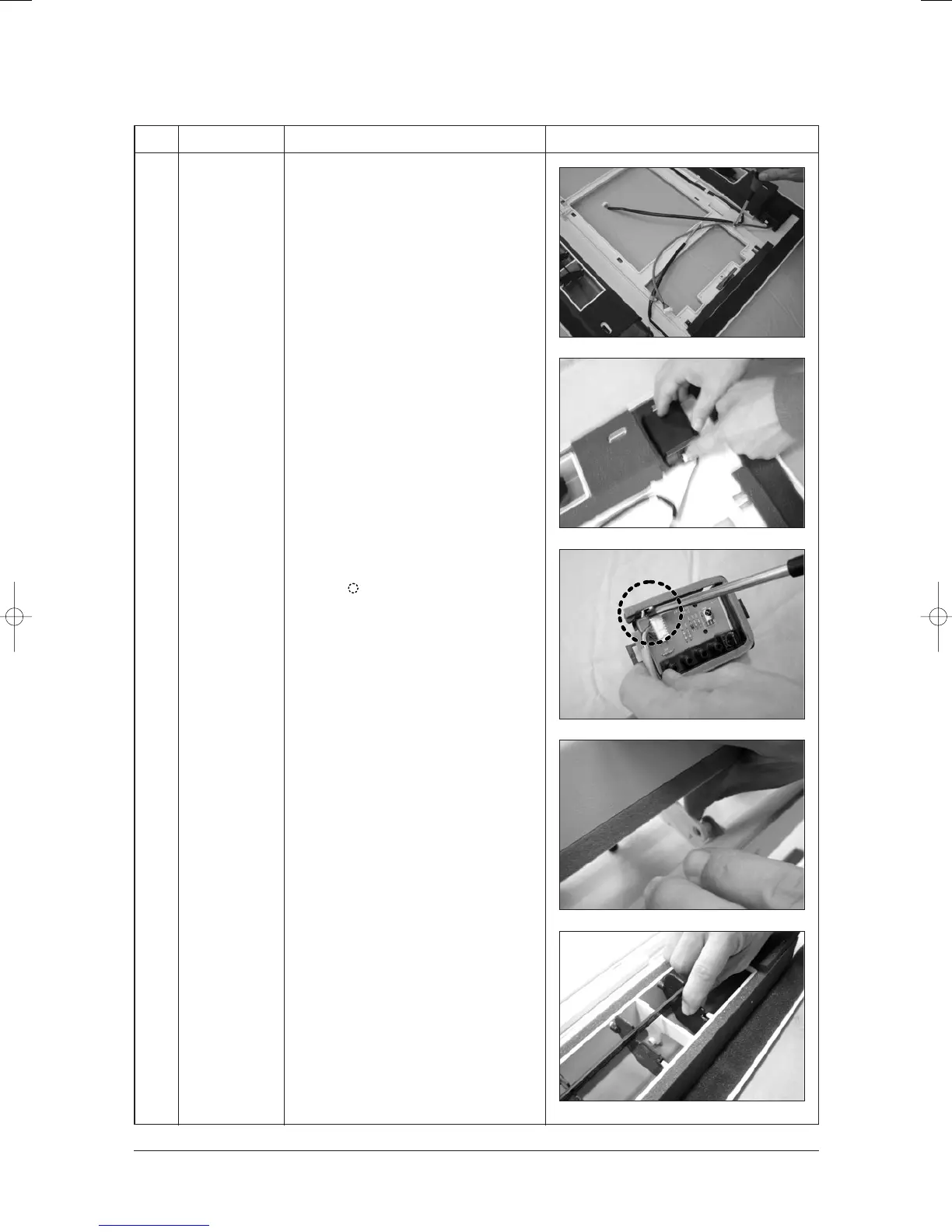
3) Detach the cable clamp screw.
4) Push the hook of case PCB to the both
sides and detach the case from the
Panel.
5) When detaching the PCB from the Case,
unscrew the 6 screws and push the hook
at the mark.
6) When detaching the blade, detach the
opposite side first of Step Motor after
turning over the guide on the Panel.
7) When detaching the Blade V, after
detaching the link by pushing, detach the
blade with pushing to the direction of
arrow.
24103A(1)_1 12/23/05 12:01 PM Page 3-26



 To Next Page