4-46Samsung Electronics
Disassembly and Reassembly
No Parts Procedure Remark
2
3
Electrical Parts
(Main PCB)
Tray Drain
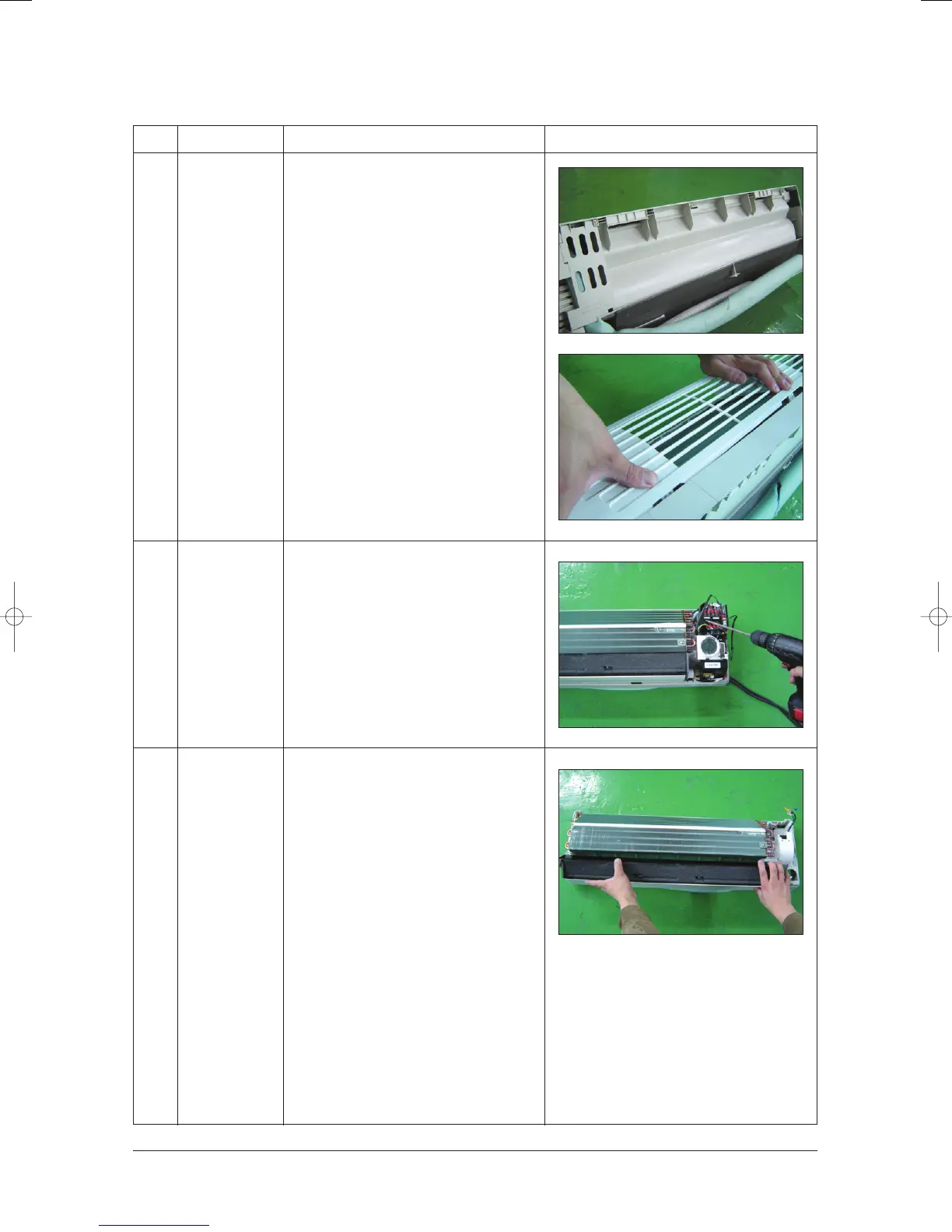
10) At first, press the left and center hook of
the back side of the Panel Grille with the
thumb to remove the hook. And press the
right of the upper side of the Panel Grille
with the fingers. And then disassemble
the Panel Grille.
1) Take all the connector of PCB upper side
out.(Including Power Cord)
2) Detach the outdoor unit connection wire
from the Terminal Block.
3) If pulling the main PCB up, it will be taken
out.
1) Pull Tray Drain out from the Back Body.
24103A(1)_1 12/23/05 12:01 PM Page 3-55



 To Next Page