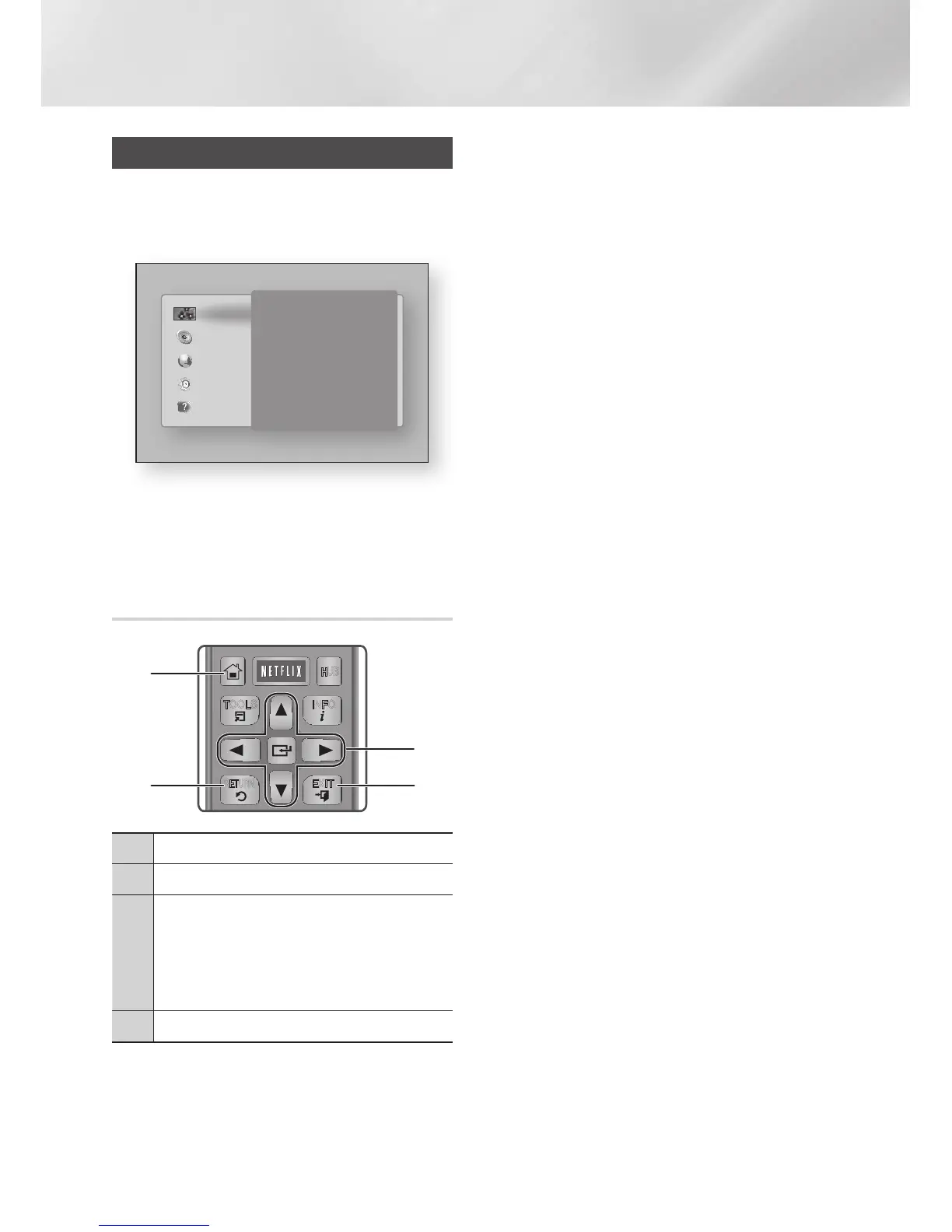
Accessing the Settings Screen
1. Select Settings on the Home screen, and
then press
v
button. The Settings screen
appears.
2. To access the menus, sub-menus, and
options on the Settings screen, please refer
to the remote control illustration below.
Buttons on the Remote Control Used
for the Settings Menu
1
HOME Button : Press to move to the Home screen.
2
RETURN Button : Return to the previous menu.
3
v
(Enter) / DIRECTION Buttons :
• Press ▲▼◄► to move the cursor or select an
item.
• Press the
v
button to activate the currently
selected item or confirm a setting.
4
EXIT Button : Press to exit the current menu.
Detailed Function Information
Each Settings function, menu item, and individual
option is explained in detail on-screen. To view an
explanation, use the ▲▼◄► buttons to select the
function, menu item, or option. The explanation
will usually appear on the right side of the screen.
A short description of each Settings function
starts on the next page. Additional information on
some of the functions is also in the Appendix of
this manual.



 To Next Page