
EasyManua.ls Logo

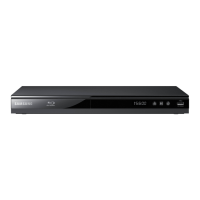
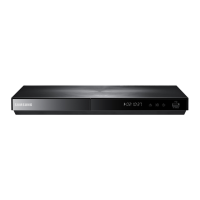
Samsung BD-EM59C - User Manual

Samsung BD-EM59C
59 pages
Print Icon
To Next Page IconTo Next Page
Loading...
imagine the possibilities
Thank you for purchasing this Samsung product.
To receive more complete service,
please register your product at
www.samsung.com/register
Blu-ray
™
Disc Player
user manual
BD-EM59
BD-EM59C

Table of Contents

Questions and Answers

  • D
    deannaatkinsSep 8, 2025
    Why can't I see files in AllShare on my Samsung Blu-ray Player?
    • L
      lsanchezSep 8, 2025
      If you see folders shared through AllShare but cannot see the files on your Samsung Blu-ray Player, note that AllShare only displays Video, Photo, and Music files. Other file types will not be shown.
  • W
    williamsaaronSep 9, 2025
    What to do if an error occurs when using BD-LIVE service on Samsung Blu-ray Player?
    • M
      Margaret LeonSep 10, 2025
      If you encounter an error while using the BD-LIVE service on your Samsung Blu-ray Player, ensure that the memory device has at least 1GB of free space available for the BD-LIVE service. You can check the available space in BD Data Management.
  • B
    Bethany SmithSep 12, 2025
    What does the prohibition message on my Samsung Blu-ray Player mean?
    • M
      Michael TaylorSep 12, 2025
      If a prohibition message appears on the screen of your Samsung Blu-ray Player, it means an invalid button was pressed, the Blu-ray Disc/DVD's software doesn't support the feature (e.g., angles), or you've requested a title, chapter number, or search time that is out of range.
  • P
    patriciabensonSep 13, 2025
    Why can't the screen ratio be changed on my Samsung Blu-ray Player?
    • R
      Roger LongSep 13, 2025
      If the screen ratio cannot be changed on your Samsung Blu-ray Player, it is because the screen ratio is fixed on the Blu-ray Disc/DVD. This is not a problem with the player itself.
  • T
    Tanya McdonaldSep 15, 2025
    Why does the disc menu not appear on my Samsung Blu-ray Player?
    • J
      Justin GrahamSep 15, 2025
      If the disc menu does not appear on your Samsung Blu-ray Player, ensure that the disc actually has disc menus.
  • T
    Theresa FlemingSep 18, 2025
    Why does play mode differ from Setup Menu selection on Samsung Blu-ray Player?
    • W
      wandersonSep 18, 2025
      If the play mode differs from the Setup Menu selection on your Samsung Blu-ray Player, some functions selected in the Setup Menu may not work properly if the disc is not encoded with the corresponding function.

Summary

Safety Information

Warning

To reduce the risk of electric shock, do not remove the cover.

Class 1 Laser Product

Player classified as a CLASS 1 LASER product, with safety warnings.

Getting Started

Disc and Format Compatibility

Details on playable and non-playable disc types and formats.

Supported Formats

Details on supported video and audio file formats.

Front Panel

Description of the player's front panel controls and indicators.

Remote Control

Overview of the remote control and its buttons.

Connections

Connecting to a TV

Instructions for connecting the player to a television via HDMI.

Connecting to an Audio System

Methods for connecting the player to an audio system.

Connecting to a Network Router

Instructions for connecting the player to a network router.

Settings

The Initial Settings Procedure

Steps to configure player settings upon first use.

Networks and the Internet

Overview of network features and setup.

Upgrading Software

Procedures for updating the player's software.

Media Play

Playing Commercial Video Discs

Instructions for playing commercial video discs.

Controlling Video Playback

Basic video playback controls using the remote.

Controlling Music Playback

Basic music playback controls using the remote.

Network Services

Using Smart Hub

Accessing online applications and content through Smart Hub.

Using Disc to Digital

Uploading and streaming DVD movies.

Appendix

Compliance and Compatibility Notice

Information on disc compatibility and product compliance.

Troubleshooting

Solutions for common player problems.

Specifications

Technical specifications of the Blu-ray Disc Player.

LIMITED WARRANTY TO ORIGINAL PURCHASER

Samsung BD-EM59C Specifications

General IconGeneral
BrandSamsung
ModelBD-EM59C
CategoryBlu-ray Player
LanguageEnglish

Related product manuals