26_ Operating advanced function
Operating advanced function
SETTING THE DAILY SCHEDULE
Set the daily schedule to reserve On / Off timer of DHW (Eco/Std/Power) and Silent mode.
At most 15 schedules may be set for day.
• IfthefieldsettingisfornouseDHWanduseothermanufacturertank,itisimpossibleto
reserve “DHW” mode.
• Ifdailyschedulereserved15schedulesisonthesameday,itisimpossibletoreserve.
In that case, when pressing the Daily button, change the View mode of reservation.
• Itisimpossibletoreserveseveraltimesforthesametime.
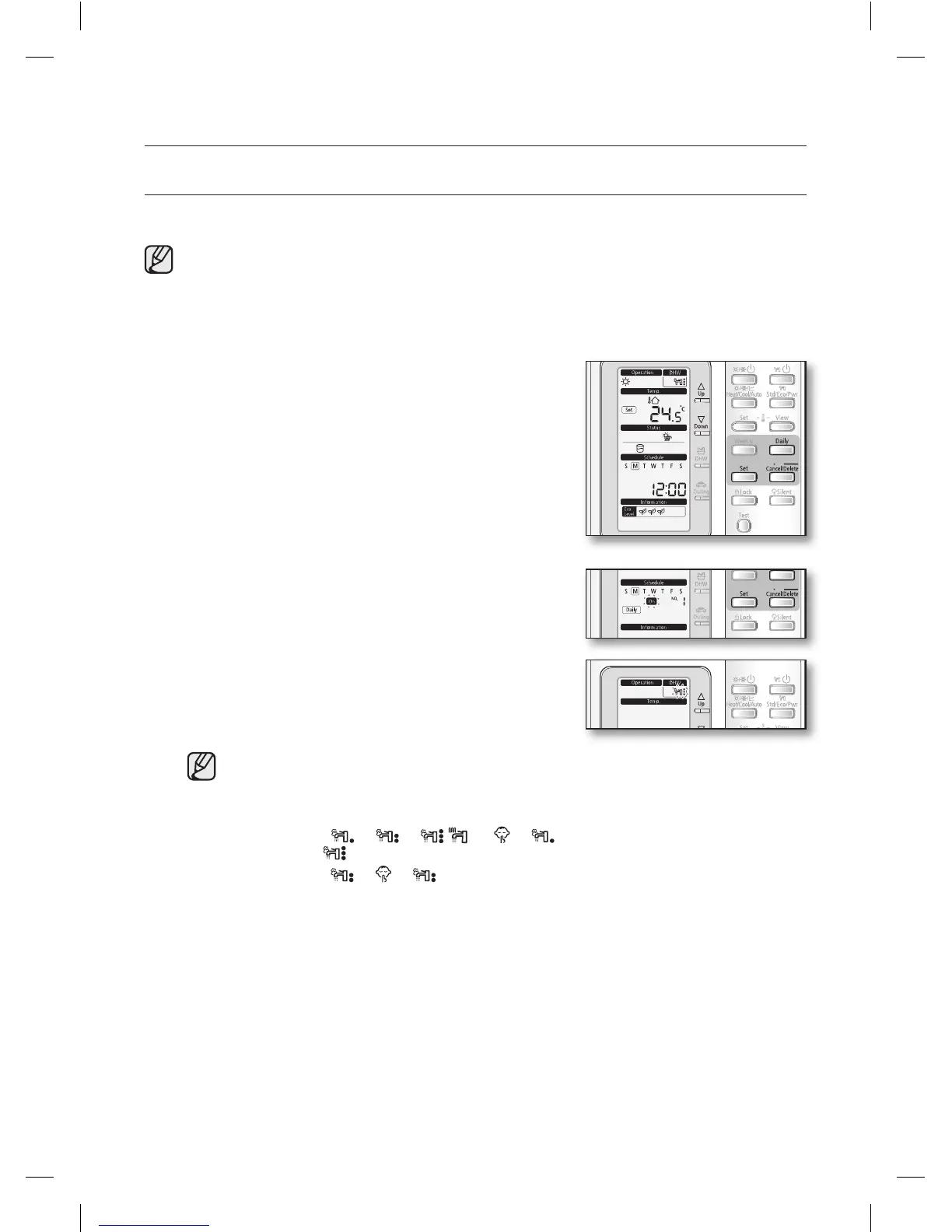
1. Press the Daily button.
The mode changes to the Daily schedule.
In this mode, you can only use Up, Down, Daily,
Set, Cancel/Delete button.
To cancel the setting, press Cancel button.
2. Set the On/Off by pressing Up, Down button.
The ‘On/Off’ indicator will blink. Set the On/Off status
and press Set button to save the setting.
3. Set the operation mode by pressing Up or Down
button.
The ‘operation indicator’ will blink. Set the operation
mode and press Set button to save the setting.
•WhenusingothercompanyDHWTankorsettingnouseDHWmode,thereservation
mode is fixed to “Silent” mode.
•WhensettinguseDHWmode,themodeischangedasfollowingswithUp or
Down button.
- “On” Mode ;
( )
Pwr mode ( ) is selected in “Booster heater On”
- “Off” Mode ;
Continue to the next page
RC120MHXGA_IB_E_34412A(1).indd 26 2012-02-08 오후 2:35:46










 To Next Page